Page Thumbnail Navigation in ASP.NET MVC PDF Viewer
15 Aug 20261 minute to read
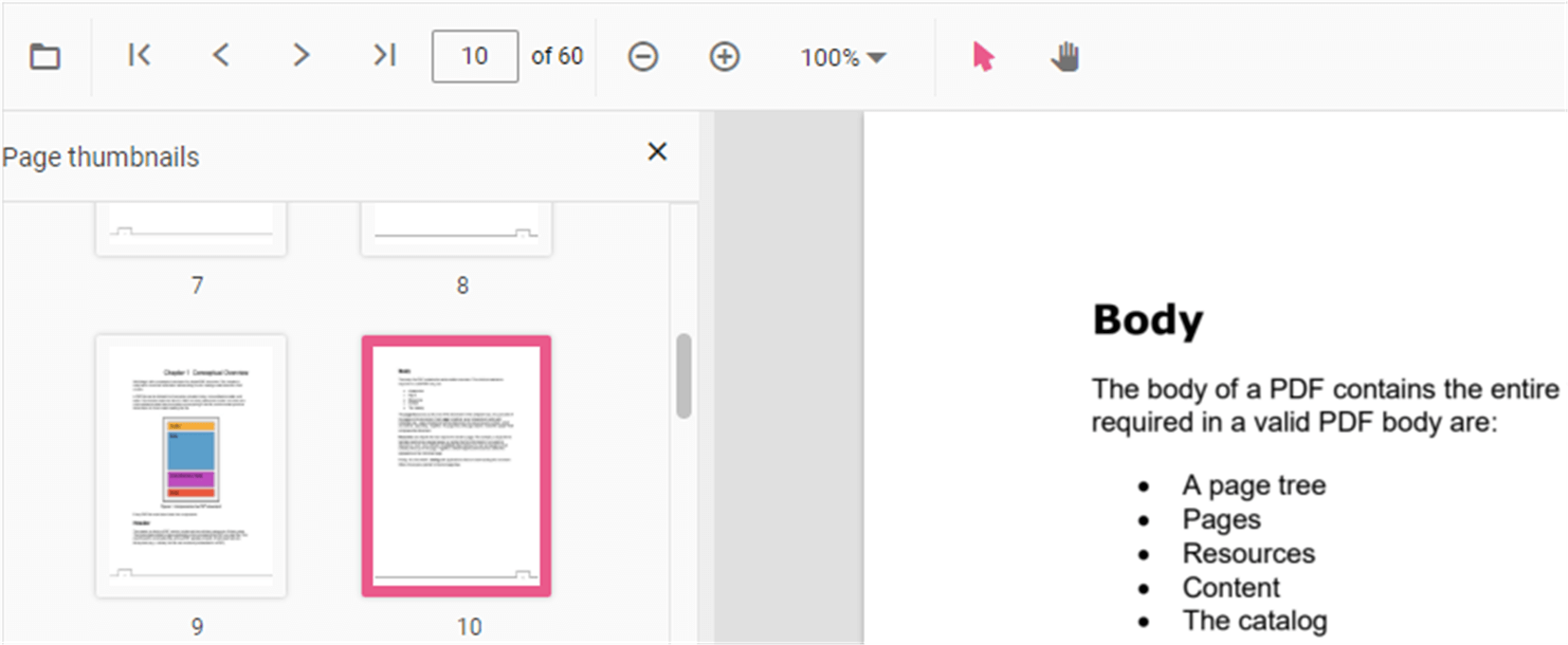
Thumbnails is the miniature representation of actual pages in PDF files. This feature displays thumbnails of the pages and allows navigation.
You can enable/disable thumbnail navigation by using the following code snippet:
```html
<div style="width:100%;height:600px">
    @Html.EJS().PdfViewer("pdfviewer").EnableThumbnail(true).DocumentPath("https://cdn.syncfusion.com/content/pdf/hive-succinctly.pdf").Render()
</div>
```
```html
<div style="width:100%;height:600px">
@Html.EJS().PdfViewer("pdfviewer").ServiceUrl(VirtualPathUtility.ToAbsolute("~/api/PdfViewer/")).EnableThumbnail(true).DocumentPath("https://cdn.syncfusion.com/content/pdf/hive-succinctly.pdf").Render()
</div>
```