Bookmark Navigation in ASP.NET MVC PDF Viewer
15 Aug 20263 minutes to read
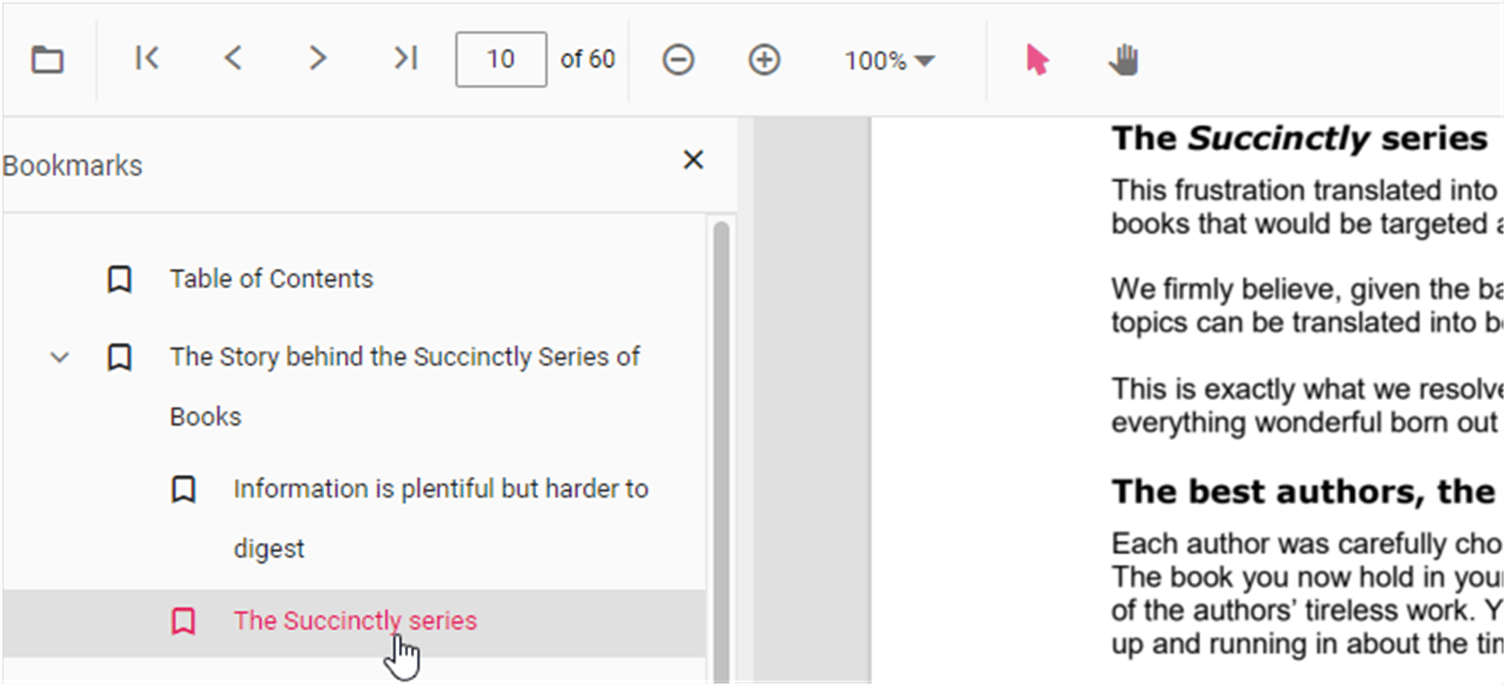
The Bookmarks saved in PDF files are loaded and made ready for easy navigation.
You can enable/disable bookmark navigation by using the following code snippet:
```html
<div style="width:100%;height:600px">
    @Html.EJS().PdfViewer("pdfviewer").EnableBookmark(true).DocumentPath("https://cdn.syncfusion.com/content/pdf/hive-succinctly.pdf").Render()
</div>
```
```html
<div style="width:100%;height:600px">
@Html.EJS().PdfViewer("pdfviewer").ServiceUrl(VirtualPathUtility.ToAbsolute("~/api/PdfViewer/")).EnableBookmark(true).DocumentPath("https://cdn.syncfusion.com/content/pdf/hive-succinctly.pdf").Render()
</div>
```
To perform bookmark navigation, you can use the goToBookmark method. It’s important to note that the goToBookmark method will throw an error if the specified bookmark does not exist in the PDF document.
Here is an example of how to use the goToBookmark method:
<button id="gotobookmark" onclick="gotobookmark()">Specific Page</button>

<div style="width:100%;height:600px">
    @Html.EJS().PdfViewer("pdfviewer").DocumentPath("https://cdn.syncfusion.com/content/pdf/hive-succinctly.pdf").Render()
</div>

<script>
    function gotobookmark() {
        var pdfViewer = document.getElementById('pdfviewer').ej2_instances[0];
        pdfViewer.bookmark.goToBookmark(3, 2);
    }
</script>
<button id="gotobookmark" onclick="gotobookmark()">Specific Page</button>
<div style="width:100%;height:600px">
@Html.EJS().PdfViewer("pdfviewer").ServiceUrl(VirtualPathUtility.ToAbsolute("~/api/PdfViewer/")).DocumentPath("https://cdn.syncfusion.com/content/pdf/hive-succinctly.pdf").Render()
</div>
<script>
function gotobookmark() {
var pdfViewer = document.getElementById('pdfviewer').ej2_instances[0];
pdfViewer.bookmark.goToBookmark(3, 2);
}
</script>x - Specifies the page index to navigate to.
y - Specifies the Y coordinate value of the page.
Also, you can use the getBookmarks method to retrieve a list of all the bookmarks in a PDF document. This method returns a List of Bookmark objects, which contain information about each bookmark.
Here is an example of how to use the getBookmarks method:
<button id="getBookmarks" onclick="getBookmarks()">Retrieve Bookmark</button>

<div style="width:100%;height:600px">
    @Html.EJS().PdfViewer("pdfviewer").DocumentPath("https://cdn.syncfusion.com/content/pdf/hive-succinctly.pdf").Render()
</div>

<script>
    function getBookmarks() {
        var pdfViewer = document.getElementById('pdfviewer').ej2_instances[0];
        var getBookmarks = pdfViewer.bookmark.getBookmarks();
        console.log(getBookmarks);
    }
</script>
<button id="getBookmarks" onclick="getBookmarks()">Retrieve Bookmark</button>
<div style="width:100%;height:600px">
@Html.EJS().PdfViewer("pdfviewer").ServiceUrl(VirtualPathUtility.ToAbsolute("~/api/PdfViewer/")).DocumentPath("https://cdn.syncfusion.com/content/pdf/hive-succinctly.pdf").Render()
</div>
<script>
function getBookmarks() {
var pdfViewer = document.getElementById('pdfviewer').ej2_instances[0];
var getBookmarks = pdfViewer.bookmark.getBookmarks();
console.log(getBookmarks);
}
</script>