Organize Pages in Mobile View in ASP.NET Core PDF Viewer
14 Aug 20261 minute to read
The PDF Viewer provides a mobile-responsive layout for Organize Pages, optimized for touch interactions. Controls adapt to device viewport for phones and tablets.
Mobile-Friendly Toolbar
In mobile view, the Organize Pages toolbar appears at the bottom for one-handed access. Tools include insert, delete, and rotate functions in a touch-optimized arrangement.
Context Menu for Page Operations
To perform actions on a page thumbnail, tap and hold on the thumbnail to open a context menu. This menu contains all the available page operations:
- Rotate Clockwise: Rotates the selected page 90 degrees clockwise.
- Rotate Counter-Clockwise: Rotates the selected page 90 degrees counter-clockwise.
- Insert Page: Inserts a new page.
- Copy Page: Duplicates the selected page.
- Delete Page: Removes the selected page.
- Select All: Selects all pages in the document.
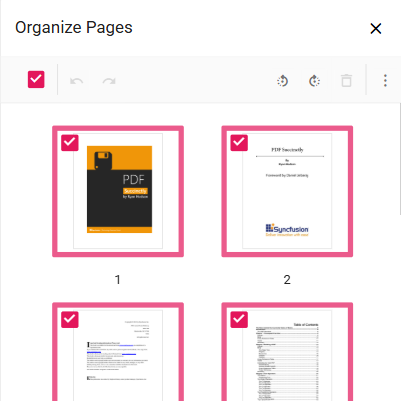
Rearranging Pages on Mobile
Tap and hold a page thumbnail to select, then drag to the desired position. A blue line indicates drop location.
The mobile interface enables efficient page management on phones and tablets with full feature parity to desktop.