# Customize the Organize Pages Toolbar in ASP.NET Core PDF Viewer

Customize the redaction toolbar by rearranging existing items, hiding default items, or adding custom items. Custom items can be inserted at specific index positions among existing toolbar items.

## Enable the redaction toolbar

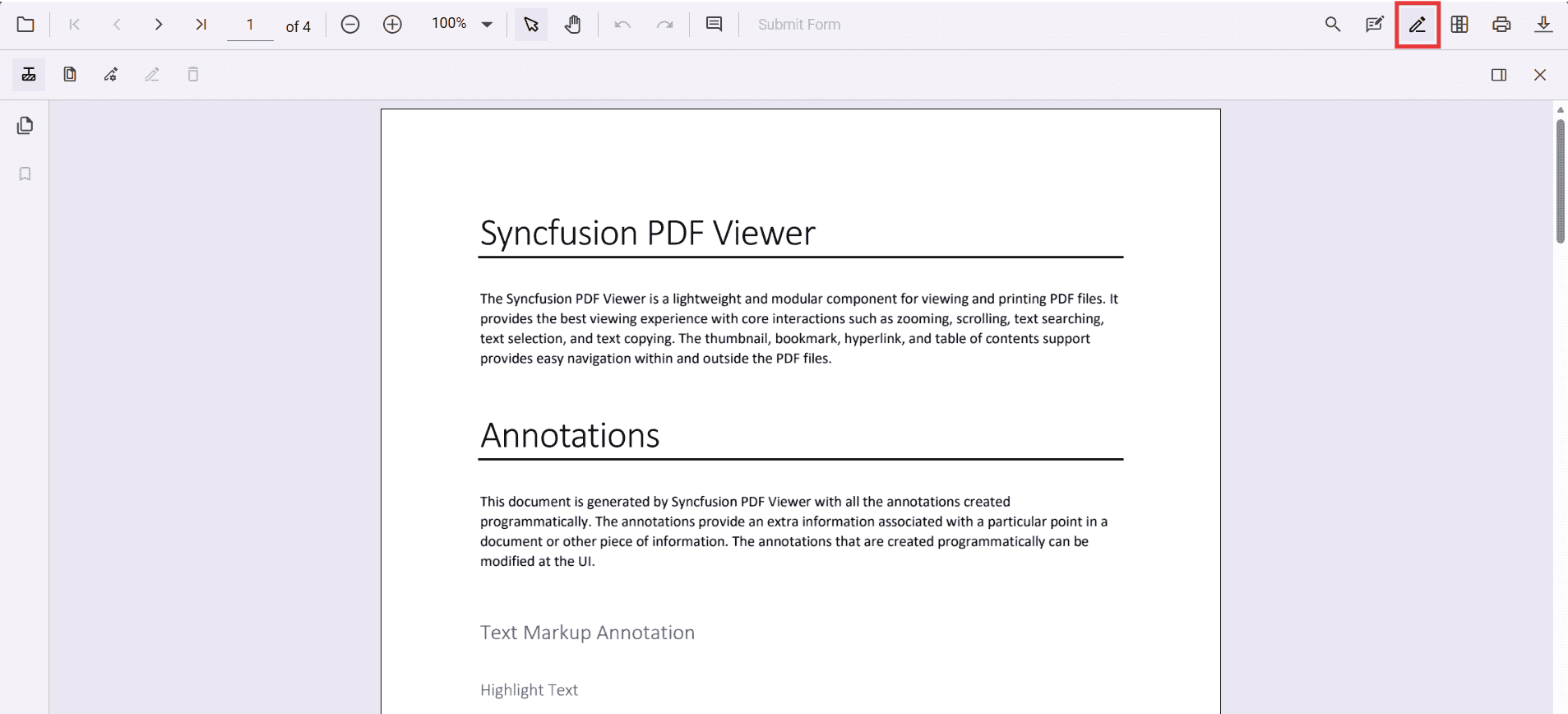
To enable the redaction toolbar, configure the `toolbarSettings.toolbarItems` property of the PdfViewer instance to include the **RedactionEditTool**.

The following example shows how to enable the redaction toolbar:

{% tabs %}
{% highlight cshtml tabtitle="Standalone" %}
<div class="text-center">
    <ejs-pdfviewer
        id="pdfViewer"
        style="height:640px; display:block"
        resourceUrl="https://cdn.syncfusion.com/ej2/31.2.12/dist/ej2-pdfviewer-lib"
        documentPath="https://cdn.syncfusion.com/content/pdf/pdf-succinctly.pdf">
    </ejs-pdfviewer>
</div>
<script type="text/javascript">
window.onload = function () {
        var viewer = document.getElementById('pdfViewer').ej2_instances[0];
        // Include RedactionEditTool in the primary toolbar
        viewer.toolbarSettings = {
            toolbarItems: [
                'OpenOption',
                'UndoRedoTool',
                'PageNavigationTool',
                'MagnificationTool',
                'PanTool',
                'SelectionTool',
                'CommentTool',
                'SubmitForm',
                'AnnotationEditTool',
                'RedactionEditTool',
                'FormDesignerEditTool',
                'SearchOption',
                'PrintOption',
                'DownloadOption'
            ]
        };
    }
</script>
{% endhighlight %}
{% endtabs %}

Refer to the following image for the toolbar view:

![Enable redaction toolbar](https://help.syncfusion.com/document-processing/pdf/pdf-viewer/asp-net-core/redaction/redaction-annotations-images/redaction-icon-toolbar.png)

## Show or hide the redaction toolbar

Toggle the redaction toolbar using the built‑in toolbar icon or programmatically with the `showRedactionToolbar` method.

### Display the redaction toolbar using the toolbar icon

When `RedactionEditTool` is included in the toolbar settings, clicking the redaction icon in the primary toolbar shows or hides the redaction toolbar.


![Show redaction toolbar from the primary toolbar](https://help.syncfusion.com/document-processing/pdf/pdf-viewer/asp-net-core/redaction/redaction-annotations-images/redaction-icon-toolbar.png)

### Display the redaction toolbar programmatically

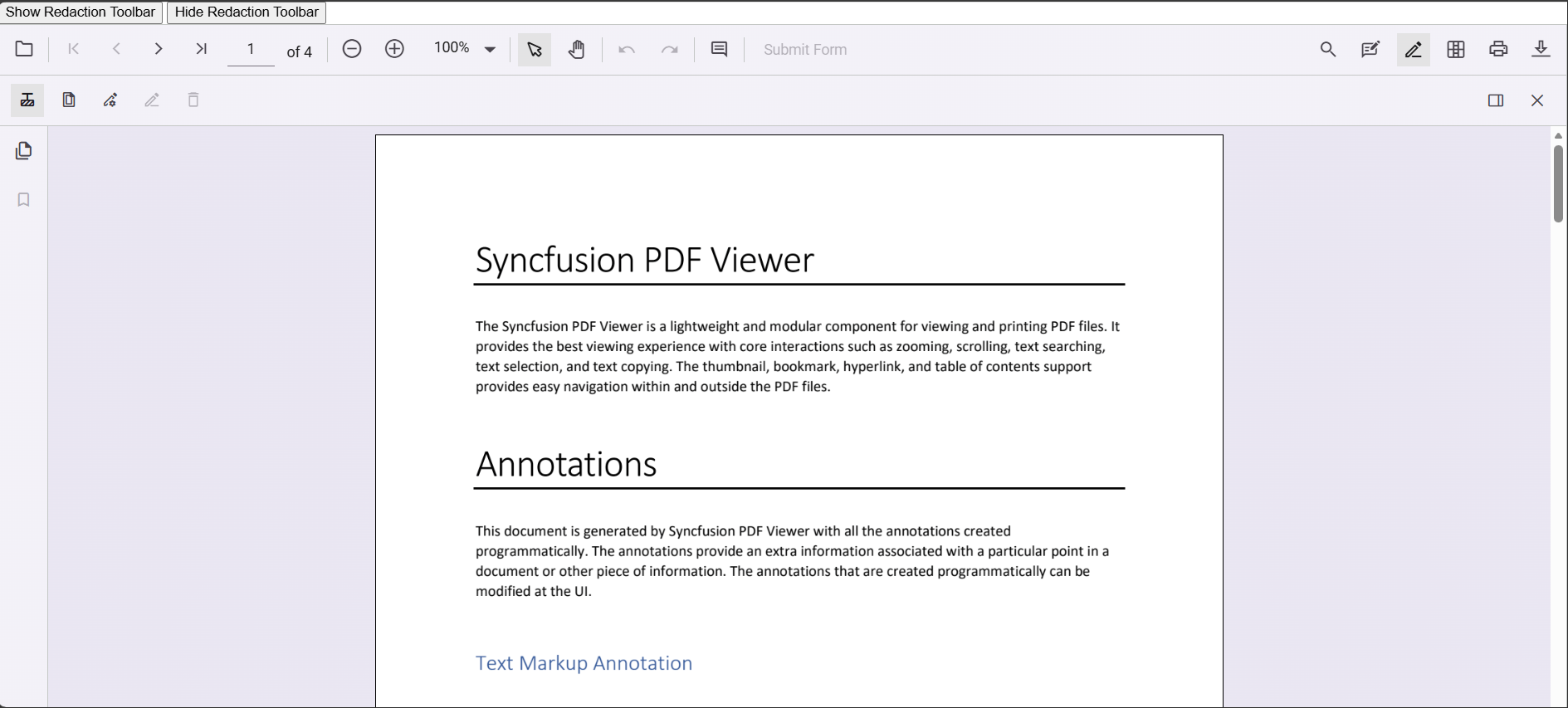
Control visibility in code by calling `viewer.toolbar.showRedactionToolbar(true)` or `viewer.toolbar.showRedactionToolbar(false)`.

The following example demonstrates toggling the redaction toolbar programmatically:

{% tabs %}
{% highlight cshtml tabtitle="Standalone" %}
<div class="content-wrapper">
    <!-- Separate buttons: Show and Hide Redaction toolbar -->
    <div style="margin-bottom:8px; display:flex; gap:8px;">
        <button type="button" onclick="showRedactionToolbar()">Show Redaction Toolbar</button>
        <button type="button" onclick="hideRedactionToolbar()">Hide Redaction Toolbar</button>
    </div>
    <ejs-pdfviewer
        id="pdfViewer"
        style="height:640px; display:block"
        resourceUrl="https://cdn.syncfusion.com/ej2/31.2.12/dist/ej2-pdfviewer-lib"
        documentPath="https://cdn.syncfusion.com/content/pdf/pdf-succinctly.pdf">
    </ejs-pdfviewer>
</div>
<script type="text/javascript">
    window.onload = function () {
        window.viewer = document.getElementById('pdfViewer').ej2_instances[0];
        // Includes RedactionEditTool in the primary toolbar
        viewer.toolbarSettings = {
            toolbarItems: [
                'OpenOption', 'UndoRedoTool', 'PageNavigationTool', 'MagnificationTool', 'PanTool',
                'SelectionTool', 'CommentTool', 'SubmitForm', 'AnnotationEditTool', 'RedactionEditTool',
                'FormDesignerEditTool', 'SearchOption', 'PrintOption', 'DownloadOption'
            ]
        };
    };
    // Separate handlers for show/hide (no toggle)
    function showRedactionToolbar() {
        if (!window.viewer) return;
        viewer.toolbar.showRedactionToolbar(true);
    }
    function hideRedactionToolbar() {
        if (!window.viewer) return;
        viewer.toolbar.showRedactionToolbar(false);
    }
</script>
{% endhighlight %}
{% endtabs %}

[View Sample in GitHub](https://github.com/SyncfusionExamples/asp-core-pdf-viewer-examples)

Refer to the following image for details:

![Programmatically show the Redaction toolbar](https://help.syncfusion.com/document-processing/pdf/pdf-viewer/asp-net-core/redaction/redaction-annotations-images/show-redaction-toolbar.png)

## See also

* [Adding the redaction annotation in PDF viewer](./overview)
* [UI interactions](./ui-interaction)
* [Programmatic support](./programmatic-support)
* [Mobile view](./mobile-view)
* [Search Text and Redact](./search-redact)