Download in Angular PDF Viewer
14 Aug 20264 minutes to read
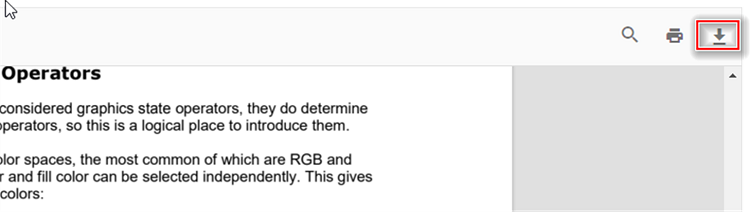
The Angular PDF Viewer lets users download the currently loaded PDF. Enable the download toolbar button with enableDownload for both standalone and server-backed viewers. The examples below demonstrate typical configurations and how to trigger a programmatic download.
import { Component, OnInit } from '@angular/core';
import { LinkAnnotationService, BookmarkViewService, MagnificationService,
         ThumbnailViewService, ToolbarService, NavigationService,
         TextSearchService, AnnotationService, TextSelectionService,
         PrintService
       } from '@syncfusion/ej2-angular-pdfviewer';
@Component({
  selector: 'app-container',
  // specifies the template string for the PDF Viewer component
  template: `<div class="content-wrapper">
               <ejs-pdfviewer id="pdfViewer"
                        enableDownload='true'
                        [documentPath]='document'
                        style="height:640px;display:block">
               </ejs-pdfviewer>
            </div>`,
  providers: [ LinkAnnotationService, BookmarkViewService, MagnificationService,
               ThumbnailViewService, ToolbarService, NavigationService,
               AnnotationService, TextSearchService, TextSelectionService,
               PrintService]
  })
  export class AppComponent implements OnInit {
      public document = 'https://cdn.syncfusion.com/content/pdf/pdf-succinctly.pdf';
  }
import { Component, OnInit } from '@angular/core';
import { LinkAnnotationService, BookmarkViewService, MagnificationService,
ThumbnailViewService, ToolbarService, NavigationService,
TextSearchService, AnnotationService, TextSelectionService,
PrintService
} from '@syncfusion/ej2-angular-pdfviewer';
@Component({
selector: 'app-container',
// specifies the template string for the PDF Viewer component
template: `<div class="content-wrapper">
<ejs-pdfviewer id="pdfViewer"
[serviceUrl]='service'
enableDownload='true'
[documentPath]='document'
style="height:640px;display:block">
</ejs-pdfviewer>
</div>`,
providers: [ LinkAnnotationService, BookmarkViewService, MagnificationService,
ThumbnailViewService, ToolbarService, NavigationService,
AnnotationService, TextSearchService, TextSelectionService,
PrintService]
})
export class AppComponent implements OnInit {
public service = 'https://document.syncfusion.com/web-services/pdf-viewer/api/pdfviewer';
public document = 'https://cdn.syncfusion.com/content/pdf/pdf-succinctly.pdf';
}
To invoke download programmatically, use the following snippet:
<script>
    window.onload = function () {
        var pdfViewer = document.getElementById('pdfViewer').ej2_instances[0];
        pdfViewer.download();
    }
</script>