# Redaction toolbar customization in Angular
The redaction toolbar in the Syncfusion Angular PDF Viewer can be customized by rearranging existing items, hiding default items, or adding new ones. You can also place custom items at specific index positions among the existing toolbar items.
## Enable the redaction toolbar
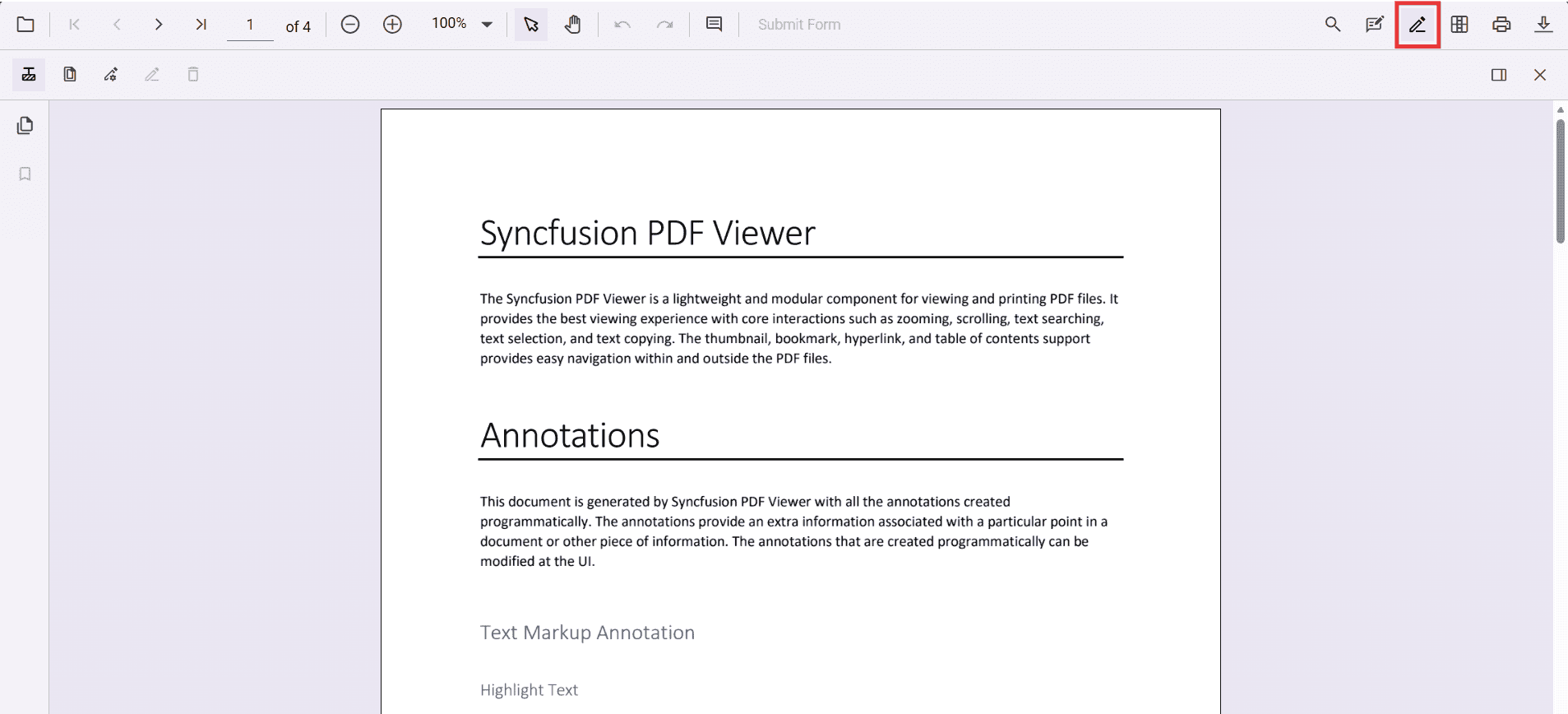
To enable the redaction toolbar, configure the `toolbarSettings.toolbarItems` property of the PdfViewer instance to include the **RedactionEditTool**.
The following example shows how to enable the redaction toolbar:
{% tabs %}
{% highlight ts tabtitle="Standalone" %}
import { Component, ViewChild } from '@angular/core';
import {
PdfViewerComponent,
LinkAnnotationService,
BookmarkViewService,
MagnificationService,
ThumbnailViewService,
ToolbarService,
NavigationService,
AnnotationService,
TextSearchService,
TextSelectionService,
PrintService,
FormFieldsService,
FormDesignerService,
PageOrganizerService,
ToolbarSettingsModel
} from '@syncfusion/ej2-angular-pdfviewer';
@Component({
selector: 'app-root',
template: `
`,
providers: [
LinkAnnotationService,
BookmarkViewService,
MagnificationService,
ThumbnailViewService,
ToolbarService,
NavigationService,
AnnotationService,
TextSearchService,
TextSelectionService,
PrintService,
FormFieldsService,
FormDesignerService,
PageOrganizerService
]
})
export class AppComponent {
@ViewChild('pdfviewer', { static: true }) pdfViewer!: PdfViewerComponent;
// Standalone mode (CDN) – keep this version aligned with your package
public resourceUrl = 'https://cdn.syncfusion.com/ej2/31.2.2/dist/ej2-pdfviewer-lib';
public documentPath = 'https://cdn.syncfusion.com/content/pdf/pdf-succinctly.pdf';
// Matches your JS toolbar configuration, with RedactionEditTool included
public toolbarSettings: ToolbarSettingsModel = {
toolbarItems: [
'OpenOption',
'UndoRedoTool',
'PageNavigationTool',
'MagnificationTool',
'PanTool',
'SelectionTool',
'CommentTool',
'SubmitForm',
'AnnotationEditTool',
'RedactionEditTool', // Redaction entry in the primary toolbar
'FormDesignerEditTool',
'SearchOption',
'PrintOption',
'DownloadOption'
]
};
}
{% endhighlight %}
{% endtabs %}
Refer to the following image for the toolbar view:
## Show or hide the redaction toolbar
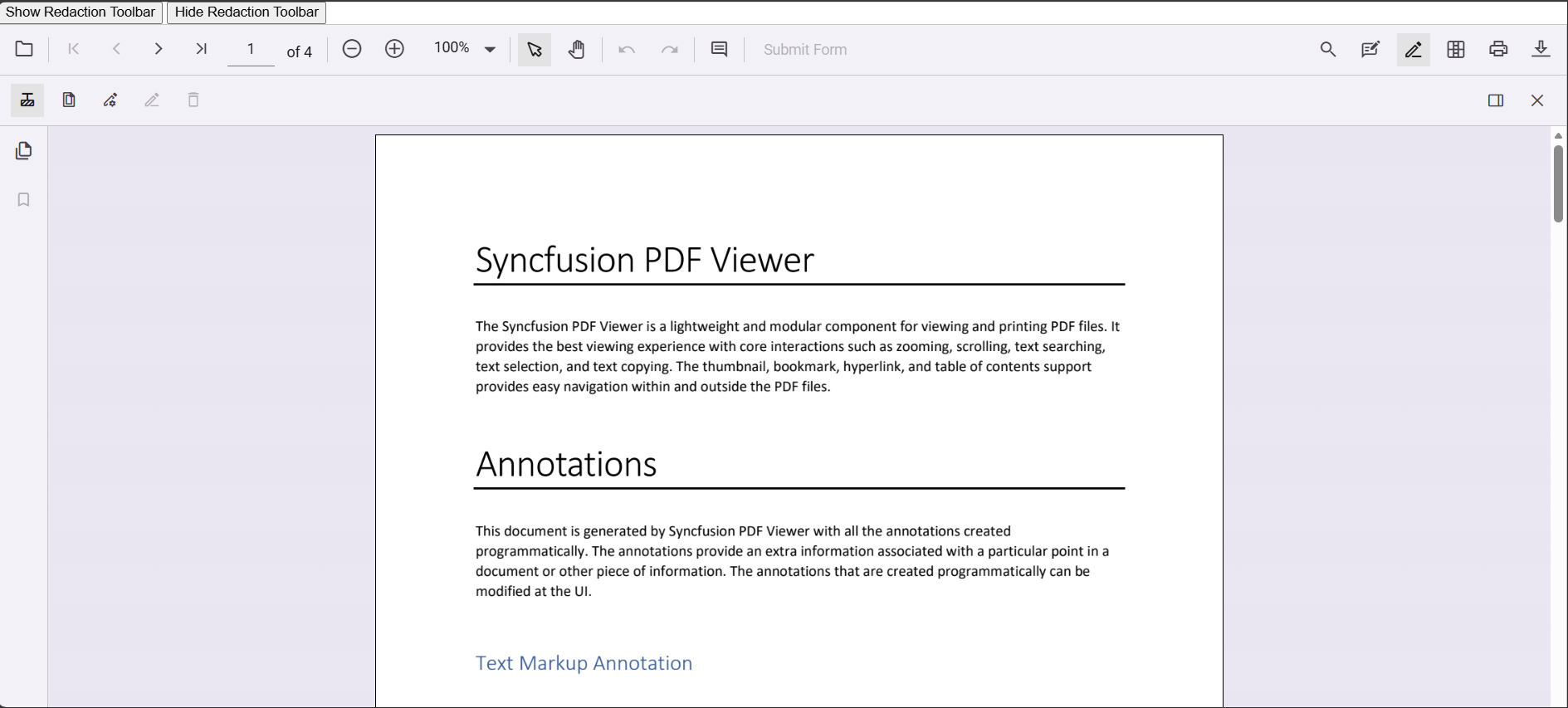
You can toggle the redaction toolbar either using the built‑in toolbar icon or programmatically with the `showRedactionToolbar` method.
### Display the redaction toolbar using the toolbar icon
When **RedactionEditTool** is included in the toolbar settings, clicking the redaction icon in the primary toolbar will show or hide the redaction toolbar.

### Display the redaction toolbar programmatically
You can also control visibility through code by calling `viewer.toolbar.showRedactionToolbar(true/false)`.
The following example demonstrates toggling the redaction toolbar programmatically:
{% tabs %}
{% highlight ts tabtitle="Standalone" %}
import { Component, ViewChild } from '@angular/core';
import {
PdfViewerComponent,
LinkAnnotationService,
BookmarkViewService,
MagnificationService,
ThumbnailViewService,
ToolbarService,
NavigationService,
AnnotationService,
TextSearchService,
TextSelectionService,
PrintService,
FormFieldsService,
FormDesignerService,
PageOrganizerService,
ToolbarSettingsModel
} from '@syncfusion/ej2-angular-pdfviewer';
@Component({
selector: 'app-root',
template: `
`,
providers: [
LinkAnnotationService,
BookmarkViewService,
MagnificationService,
ThumbnailViewService,
ToolbarService,
NavigationService,
AnnotationService,
TextSearchService,
TextSelectionService,
PrintService,
FormFieldsService,
FormDesignerService,
PageOrganizerService
]
})
export class AppComponent {
@ViewChild('pdfviewer', { static: true }) pdfViewer!: PdfViewerComponent;
// Standalone assets (keep version aligned with your installed package)
public resource = 'https://cdn.syncfusion.com/ej2/31.2.2/dist/ej2-pdfviewer-lib';
public document = 'https://cdn.syncfusion.com/content/pdf/pdf-succinctly.pdf';
// Includes RedactionEditTool in the primary toolbar
public toolbarSettings: ToolbarSettingsModel = {
toolbarItems: [
'OpenOption',
'UndoRedoTool',
'PageNavigationTool',
'MagnificationTool',
'PanTool',
'SelectionTool',
'CommentTool',
'SubmitForm',
'AnnotationEditTool',
'RedactionEditTool', // primary-bar entry to access the Redaction toolbar
'FormDesignerEditTool',
'SearchOption',
'PrintOption',
'DownloadOption'
]
};
// Separate handlers for show/hide (no toggle)
showRedactionToolbar(): void {
this.pdfViewer.toolbar.showRedactionToolbar(true);
}
hideRedactionToolbar(): void {
this.pdfViewer.toolbar.showRedactionToolbar(false);
}
}
{% endhighlight %}
{% endtabs %}
[View Sample in GitHub](https://github.com/SyncfusionExamples/angular-pdf-viewer-examples)
Refer to the following image for details:
## See also
* [Adding the redaction annotation in PDF viewer](../redaction/overview)
* [UI interactions](./ui-interaction)
* [Programmatic support](./programmatic-support)
* [Mobile view](./mobile-view)
* [Search Text and Redact](./search-redact)