Getting Started with JavaScript PDF in Node.js app
13 Aug 202610 minutes to read
The JavaScript PDF Library is used to create, read, and edit PDF documents. The JavaScript PDF Library also offers functionality to merge, split, stamp, fill PDF forms, and secure PDF files.
This guide explains how to integrate the JavaScript PDF Library into a Node.js server-side application that exposes a PDF generation endpoint and delivers the file to the browser.
Prerequisites
The following prerequisites are required to complete this guide:
- Node.js version 18.0 or later
- npm version 9.0 or later
- A code editor such as Visual Studio Code
- Basic familiarity with Node.js and the command line
To verify your Node.js and npm versions, run the following commands:
node --version
npm --version
Create a Node.js Project
Create a new project folder and initialize it with npm init. The project uses CommonJS (the default npm init setting), so require syntax is used in server.js.
mkdir pdf-node-app
cd pdf-node-app
npm init -y
After initialization, the project root (pdf-node-app) contains a package.json file. The final project structure is:
pdf-node-app/
├── public/
│   └── index.html
├── server.js
└── package.json
Install Dependencies
Install the JavaScript PDF Library and Express. Express is required to host the HTTP endpoint that generates and serves the PDF.
npm install @syncfusion/ej2-pdf express --saveFor data extraction features, install the
@syncfusion/ej2-pdf-data-extractpackage as an add-on.
Image extraction and image-based redaction features are optimized for browser environments where visual rendering is available. These features rely on browser technologies such as DOM APIs, Canvas, and client-side rendering, and therefore are not supported in pure Node.js server environments.
Required Dependencies
The following packages are required to use the JavaScript PDF Library in a Node.js application:
-
@syncfusion/ej2-pdf— the core JavaScript PDF Library -
@syncfusion/ej2-base— base utilities used by the PDF Library -
@syncfusion/ej2-compression— compression support used internally by the PDF Library -
express— HTTP server used to expose the PDF generation endpoint
License Registration
If you are using a commercial Syncfusion license, register the license key at application startup. Add the following line near the top of server.js, before any other Syncfusion imports.
require('@syncfusion/ej2-base').registerLicense('YOUR_LICENSE_KEY');Replace YOUR_LICENSE_KEY with the key from your Syncfusion account. For more information, see the Syncfusion licensing documentation.
Create a Node.js Server Application to Generate a PDF Document
- Create a
publicfolder inside the project root. The Express server usesexpress.static('public')to serve files from this folder.
mkdir public- Add a simple button to
public/index.htmland attach a click handler that calls the PDF generation endpoint using the JavaScript PDF Library.
<html>
  <head>
    <title>PDF Generator</title>
  </head>
  <body>
    <h2>Generate PDF Example</h2>
    <button onclick="generatePDF()">Create PDF</button>
    <script>
      async function generatePDF() {
        const response = await fetch('http://localhost:3000/generate-pdf');
        const blob = await response.blob();
        const url = window.URL.createObjectURL(blob);
        const a = document.createElement('a');
        a.href = url;
        a.download = 'Output.pdf';
        document.body.appendChild(a);
        a.click();
        a.remove();
        window.URL.revokeObjectURL(url);
      }
    </script>
  </body>
</html>
The
fetchcall uses a relative path (/generate-pdf) because the frontend is served by the same Express server. This avoids CORS configuration. If you host the frontend on a different origin, enable CORS in Express using thecorspackage and update thefetchURL to the full server origin.
- Include the following namespaces in
server.js. This guide uses CommonJS (the defaultnpm initsetting). If you prefer ESM, add"type": "module"topackage.jsonand use the imports shown in the Module imports (ESM) tab below.
import { PdfDocument, PdfGraphics, PdfPage, PdfFont, PdfFontFamily, PdfFontStyle, PdfBrush } from '@syncfusion/ej2-pdf';- Create a new file named
server.jsin the project root (pdf-node-app/server.js) and include the following code to generate a PDF document in the Node.js environment using the JavaScript PDF Library.
// Register the Syncfusion license key (required for commercial usage)
require('@syncfusion/ej2-base').registerLicense('YOUR_LICENSE_KEY');

const express = require('express');
const {
  PdfDocument,
  PdfFontFamily,
  PdfFontStyle,
  PdfBrush
} = require('@syncfusion/ej2-pdf');

const app = express();
const PORT = 3000;
// Serve frontend files from the public directory
app.use(express.static('public'));
// PDF generation API
app.get('/generate-pdf', (req, res) => {
  // Create a new PDF document
  const document = new PdfDocument();
  // Add a blank page and get its graphics
  const page = document.addPage();
  const graphics = page.graphics;
  // Embed a standard font (family, size, style)
  const font = document.embedFont(
    PdfFontFamily.helvetica,
    36,
    PdfFontStyle.regular
  );
  // Create a solid black brush using an RGB object
  const brush = new PdfBrush({ r: 0, g: 0, b: 0 });
  // Draw the string inside a layout rectangle
  graphics.drawString(
    'Hello from Frontend!',
    font,
    {
      x: 20,
      y: 20,
      width: graphics.clientSize.width - 20,
      height: 60
    },
    brush
  );
  // Save the PDF as a Uint8Array of bytes
  const pdfBytes = document.save();
  // Release document resources
  document.destroy();
  // Send the PDF to the browser as a downloadable attachment
  res.setHeader('Content-Type', 'application/pdf');
  res.setHeader('Content-Disposition', 'attachment; filename=Output.pdf');
  res.send(Buffer.from(pdfBytes));
});
// Start the server
app.listen(PORT, () => {
  console.log(`Server running at http://localhost:${PORT}`);
});
Code Explanation
-
PdfDocument— creates a new PDF document instance. -
addPage()— appends a blank page and returns the page object. -
page.graphics— exposes thePdfGraphicsinstance used to draw content. -
embedFont(family, size, style)— embeds one of the standard PDF font families. Returns aPdfFontobject. -
PdfFontStyle.regular— selects the regular (non-bold, non-italic) style. -
new PdfBrush({ r, g, b })— creates a solid color brush from an RGB object (each channel0-255). -
graphics.drawString(text, font, layoutRect, brush)— draws the text inside the rectangle defined byx,y,width, andheight. -
graphics.clientSize.width— the writable width of the page in points. -
document.save()— returns the PDF as aUint8Array. In a browser build,pdf.save('filename')is a helper that triggers a client download; in Node, you receive the bytes and stream them yourself. -
document.destroy()— releases native resources held by the document. -
Buffer.from(pdfBytes)— copies theUint8Arrayinto a NodeBufferfor the HTTP response.
Run the Application
Run the following command from the project root to start the Node.js server:
node server.jsThe server listens on http://localhost:3000. Open this URL in a browser and click Create PDF to download the generated file as Output.pdf.
If the port is already in use, stop the conflicting process or change
PORTinserver.jsto an available port. The errorEADDRINUSEindicates a port conflict.
Output
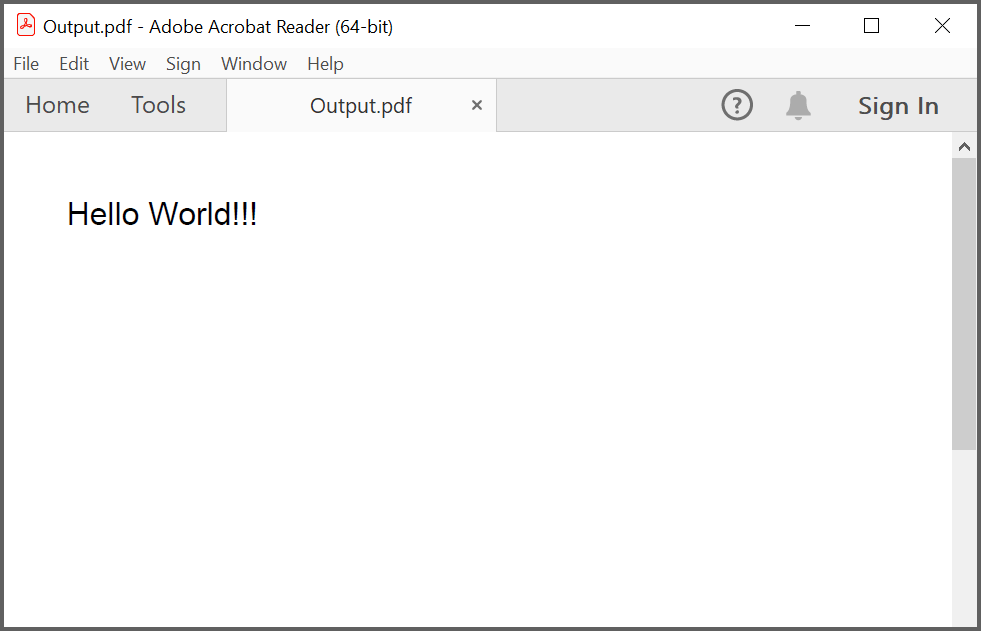
Clicking Create PDF triggers the fetch('/generate-pdf') call. The server responds with the PDF bytes and the Content-Disposition: attachment; filename=Output.pdf header causes the browser to download the file as Output.pdf. The file contains a single page with the text “Hello from Frontend!” drawn at the top-left of the page.
The
Content-Disposition: inlinevalue can be used instead ofattachmentif you want the PDF to open in a browser tab rather than download.
Troubleshooting
| Problem | Cause | Resolution |
|---|---|---|
Error: Cannot find module 'express' |
Express is not installed | Run npm install express
|
Error: Cannot find module '@syncfusion/ej2-pdf' |
The PDF package is not installed | Run npm install @syncfusion/ej2-pdf
|
EADDRINUSE on port 3000 |
Another process is using the port | Stop the process or change PORT in server.js
|
require is not defined |
package.json has "type": "module"
|
Remove "type": "module" or convert server.js to ESM (import syntax) |
| PDF opens as a blank file | The server returned an error payload | Check the terminal output and confirm document.save() runs without throwing |
| Browser blocks the download due to CORS | Frontend and backend are on different origins | Install the cors package and add app.use(cors()) to server.js
|
Output.pdf does not download |
The response headers are missing or incorrect | Confirm Content-Type is application/pdf and Content-Disposition includes attachment; filename=Output.pdf
|