HTML to PDF conversion in ASP.NET Core Web API .NET PDF Library
13 Aug 20263 minutes to read
The HTML to PDF converter is a .NET library for converting webpages, SVG, MHTML, and HTML to PDF using C#. Using this library, you can convert HTML to PDF documents in ASP.NET Core Web API applications.
Prerequisites
Version Compatibility
The Syncfusion.HtmlToPdfConverter.Net.Windows NuGet package uses the Blink rendering engine for HTML to PDF conversion. This library is compatible with .NET 8.0 and later versions
Supported Inputs
The HTML to PDF converter supports the following input types:
- HTML String: Direct HTML content.
- URL: Web pages and online HTML content.
- HTML Files: Local HTML files.
- MHTML Files: Web archive (.mhtml/.mht) content.
- Authenticated Web Pages: Pages that require cookies, form authentication, or HTTP authentication.
- HTTP GET/POST Requests: HTML content accessed through GET or POST methods
Register the license key
Starting with v16.2.0.x, if you reference Syncfusion® assemblies from trial setup or from the NuGet feed, you must add the “Syncfusion.Licensing” assembly reference and register a license key in your application. Please refer to this link for details on registering a Syncfusion® license key.
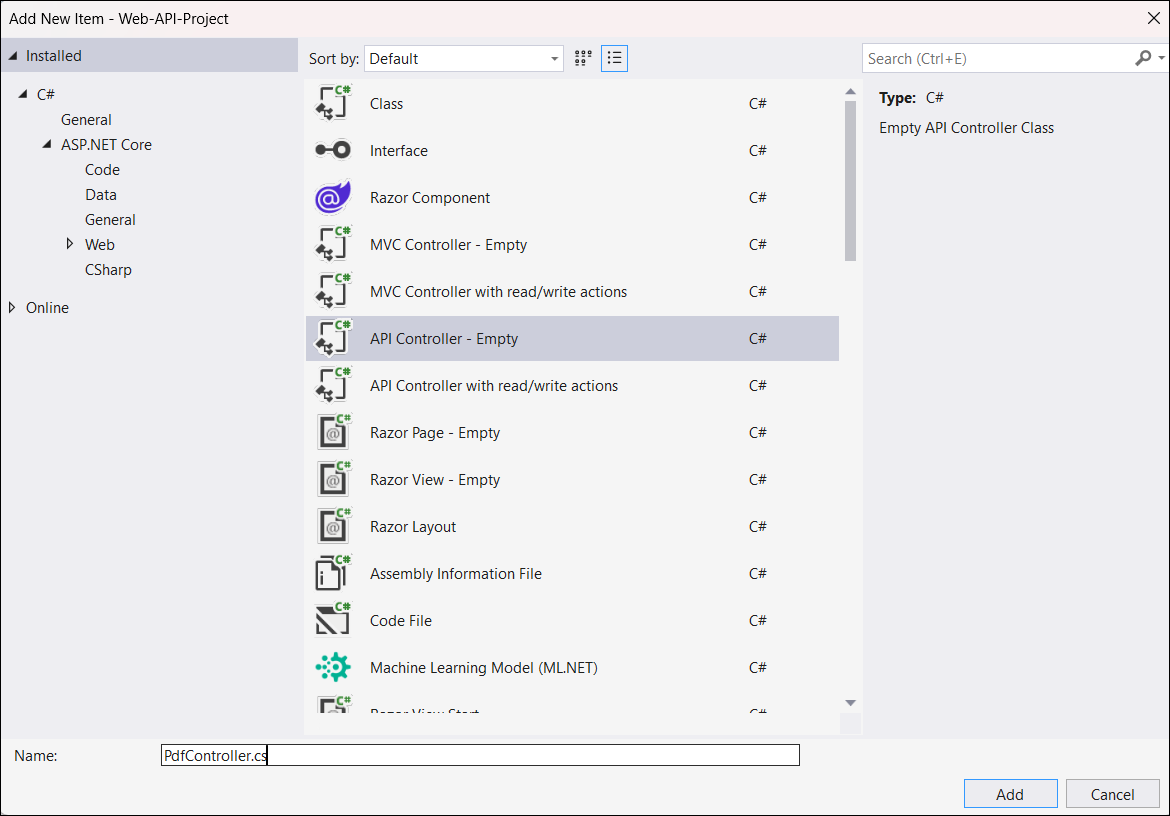
Include a license key in your PdfController.cs file before creating an HtmlToPdfConverter instance. Refer to the Syncfusion License documentation to learn about registering the Syncfusion license key in your application.
using Syncfusion.Licensing;

public class PdfController
{
    // Register the Syncfusion license
    SyncfusionLicenseProvider.RegisterLicense("YOUR LICENSE KEY");
}
Steps to convert HTML to PDF in ASP.NET Core Web API
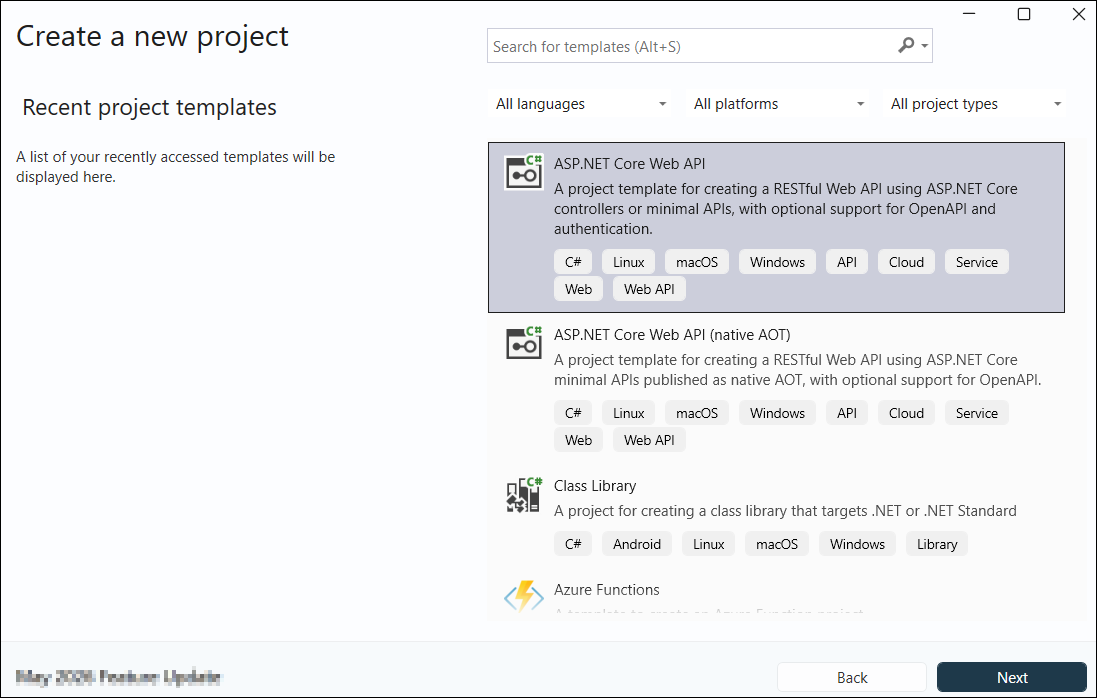
Step 1: Create a new C# ASP.NET Core Web API project in Visual Studio.
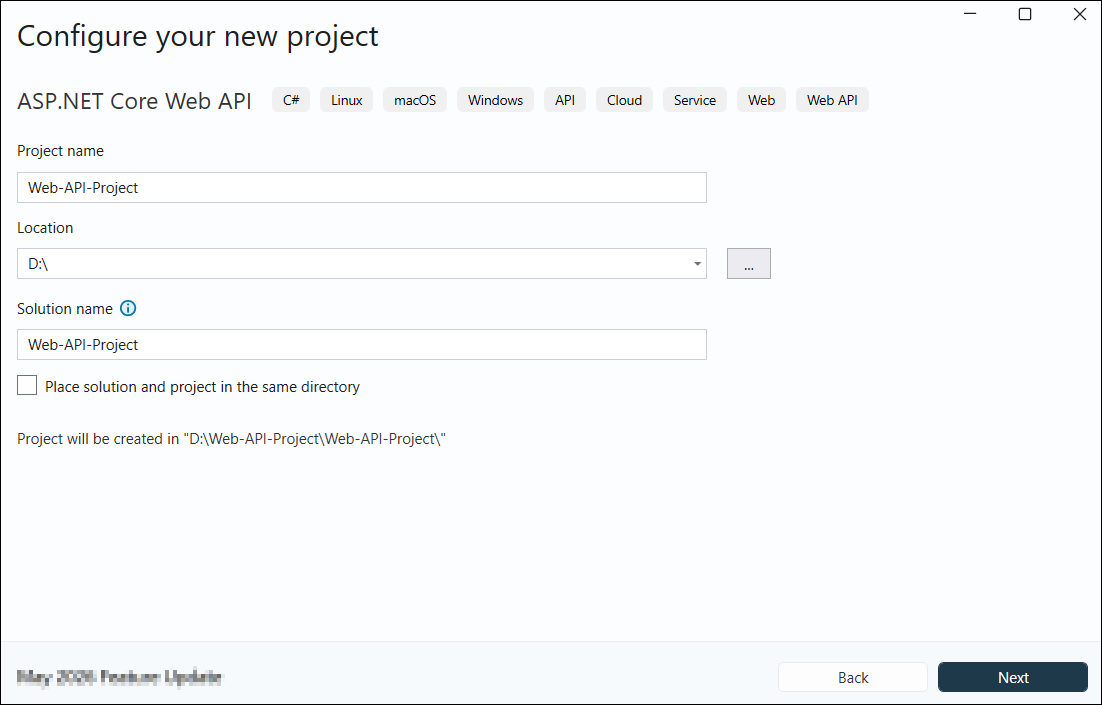
Step 2: In the project configuration dialog, name your project and click Create.
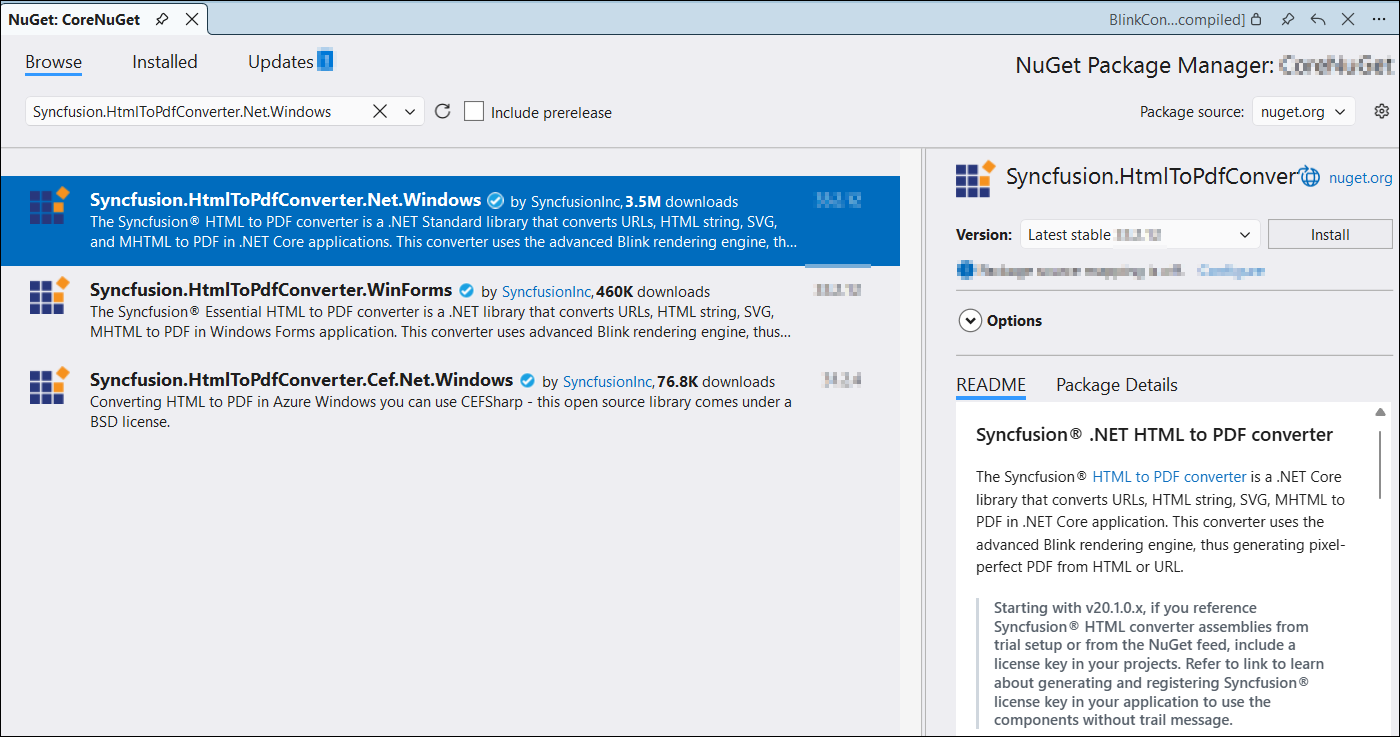
Step 3: Install the Syncfusion.HtmlToPdfConverter.Net.Windows NuGet package as a reference to your .NET application from NuGet.org.
Step 4: Add a new API controller to the project.
Step 5: Add the following namespaces to the PdfController.cs file:
using Syncfusion.Drawing;
using Syncfusion.HtmlConverter;
using Syncfusion.Pdf;
Step 6: Add the following code to the PdfController.cs file to convert HTML to PDF using the Convert method in the HtmlToPdfConverter class with BlinkConverterSettings:
[HttpGet("/api/Pdf")]
public IActionResult ConvertHTMLtoPDF()
{
    // Initialize HTML to PDF converter with Blink rendering engine
    HtmlToPdfConverter htmlConverter = new HtmlToPdfConverter();
    // Create Blink converter settings for output rendering
    BlinkConverterSettings blinkConverterSettings = new BlinkConverterSettings();
    // Set Blink viewport size for responsive HTML rendering (width x height)
    blinkConverterSettings.ViewPortSize = new Size(1280, 0);
    // Assign Blink converter settings to HTML converter instance
    htmlConverter.ConverterSettings = blinkConverterSettings;
    // Convert URL to PDF document using Blink rendering
    PdfDocument document = htmlConverter.Convert("https://www.syncfusion.com");
    // Create memory stream to hold PDF binary data
    MemoryStream stream = new MemoryStream();
    // Save the PDF document to memory stream
    document.Save(stream);
    // Reset stream position to beginning for file response
    stream.Position = 0;
    // Return PDF file as HTTP response with proper MIME type and file name
    return File(stream, "application/pdf", "Output.pdf");
}
Step 7: Navigate to the Swagger UI, expand the GET /api/Pdf API endpoint, click Execute, and download the PDF response from the output.
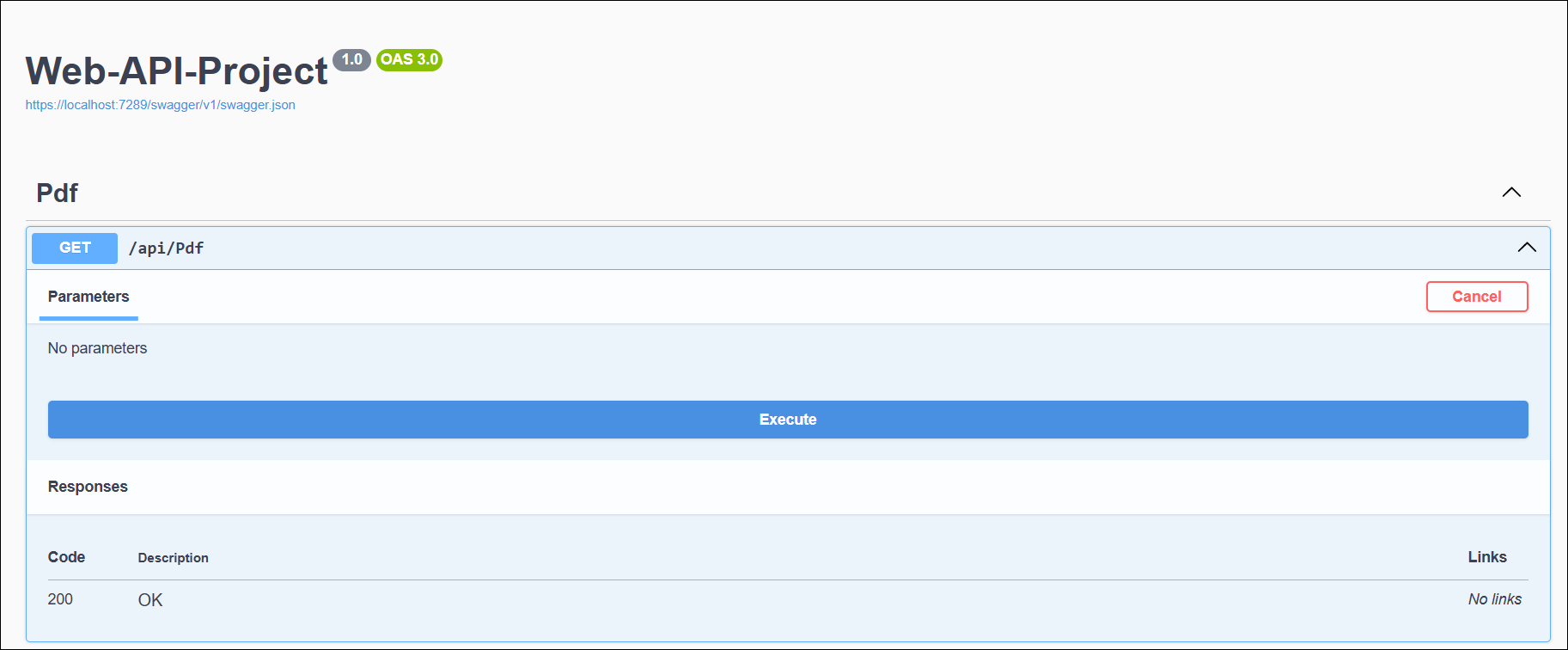
By executing the program, the Web API will generate and return the PDF document:
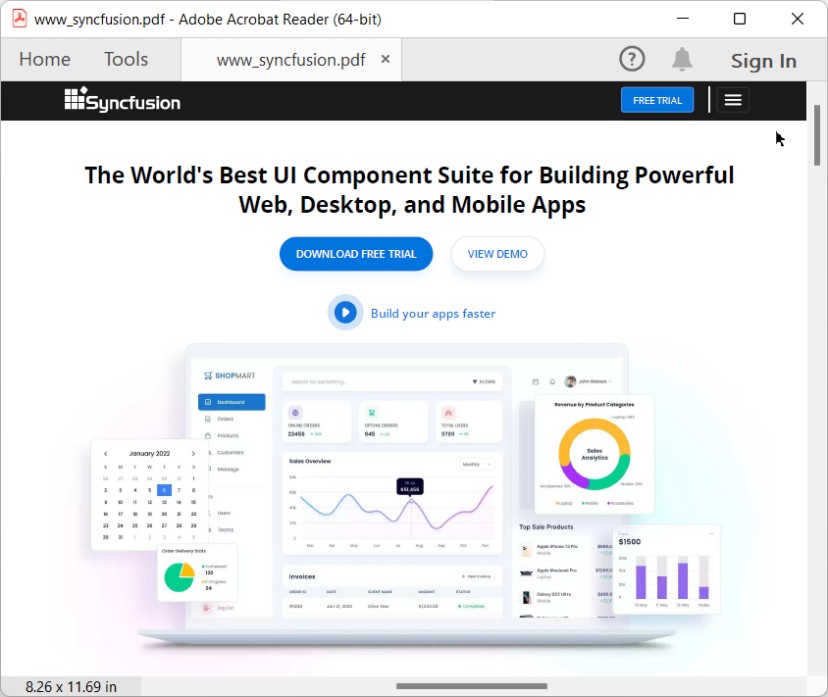
A complete working sample for converting HTML to PDF in ASP.NET Core Web API can be downloaded from GitHub.
Click here to explore the rich set of Syncfusion® HTML to PDF converter library features.
You can also view the online sample to convert HTML to PDF documents in ASP.NET Core.