Workbook Operations in WPF Spreadsheet
14 Aug 20261 minute to read
This section explains how to manage Excel workbooks in SfSpreadsheet, including creating new files, opening existing workbooks from various sources, and saving changes efficiently.
Creating a new Excel Workbook
A new workbook can be created by using the Create method with a specified number of worksheets. By default, a workbook will be created with a single worksheet.
spreadsheet.Create(2);Opening an existing Excel Workbook
The Excel workbook can be opened in SfSpreadsheet using the Open method in various ways.
//Using Stream,
spreadsheet.Open (Stream file);

//Using String,
spreadsheet.Open (string file);

//Using Workbook,
spreadsheet.Open(IWorkbook workbook);

// Example: Open from file path
spreadsheet.Open (@"..\..\Data\Outline.xlsx");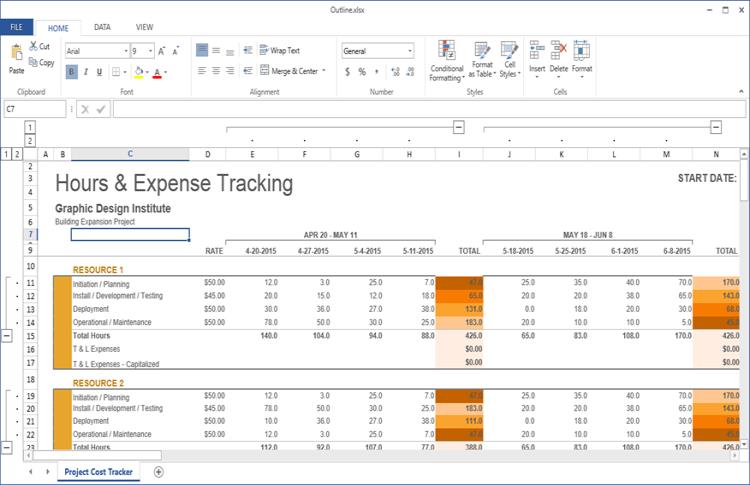
Opening Excel File in SfSpreadsheet
Saving the Excel Workbook
The Excel workbook can be saved in SfSpreadsheet using the Save method. If the workbook was originally opened from a file path on the system drive, it will be saved to the same location; otherwise, a Save dialog box opens so the user can specify a location.
spreadsheet.Save();You can also use SaveAs method directly to save the existing excel file with modifications.
The SaveAs method in SfSpreadsheet can be used in various ways,
//Using Stream,
spreadsheet.SaveAs (Stream file);

//Using String,
spreadsheet.SaveAs (string file);

//For Dialog box,
spreadsheet.SaveAs();