Localization in WPF Spreadsheet
14 Aug 20262 minutes to read
SfSpreadsheet provides support to localize all the static text in the Ribbon and in all dialogs to any desired language. Localization can be done by adding a resource file and setting the specific culture in the application.
SfSpreadsheet allows you to set a custom resource using a RESX file. You can define your string values in the resource file for a specific culture and set the culture in your application.
Set Current UI Culture to the Application
To set the CultureInformation in the Application, set the CurrentUICulture before the InitializeComponent() method is called.
Setting of the culture information,
public MainWindow()
{
    System.Threading.Thread.CurrentThread.CurrentUICulture = new CultureInfo("ja-JP");
    InitializeComponent();
}
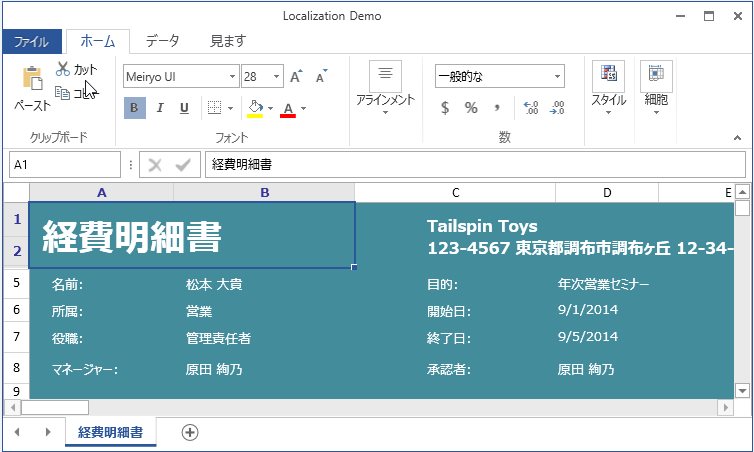
The application now uses the Japanese culture.
Localization Using Resource File
The following steps show how to implement localization in SfSpreadsheet:
- Create a folder named Resources in your application.
- Add the default resource[English(“en-US”)] file of
SfSpreadsheetin the ‘Resources’ folder named as Syncfusion.SfSpreadsheet.WPF.resx.
You can download the Resx file here - Create Resx(resource) file under the ‘Resources’ folder and name it as Syncfusion.SfSpreadsheet.WPF.[Culture name].resx.
For example, Syncfusion.SfSpreadsheet.WPF.ja.resx for Japanese culture.
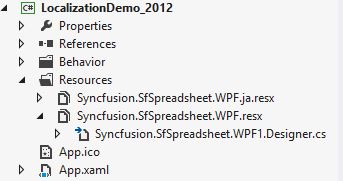
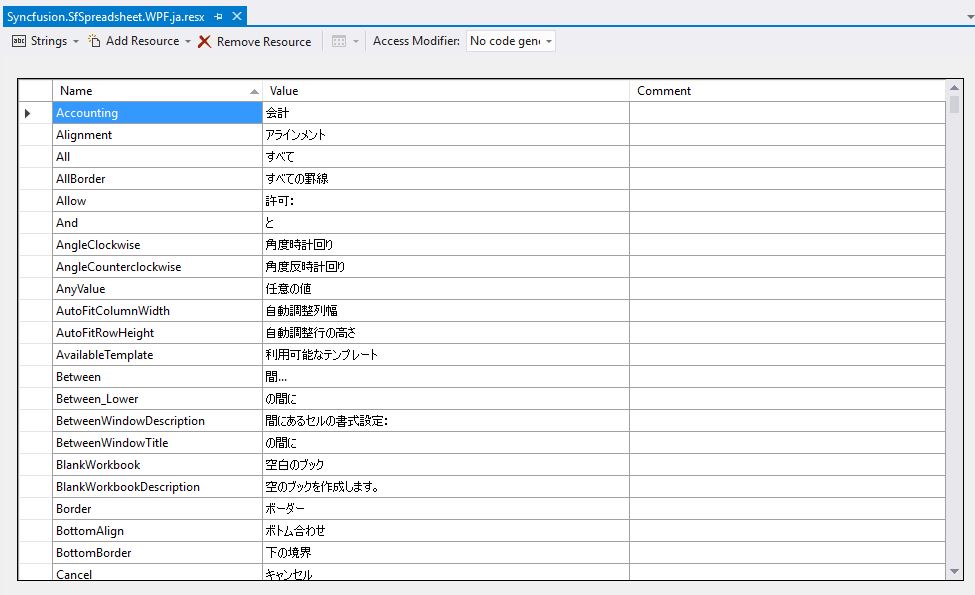
- Add the resource key such as name and its corresponding localized value in Resource Designer of Syncfusion.SfSpreadsheet.WPF.ja.resx file.
For your reference, you can download the Japanese(“ja-JP”) Resx file here
The following screenshot shows the localization in SfSpreadsheet:
Modifying the Localized Strings in Resource File
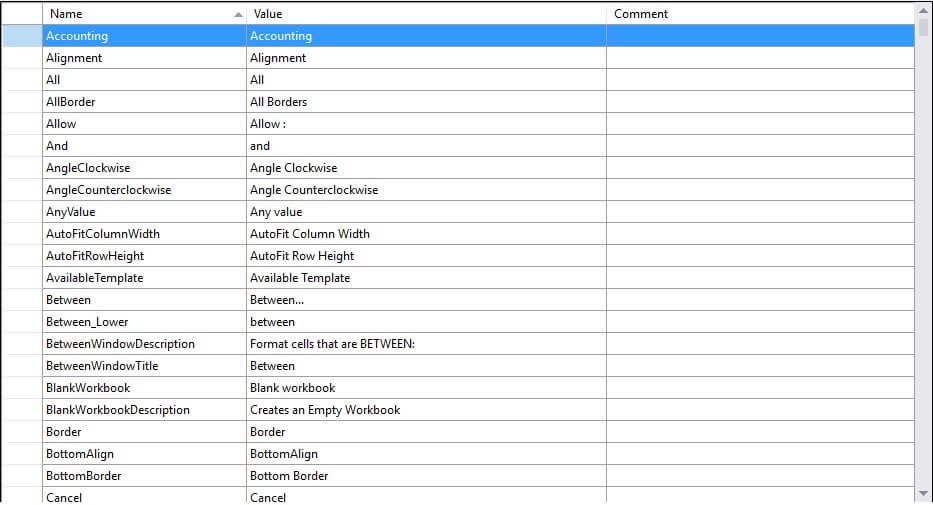
The default resource strings shipped with SfSpreadsheet can be customized by adding the default resx (resource) file of SfSpreadsheet to the Resources folder of your application and naming it Syncfusion.SfSpreadsheet.WPF.resx.
The default strings can then be modified by changing the Name/Value pair in the Syncfusion.SfSpreadsheet.WPF.resx file.
You can refer to our WPF Spreadsheet Editor feature tour page for its groundbreaking feature representations. You can also explore our WPF Spreadsheet example to know how to render and configure the spreadsheet.
Localization from a Different Assembly or Namespace
WPF-Spreadsheet (SfSpreadsheet) reads the localization resource files based on the assembly name from its default namespace. If the localization resource file is in an assembly other than the executing assembly (Assembly.GetExecutingAssembly()) or in a different namespace, you must pass the assembly that contains the resource file and its default namespace to the GridResourceWrapper.SetResources method.
public MainWindow()
 {
      System.Threading.Thread.CurrentThread.CurrentUICulture = new CultureInfo("ja");
      Assembly assembly = Assembly.Load("Another assemblyname having resource file");
      Syncfusion.UI.Xaml.Spreadsheet.Resources.GridResourceWrapper.SetResources(assembly, "namespacename");
      InitializeComponent();
 }