Localization in UWP Spreadsheet
14 Aug 20261 minute to read
Localization is the process of adapting the application UI to a specific language or culture. SfSpreadsheet provides support to localize all the static text in a Ribbon and all dialogs to any desired language. Localization can be done by adding a resource file and setting the specific culture in the application.
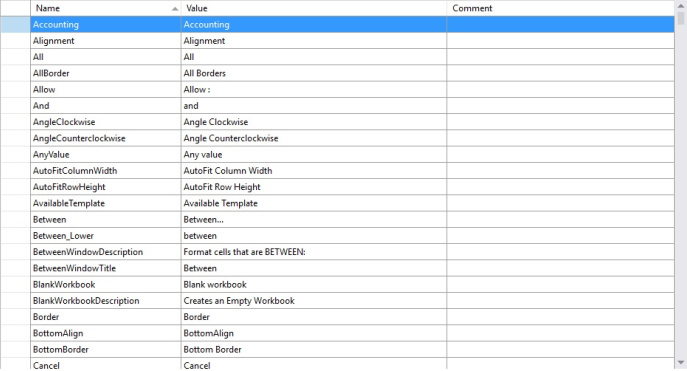
SfSpreadsheet allows you to set a custom resource using a Resw file. You can define your string values in the resource file for a specific culture and set the culture in your application.
Set Current UI Culture to the Application
To set the CultureInformation in the application, set the CurrentUICulture before the InitializeComponent() method is called.
Setting of the culture information,
public MainPage()
{
    System.Globalization.CultureInfo.CurrentUICulture = new System.Globalization.CultureInfo("ja");
    InitializeComponent();
}
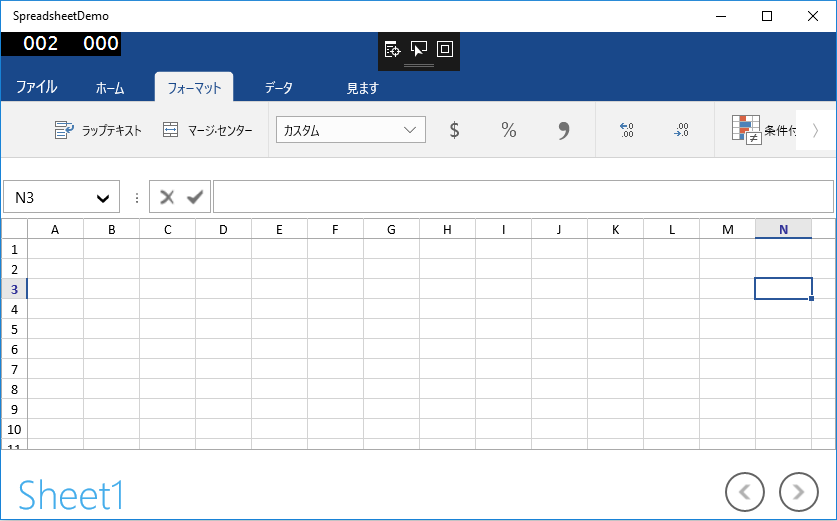
Now, the application is set to the Japanese Culture info.
Localization using Resource File
The following steps show how to implement localization in SfSpreadsheet.
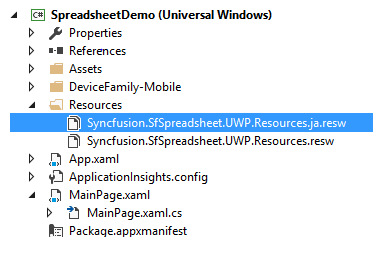
- Create a folder and name it
Resourcesin your application. - Add the default English (‘en-US’) resource file of
SfSpreadsheetto theResourcesfolder, namedSyncfusion.SfSpreadsheet.UWP.resw.
You can download the .resw file here - Create a .resw (resource) file under the
Resourcesfolder and name itSyncfusion.SfSpreadsheet.UWP.[Culture name].resw.
For example,Syncfusion.SfSpreadsheet.UWP.ja.reswfor the Japanese culture.
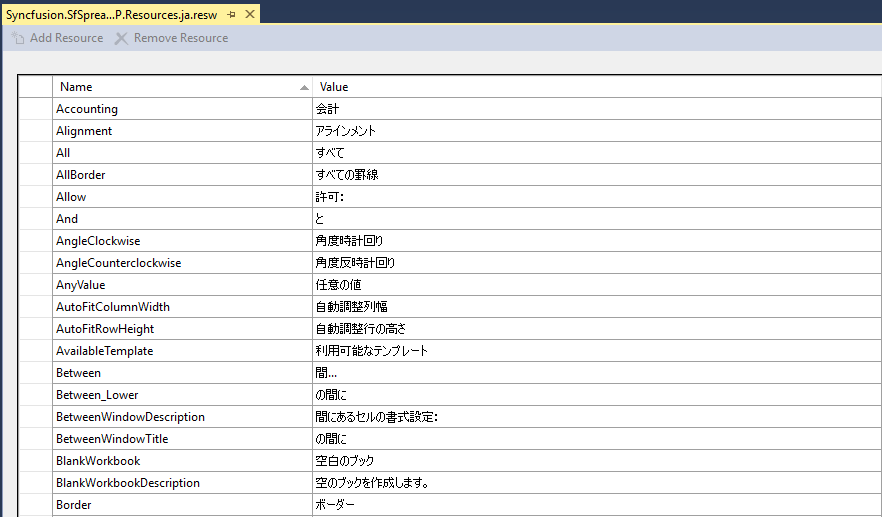
- Add the resource key (Name) and its corresponding localized value in the Resource Designer of the
Syncfusion.SfSpreadsheet.UWP.ja.reswfile.
For your reference, you can download the Japanese (‘ja-JP’) .resw file here
The following screenshot shows the localization applied in SfSpreadsheet:
Modifying the Localized Strings in the Resource File
To modify the default localized strings, add the default Resw (resource) file of SfSpreadsheet to the Resources folder of your application and name it Syncfusion.SfSpreadsheet.UWP.resw.
Then, change the Name/Value pairs in the Syncfusion.SfSpreadsheet.UWP.resw file to update the default localized strings.