Move Worksheet in React Spreadsheet
17 Aug 20261 minute to read
The Spreadsheet component provides options to rearrange worksheets by moving them to the left or right within the sheet tab panel. This helps you organize worksheets in the required order.
You can move a worksheet using the following way,
-
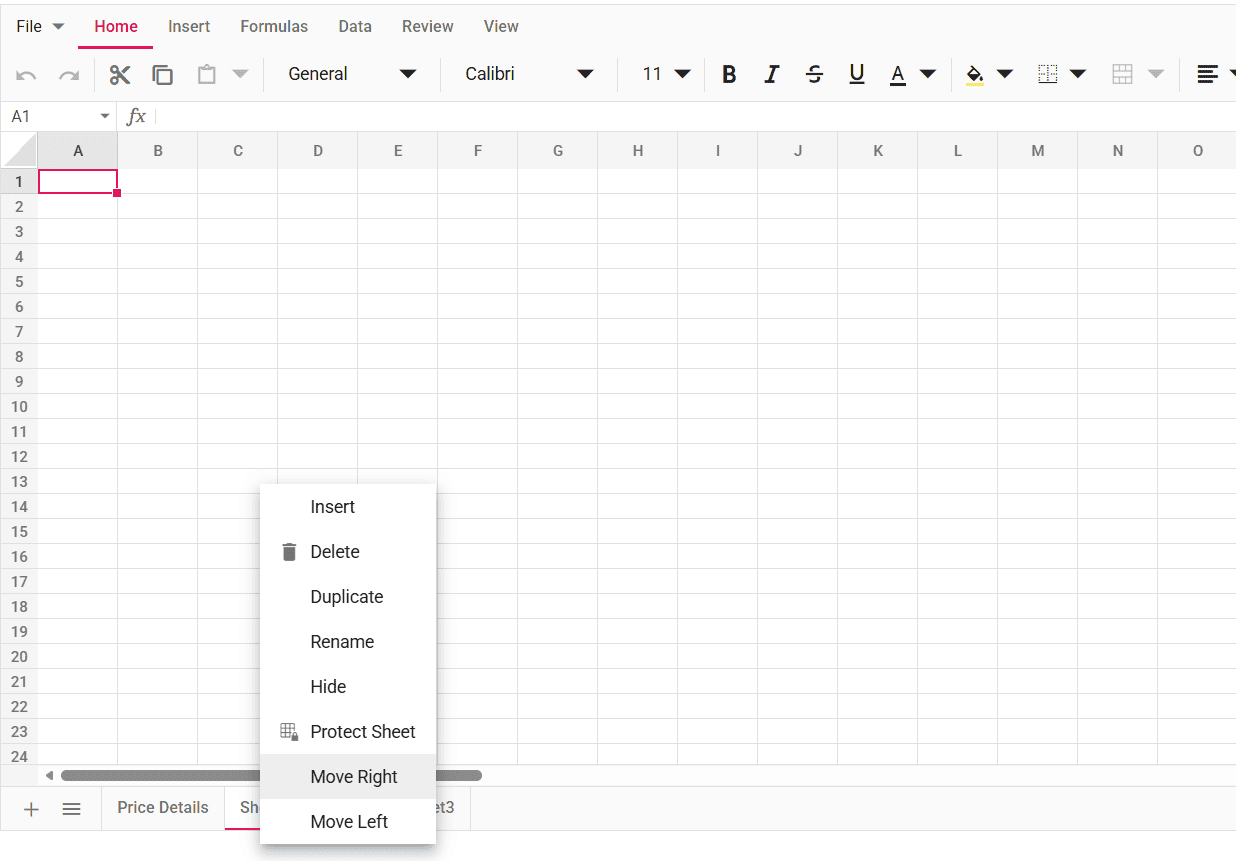
Right-click on the sheet tab, and then select either
Move Left(moves the sheet one position to the left) orMove Right(moves the sheet one position to the right) option from the context menu. -
Move sheets programmatically using the moveSheet method, which moves a worksheet from one position to another based on the position passed in the method and updates the sheet tab order.
Note: The Move Left and Move Right options are enabled only when there are two or more worksheets available in the Spreadsheet. These options are automatically disabled when the selected sheet is already at the first or last position.