Formula Error Handling in React Spreadsheet
14 Aug 20262 minutes to read
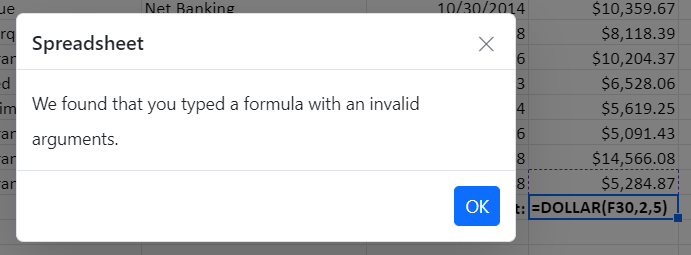
If you enter an invalid formula in a cell, an error dialog with an error message will appear. For instance, a formula with the incorrect number of arguments, a formula without parenthesis, etc.
| Error Message | Reason |
|---|---|
We found that you typed a formula with an invalid arguments |
Occurs when passing an argument even though it wasn’t needed. |
We found that you typed a formula with an empty expression |
Occurs when passing an empty expression in the argument. |
We found that you typed a formula with one or more missing opening or closing parenthesis |
Occurs when an open parenthesis or a close parenthesis is missing. |
We found that you typed a formula which is improper |
Occurs when passing a single reference but a range was needed. |
We found that you typed a formula with a wrong number of arguments |
Occurs when the required arguments were not passed. |
We found that you typed a formula which requires 3 arguments |
Occurs when the required 3 arguments were not passed. |
We found that you typed a formula with a mismatched quotes |
Occurs when passing an argument with mismatched quotes. |
We found that you typed a formula with a circular reference |
Occurs when passing a formula with circular cell reference. |
We found that you typed a formula which is invalid |
Except in the cases mentioned above, all other errors will fall into this broad category. |