Illustrations in Blazor Spreadsheet
17 Aug 20261 minute to read
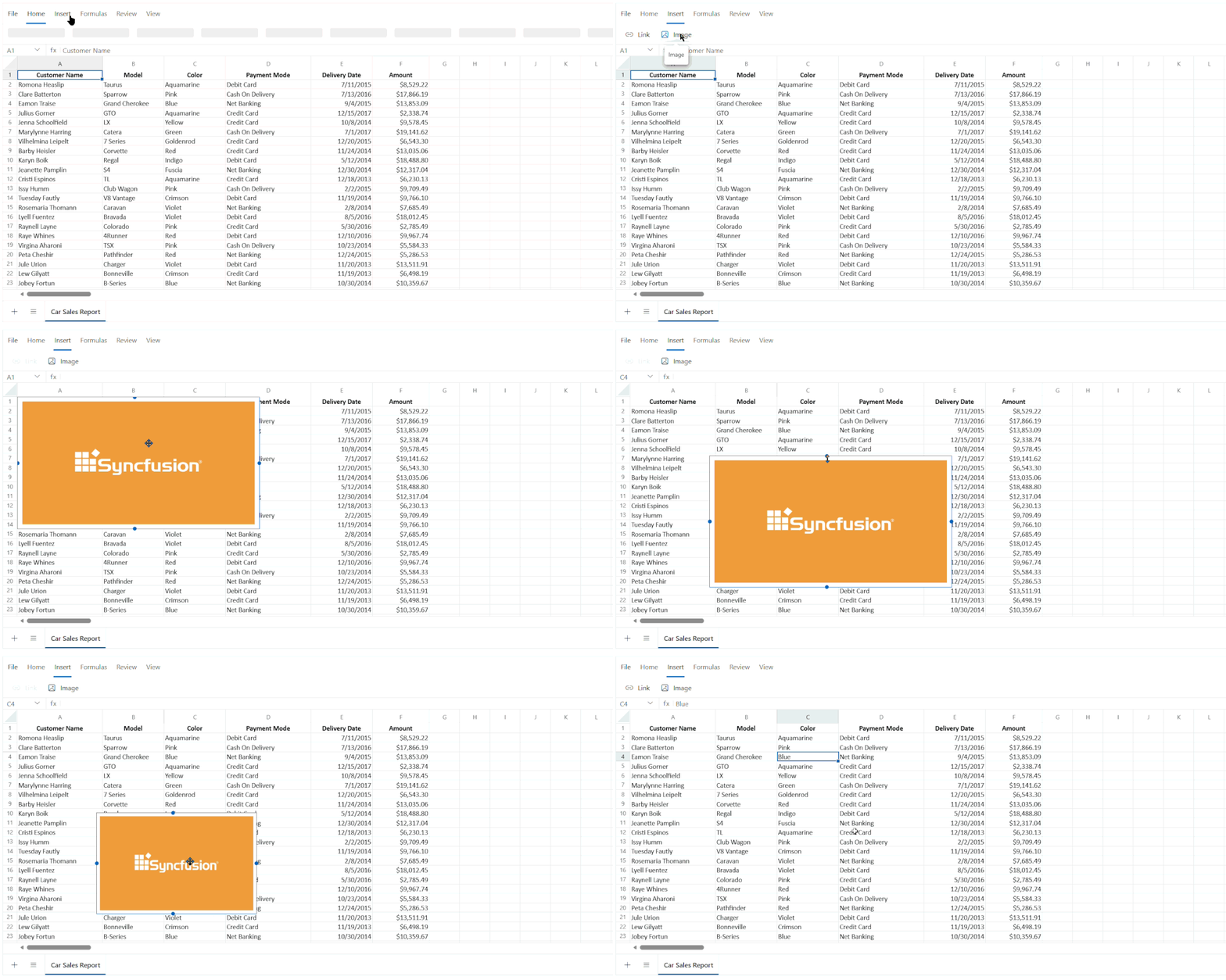
The Blazor Spreadsheet Editor component lets you insert images into a worksheet to enhance visual presentation and provide additional context alongside data. Images such as logos, screenshots, diagrams, can be placed within a sheet, positioned as needed, resized, selected, or removed.
Image support is controlled by the AllowImage property, which is enabled by default.
Disabling image support
The example below shows how to disable image support across the Spreadsheet:
@page "/"
@using Syncfusion.Blazor.Spreadsheet

<SfSpreadsheet AllowImage="false">
    <SpreadsheetRibbon></SpreadsheetRibbon>
</SfSpreadsheet>
Overview of Image Operations
The The Blazor Spreadsheet Editor component also provides a range of features for working with images. Below is a quick overview of each feature.
-
Insert and Position Images: Add images to your spreadsheet and place them at the desired location.
-
Resize Images: Change the height and width of images to fit your needs.
-
Delete Images: Remove images that are no longer required from your spreadsheet.
-
Position Images: Select one or multiple images for further actions or deselect them as needed.
Limitations of Image
The following limitations apply to the image support in the Blazor Spreadsheet Editor:
- Corner resize handles are not available on inserted images. Resizing must be performed using edge handles.
- Copying and pasting external images is not supported.
- Programmatic operations for image manipulation are currently not available.