Excel to PDF Conversion in Mac using Excel Library
14 Aug 20264 minutes to read
Syncfusion® XlsIO is a .NET Core Excel library used to create, read, edit, and convert Excel documents programmatically, without Microsoft Excel or interop dependencies.
Steps to convert an Excel document to PDF on Mac
Step 1: Create a new C# .NET Core console application.
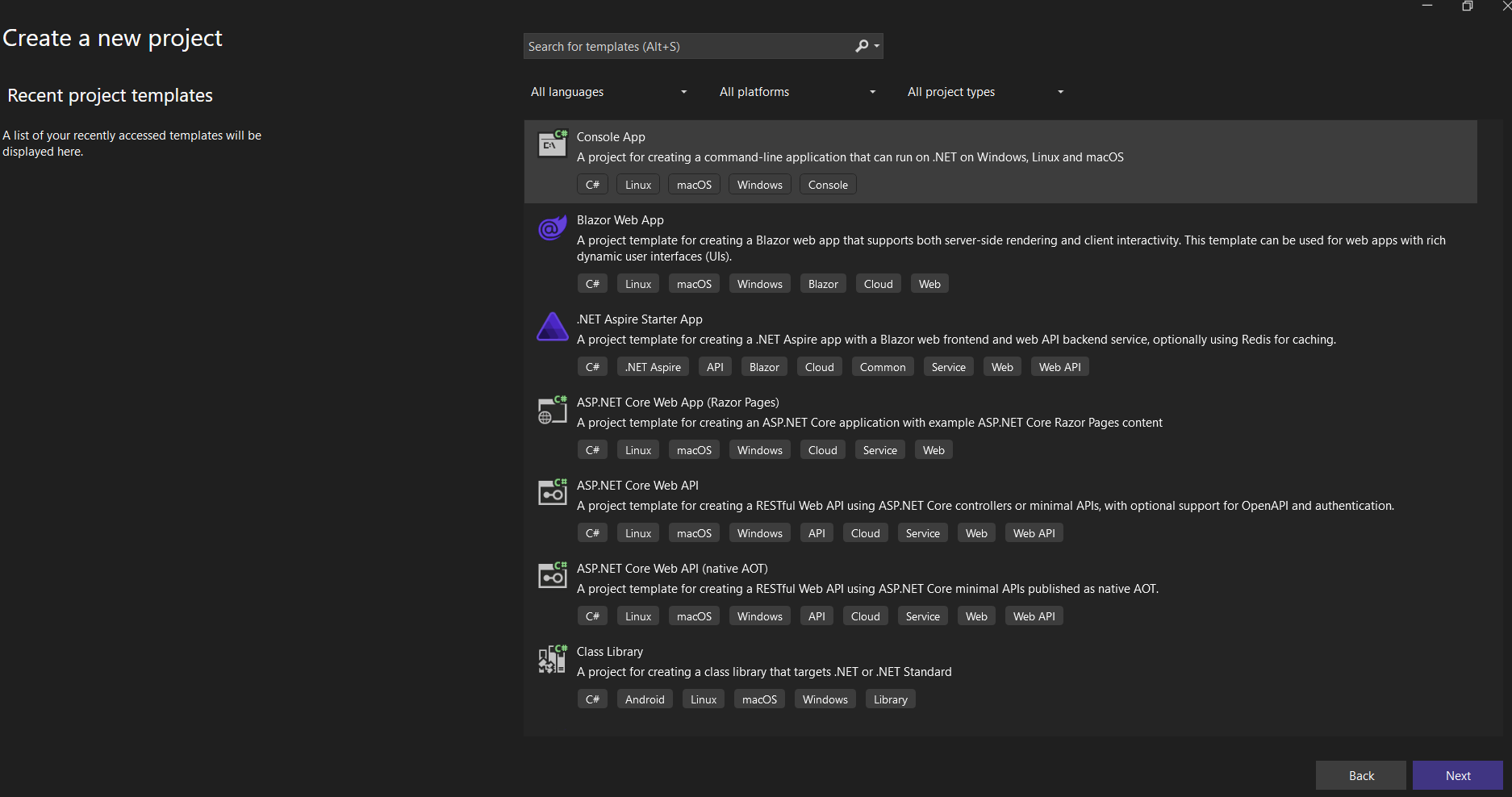
Step 2: Name the project.

Step 3: Select the framework and click Create.

Step 4: Install the Syncfusion.XlsIORenderer.Net.Core NuGet package as a reference to your project from NuGet.org.
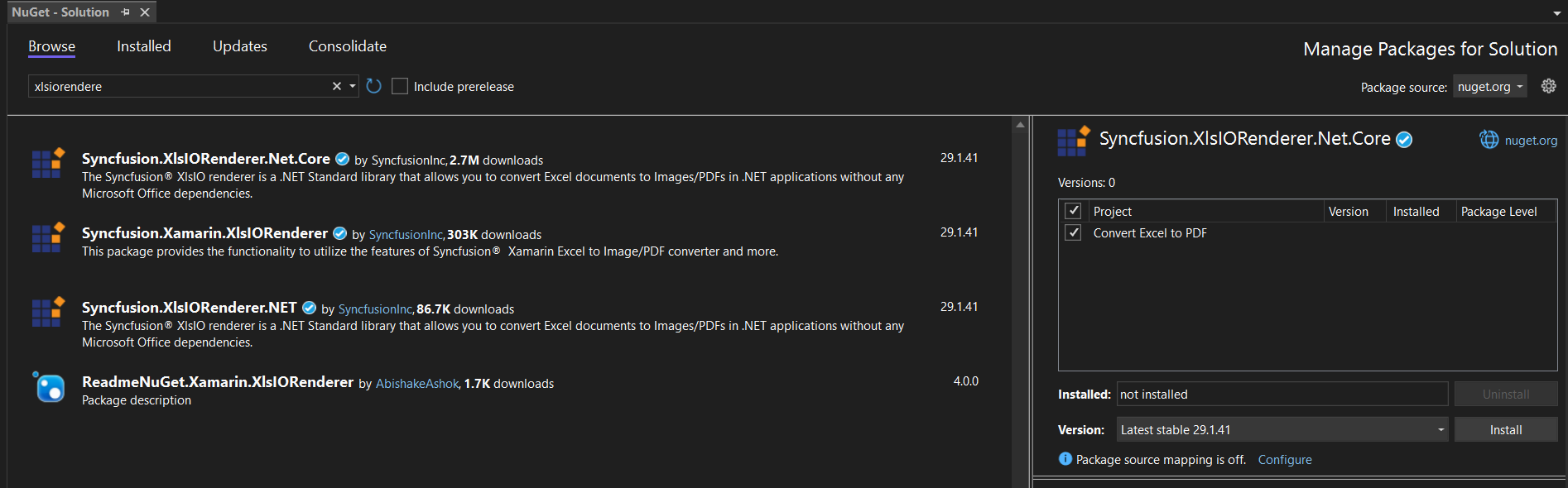
Starting with v16.2.0.x, if you reference Syncfusion® assemblies from the trial setup or from the NuGet feed, you must also add the
Syncfusion.Licensingreference and register a license key. Refer to this link to learn how to register the Syncfusion® license key. The simplest approach is to add the following call at the top of Program.cs before constructing theExcelEngine:Syncfusion.Licensing.SyncfusionLicenseProvider.RegisterLicense("YOUR_LICENSE_KEY");
Step 5: Add the following namespaces in Program.cs.
using Syncfusion.XlsIO;
using Syncfusion.XlsIORenderer;
using Syncfusion.Pdf;
Step 6: Add the following code snippet in Program.cs file.
using (ExcelEngine excelEngine = new ExcelEngine())
{
    IApplication application = excelEngine.Excel;
    application.DefaultVersion = ExcelVersion.Xlsx;

    // Load the existing Excel file.
    IWorkbook workbook = application.Workbooks.Open(Path.GetFullPath("Data/Sample.xlsx"));

    // Convert the Excel document to a PDF document.
    XlsIORenderer renderer = new XlsIORenderer();
    PdfDocument pdfDocument = renderer.ConvertToPDF(workbook);

    #region Save
    //Saving the workbook
    pdfDocument.Save(Path.GetFullPath("Output/Sample.pdf"));
    #endregion
}
Step 1: Create a new Console App project.
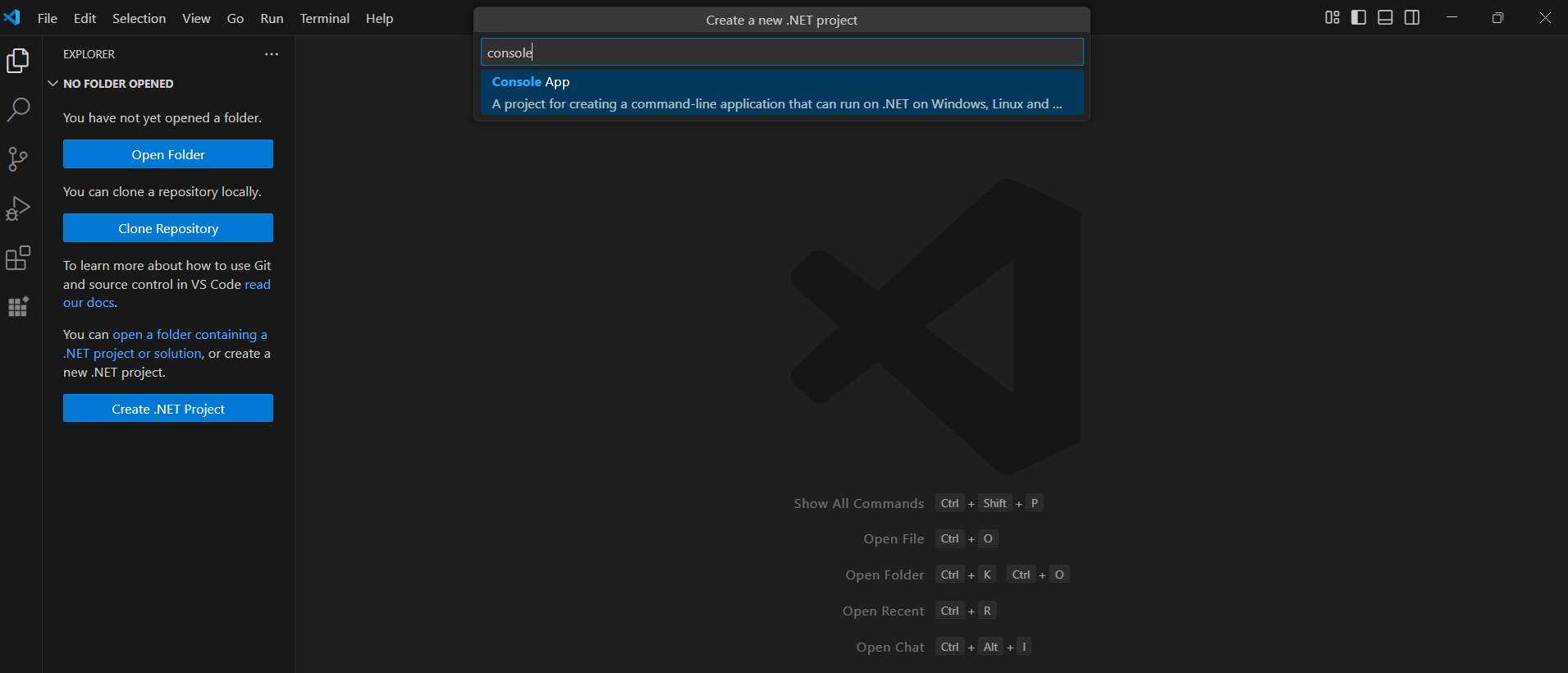
Step 2: Name the project and create the project.
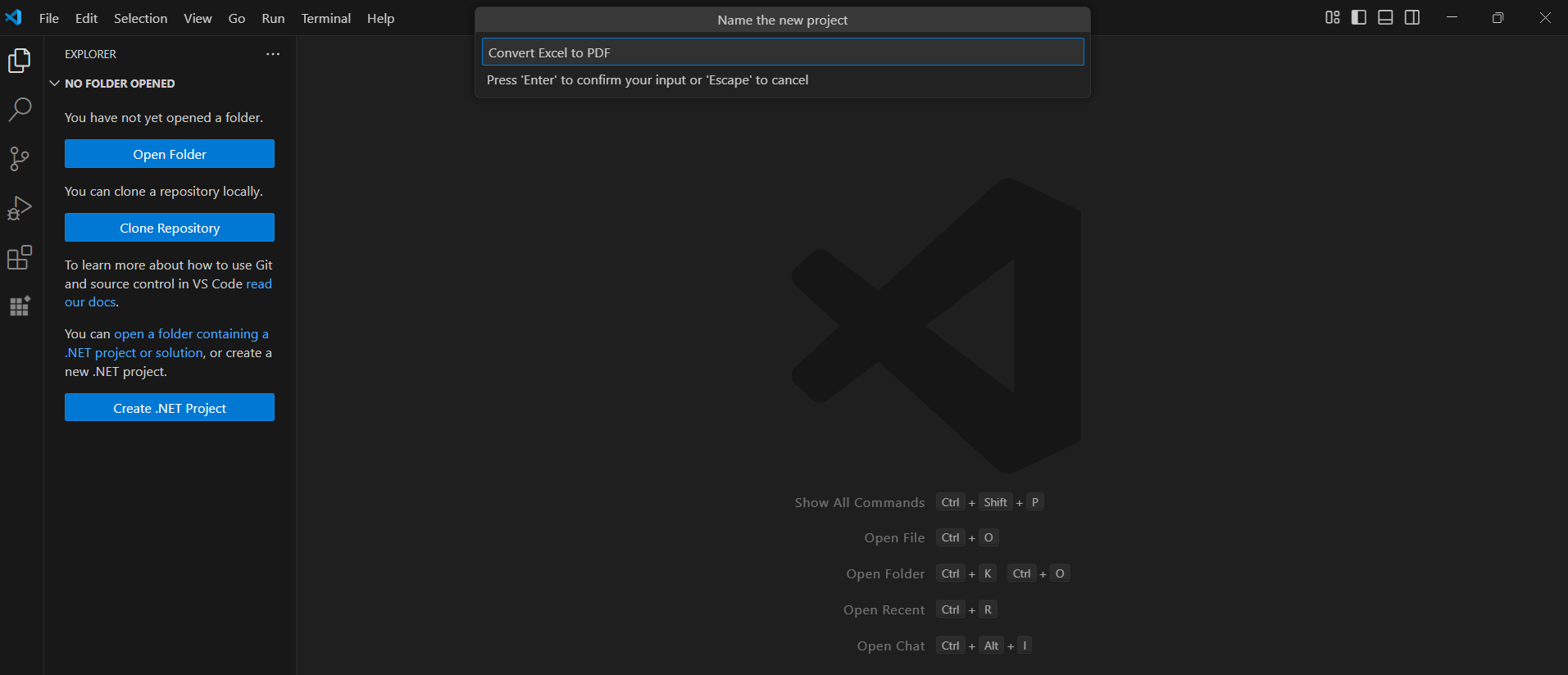
Alternatively, create a .NET console application using the following command in the terminal (Ctrl+`).
dotnet new console -o Convert-Excel-to-PDF
cd Convert-Excel-to-PDF
Step 3: To Convert an Excel document to PDF in .NET Core app,run the following command to install Syncfusion.XlsIORenderer.Net.Core package.

dotnet add package Syncfusion.XlsIORenderer.Net.Core
Starting with v16.2.0.x, if you reference Syncfusion® assemblies from the trial setup or from the NuGet feed, you must also add the
Syncfusion.Licensingreference and register a license key. Refer to this link to learn how to register the Syncfusion® license key. The simplest approach is to add the following call at the top of Program.cs before constructing theExcelEngine:Syncfusion.Licensing.SyncfusionLicenseProvider.RegisterLicense("YOUR_LICENSE_KEY");
Step 4: Add the following namespaces in Program.cs.
using Syncfusion.XlsIO;
using Syncfusion.XlsIORenderer;
using Syncfusion.Pdf;
Step 5: Add the following code in Program.cs. Create a Data/Sample.xlsx file in the project root (or set its Copy to Output Directory property to Copy if newer), and ensure an Output/ directory exists for the converted PDF.
using (ExcelEngine excelEngine = new ExcelEngine())
{
    IApplication application = excelEngine.Excel;
    application.DefaultVersion = ExcelVersion.Xlsx;

    // Load the existing Excel file.
    IWorkbook workbook = application.Workbooks.Open(Path.GetFullPath("Data/Sample.xlsx"));

    // Convert the Excel document to a PDF document.
    XlsIORenderer renderer = new XlsIORenderer();
    PdfDocument pdfDocument = renderer.ConvertToPDF(workbook);

    #region Save
    //Saving the workbook
    pdfDocument.Save(Path.GetFullPath("Output/Sample.pdf"));
    #endregion
}
A complete working example of how to convert an Excel document to PDF on Mac is present on this GitHub page.
By executing the program, you will get the PDF document as shown below.
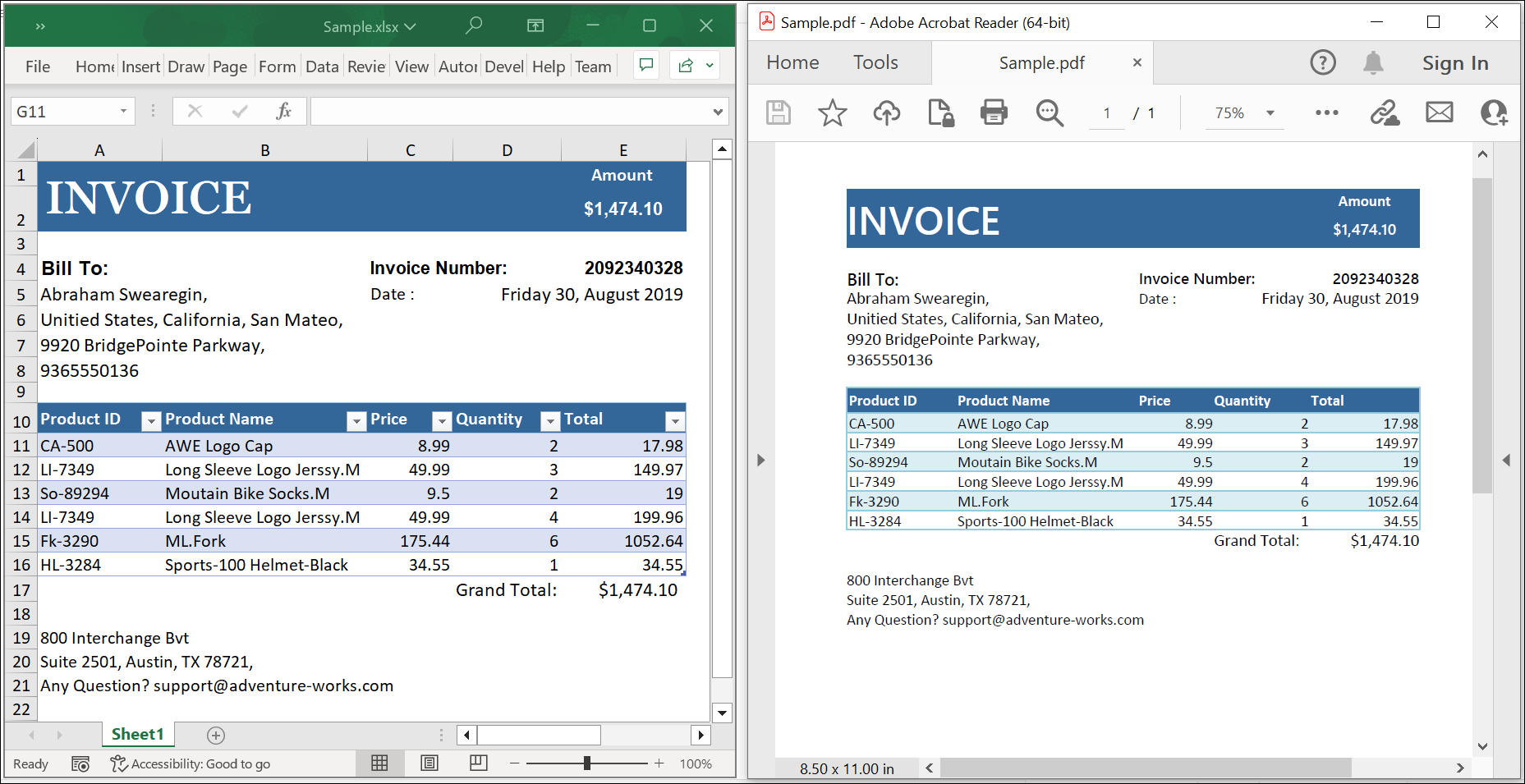
Click here to explore the rich set of Syncfusion® Excel library (XlsIO) features.
An online sample link to convert an Excel document to PDF in ASP.NET Core.