Excel to Image Conversion in ASP.NET MVC using Excel Library
16 Aug 20263 minutes to read
Syncfusion® XlsIO is a .NET Excel Library used to create, read, edit and convert Excel documents programmatically without Microsoft Excel or interop dependencies. Using this library, you can convert an Excel document to Image in ASP.NET MVC.
Steps to convert an Excel document to Image in ASP.NET MVC
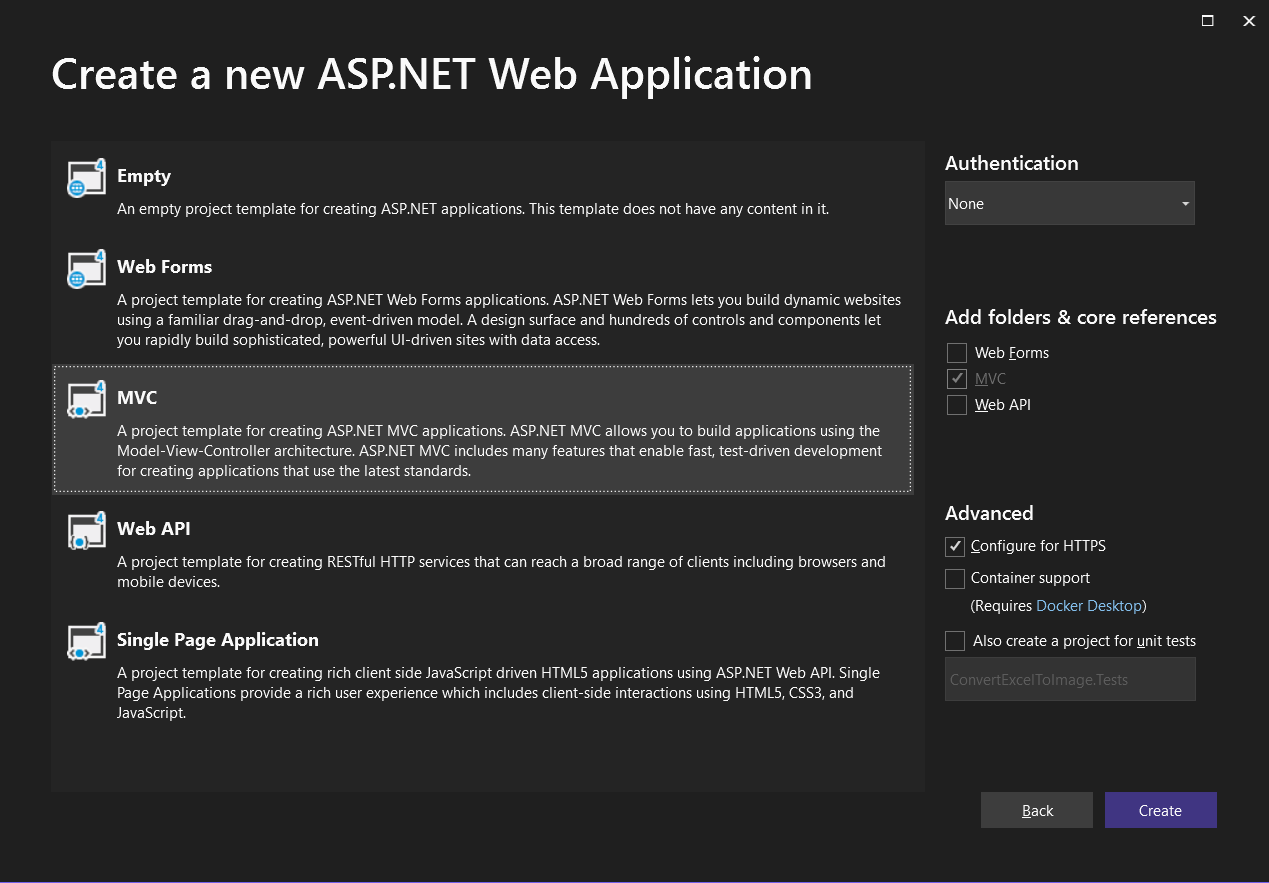
Step 1: Create a new ASP.NET Web Application Project.

Step 2: Name the project, choose the framework and click Create button.

Step 3: Select the MVC application.
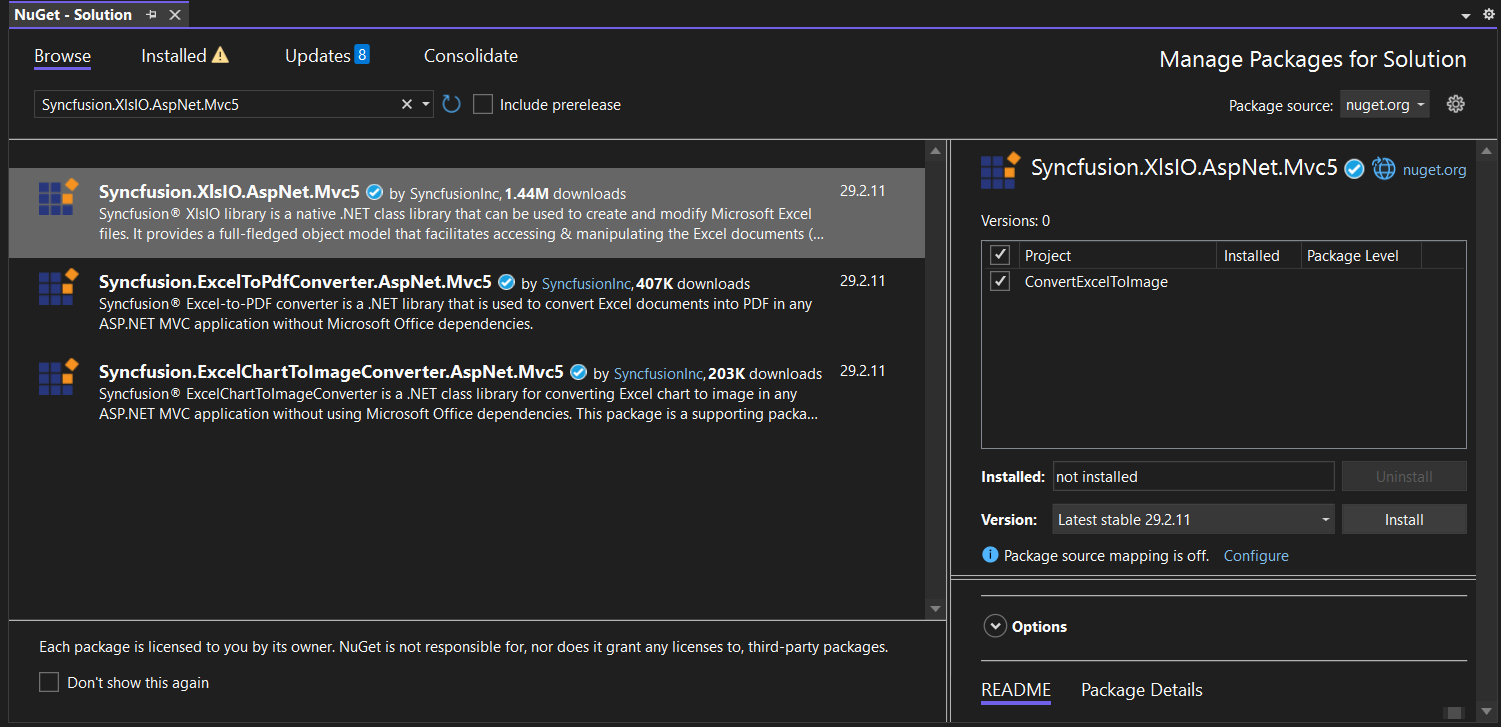
Step 4: Install the Syncfusion.XlsIO.AspNet.Mvc5 NuGet package as a reference to your project from NuGet.org.
Starting with v16.2.0.x, if you reference Syncfusion® assemblies from trial setup or from the NuGet feed, you also have to add “Syncfusion.Licensing” assembly reference and include a license key in your projects. Please refer to this link to know about registering Syncfusion® license key in your applications to use our components.
Step 5: Add a new button in the Index.cshtml as shown below.
@{Html.BeginForm("ConvertExceltoImage", "Home", FormMethod.Get);
    {
        <div>
            <input type="submit" value="Convert Excel to Image" style="width:150px;height:27px" />
        </div>
    }
    Html.EndForm();
}
Step 6: Include the following namespaces in HomeController.cs.
using Syncfusion.XlsIO;Step 7: Include the below code snippet in HomeController.cs to convert an Excel document to Image.
public void ConvertExcelToImage()
{
    using (ExcelEngine excelEngine = new ExcelEngine())
    {
        IApplication application = excelEngine.Excel;
        application.DefaultVersion = ExcelVersion.Xlsx;
		IWorkbook workbook = application.Workbooks.Open("Sample.xlsx");
        IWorksheet worksheet = workbook.Worksheets[0];

        //Convert the Excel to Image
        Image image = worksheet.ConvertToImage(1, 1, 20, 4);

        //Save the image as jpeg
        ExportAsImage(image, "ExcelToImage.Jpeg", ImageFormat.Jpeg, HttpContext.ApplicationInstance.Response);
    }
}

protected void ExportAsImage(Image image, string fileName, ImageFormat imageFormat, HttpResponse response)
{
    if (ControllerContext == null)
        throw new ArgumentNullException("Context");
    string disposition = "content-disposition";
    response.AddHeader(disposition, "attachment; filename=" + fileName);
    if (imageFormat != ImageFormat.Emf)
        image.Save(Response.OutputStream, imageFormat);
    Response.End();
}
You can download a complete working sample from GitHub.
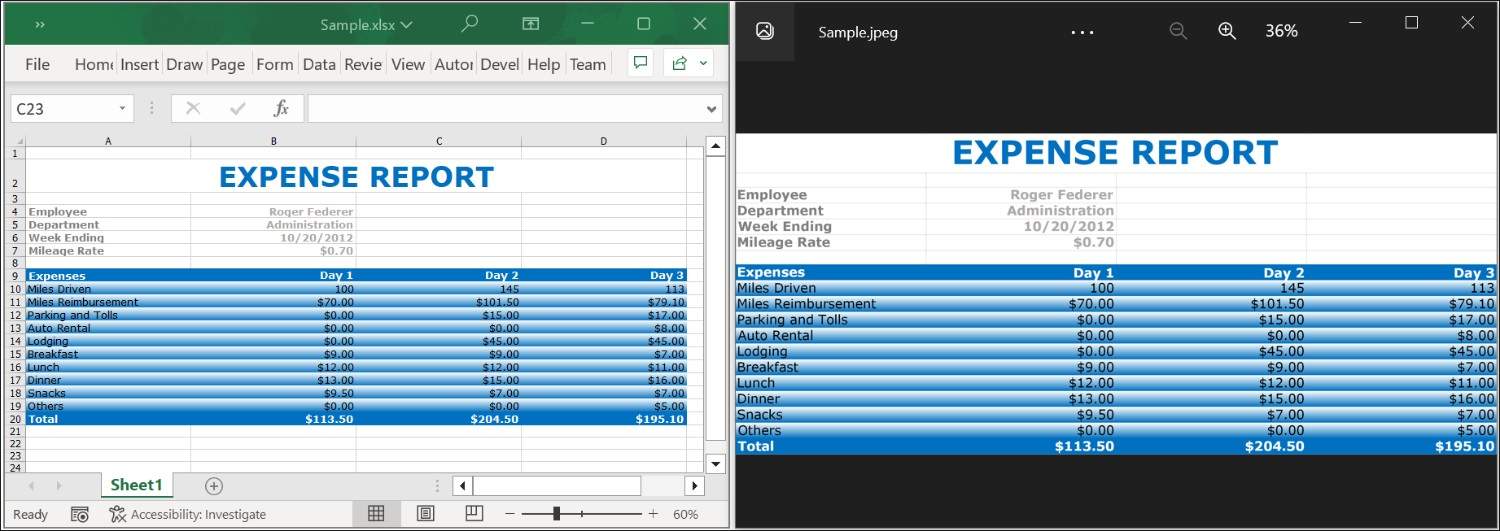
By executing the program, you will get the image as follows.
Click here to explore the rich set of Syncfusion® Excel library (XlsIO) features.
An online sample link to convert an Excel document to Image in ASP.NET Core.