How to troubleshoot in .NET Smart Data Extractor
16 Aug 20262 minutes to read
ONNX file missing
| Exception | ONNX files are missing |
|---|---|
| Reason | The required ONNX model files are not copied into the application's build output. |
| Solution |
Ensure that the runtimes folder is copied properly to the bin folder of the application from the NuGet package location.
Please refer to the screenshots below: Smart Data Extractor: 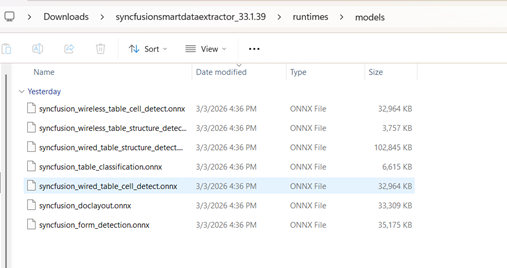
Smart Table Extractor: 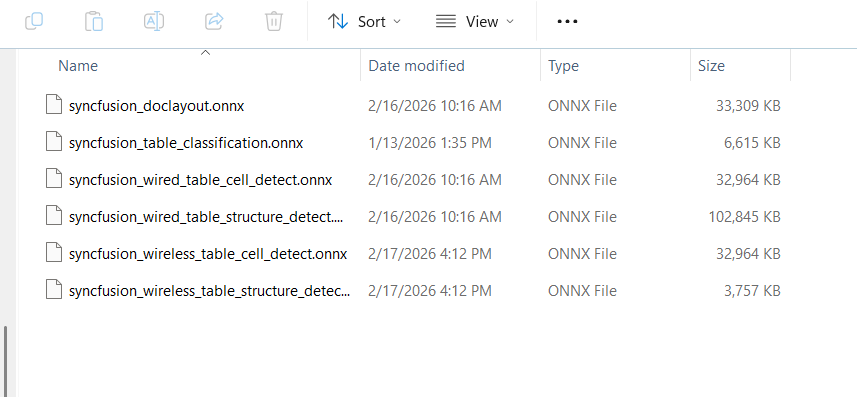
Note: If you publish your application, ensure the runtimes/models folder and ONNX files are included in the publish output. |
System.TypeInitializationException / FileNotFoundException – Microsoft.ML.ONNXRuntime
| Exception |
1. System.TypeInitializationException 2. FileNotFoundException (Microsoft.ML.ONNXRuntime) |
|---|---|
| Reason | The required Microsoft.ML.ONNXRuntime NuGet package is not installed in your project. SmartDataExtractor depends on this package and its required assemblies to function properly. |
| Solution |
Install the NuGet package
Microsoft.ML.ONNXRuntime (Version 1.18.0) manually in your sample/project.
This package is required for SmartDataExtractor across .NET Framework projects. |
ONNXRuntimeException – Model File Not Found in MVC Project
| Exception | Microsoft.ML.ONNXRuntime.ONNXRuntimeException |
|---|---|
| Reason | The required native runtime library (ONNXRuntime.dll) is missing from your application's bin folder. |
| Solution |
In your MVC project file (.csproj), add the following build target to copy the native DLL from the NuGet package folder to the bin folder:
|