Getting Started with ASP.NET MVC OCR Processor
14 Aug 20264 minutes to read
The .NET OCR library is used to extract text from scanned PDFs and images in ASP.NET MVC applications with the help of Google’s Tesseract Optical Character Recognition engine.
Prerequisites
Version Compatibility
- Syncfusion.Pdf.OCR.AspNet.Mvc5 supports Web applications targeting .NET Framework 4.6.2 and later.
Supported Inputs
The OCR processor supports the following input formats:
- Single-page and multi-page PDF documents
- Scanned images in common formats (JPEG, PNG, TIFF)
- Recommended DPI: 200 DPI or higher for optimal OCR accuracy
Register the License Key
Include a license key in the Global.asax.cs file before creating an OCRProcessor instance. Refer to the Syncfusion License documentation to learn about registering the Syncfusion license key in your application.
using Syncfusion.Licensing;

protected void Application_Start()
{
    // Register the Syncfusion license
    SyncfusionLicenseProvider.RegisterLicense("YOUR LICENSE KEY");
}
- Beginning from version 21.1.x, the TesseractBinaries and Tesseract language data folders are now included by default; you no longer have to set these paths explicitly.
- The current NuGet package includes Tesseract 5.0, which provides support for 100+ languages.
Steps to perform OCR on entire PDF document in ASP.NET MVC
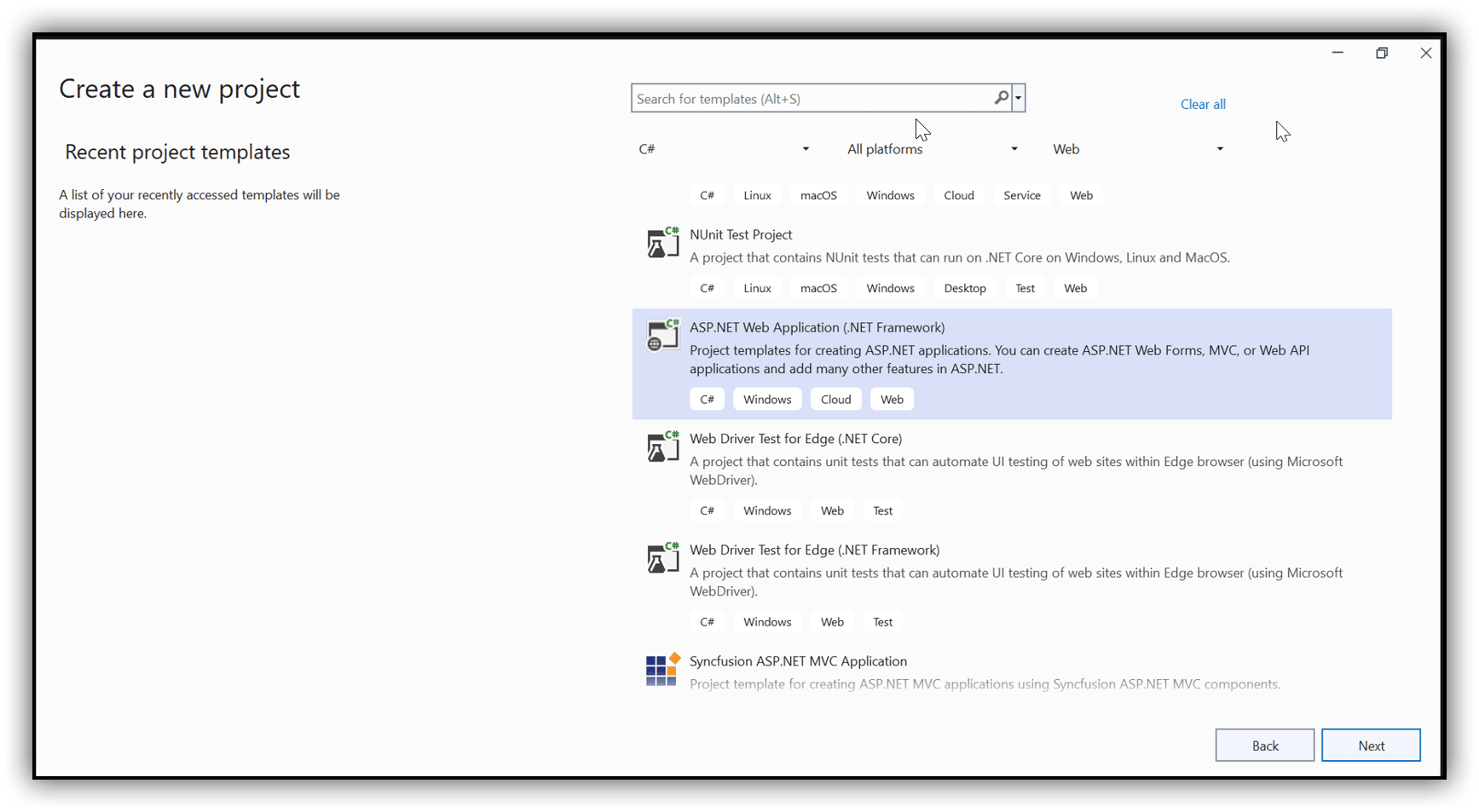
Step 1: Create a new C# ASP.NET Web Application (.NET Framework) project targeting .NET Framework 4.6.2 or later:
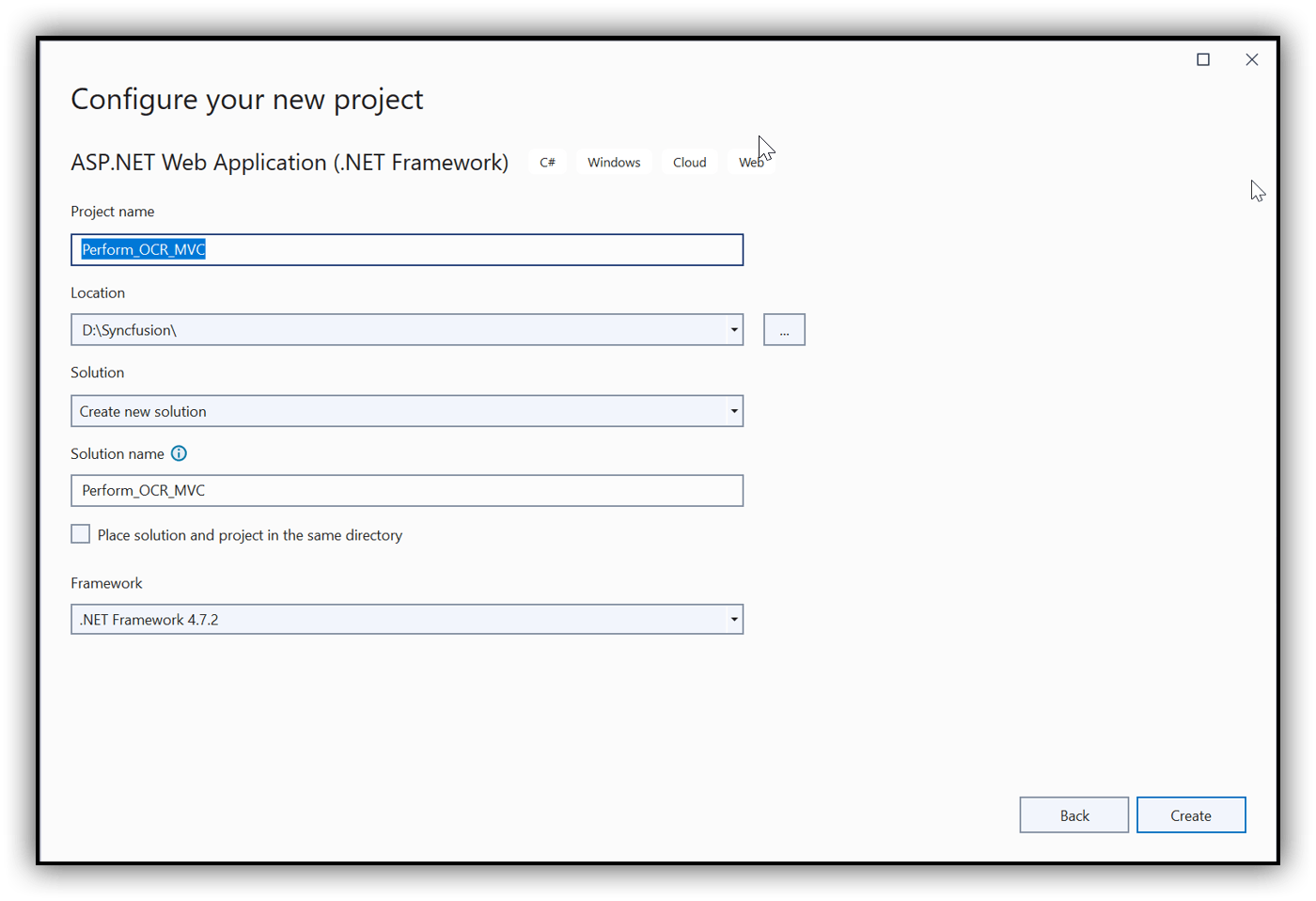
Step 2: In the project configuration window, name your project and click Create:
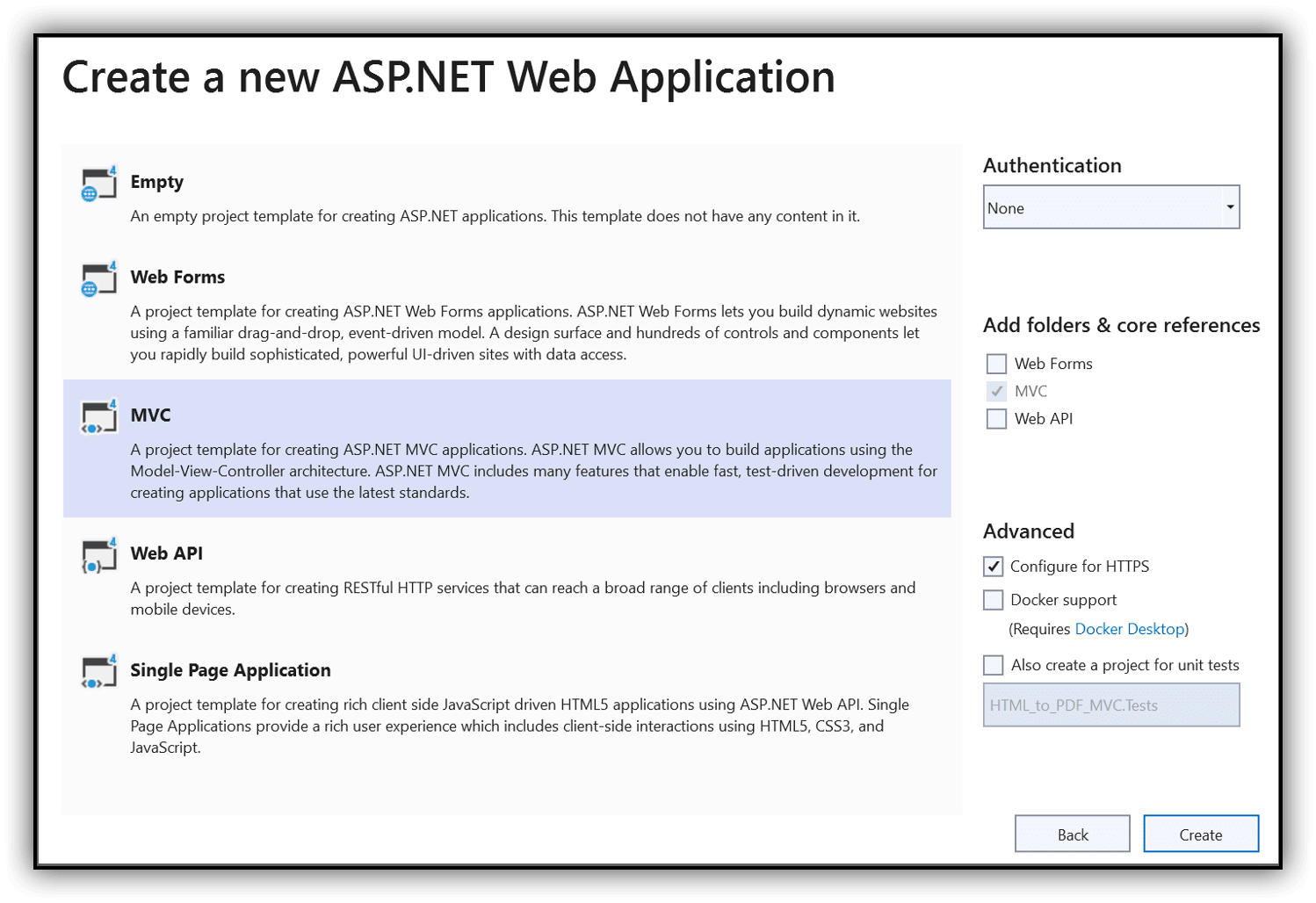
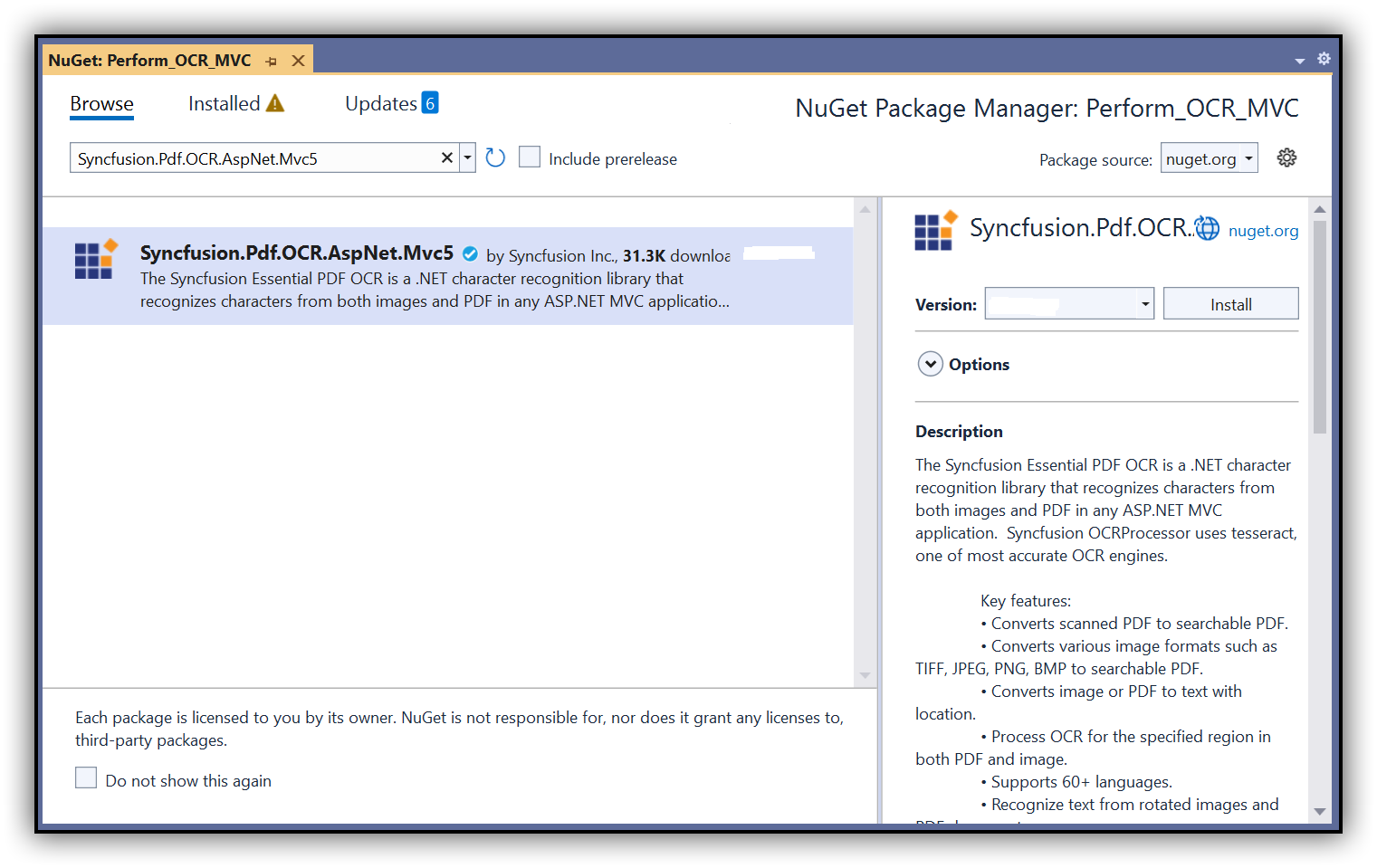
Step 3: Install the Syncfusion.Pdf.OCR.AspNet.Mvc5 NuGet package into your .NET application from NuGet.org:
Step 4: Include the following namespaces in the HomeController.cs file:
using Syncfusion.OCRProcessor;
using Syncfusion.Pdf.Parsing;
Step 5: Add a new button in the Index.cshtml as follows:
@{Html.BeginForm("PerformOCR", "Home", FormMethod.Post);
   {
      <div>
         <input type="submit" value="Perform OCR" style="width:150px;height:27px" />
      </div>
   }
   Html.EndForm();
}
Step 6: Add a new action method named PerformOCR in the HomeController.cs file and use the following code sample to perform OCR on the entire PDF document using the PerformOCR method of the OCRProcessor class:
public ActionResult PerformOCR()
{
    // Initialize the OCR processor
    using (OCRProcessor processor = new OCRProcessor())
    {
        // Open the input PDF document
        FileStream fileStream = new FileStream("Input.pdf", FileMode.Open, FileAccess.Read);
        // Load the PDF document
        PdfLoadedDocument lDoc = new PdfLoadedDocument(fileStream);
        // Set the OCR language
        processor.Settings.Language = Languages.English;
        // Set the Tesseract version
        processor.Settings.TesseractVersion = TesseractVersion.Version5_0;
        // Perform OCR on the document
        processor.PerformOCR(lDoc);
        // Save and download the processed document to the browser
        lDoc.Save("Output.pdf", HttpContext.ApplicationInstance.Response, Syncfusion.Pdf.HttpReadType.Save);
        // Close and dispose the document
        lDoc.Close(true);
    }
    return View();
}
By executing the program, you will obtain a PDF document with extracted text as follows:
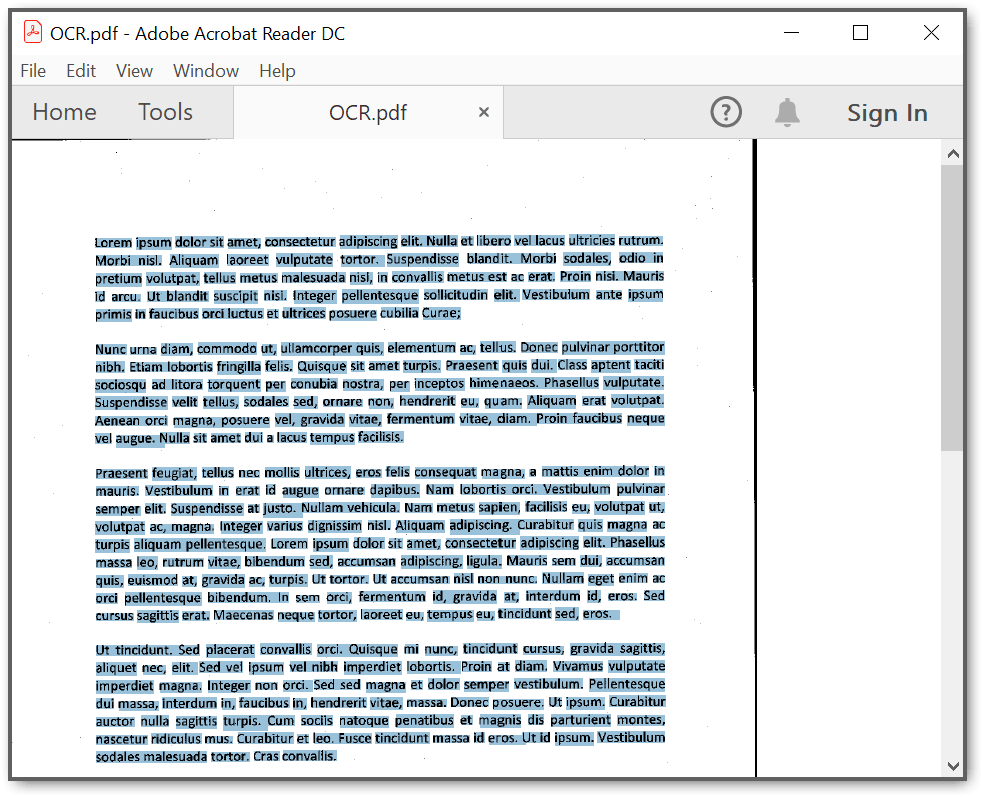
A complete working sample can be downloaded from GitHub.
Click here to explore the rich set of Syncfusion® PDF library features.