Track Daily Credits and Token Usage
14 May 20261 minute to read
Overview
Daily credit and token tracking help you understand how much AI usage you are consuming.
It shows you:
- Total tokens used today
- Credits spent for today’s usage
- Usage patterns and unusual spikes
- Ways to optimize and reduce credit usage
This helps you manage your AI usage and stay within your available credits.
When to Use
Use this tracking process when:
- You need to monitor credits usage on a daily basis.
- You’re deploying LLM-based applications that may generate unpredictable or dynamic usage.
- You want to optimize prompt efficiency or identify expensive operations.
Steps to Check Daily Credits and Token Usage
Follow these steps to view your credits and token usage in Code Studio:
Step 1: Open Code Studio
- Open Code Studio Application.
- Ensure you are logged in with the correct user credentials.
Step 2: Open Account Settings
- In the top-right corner of Code Studio, click your avatar.
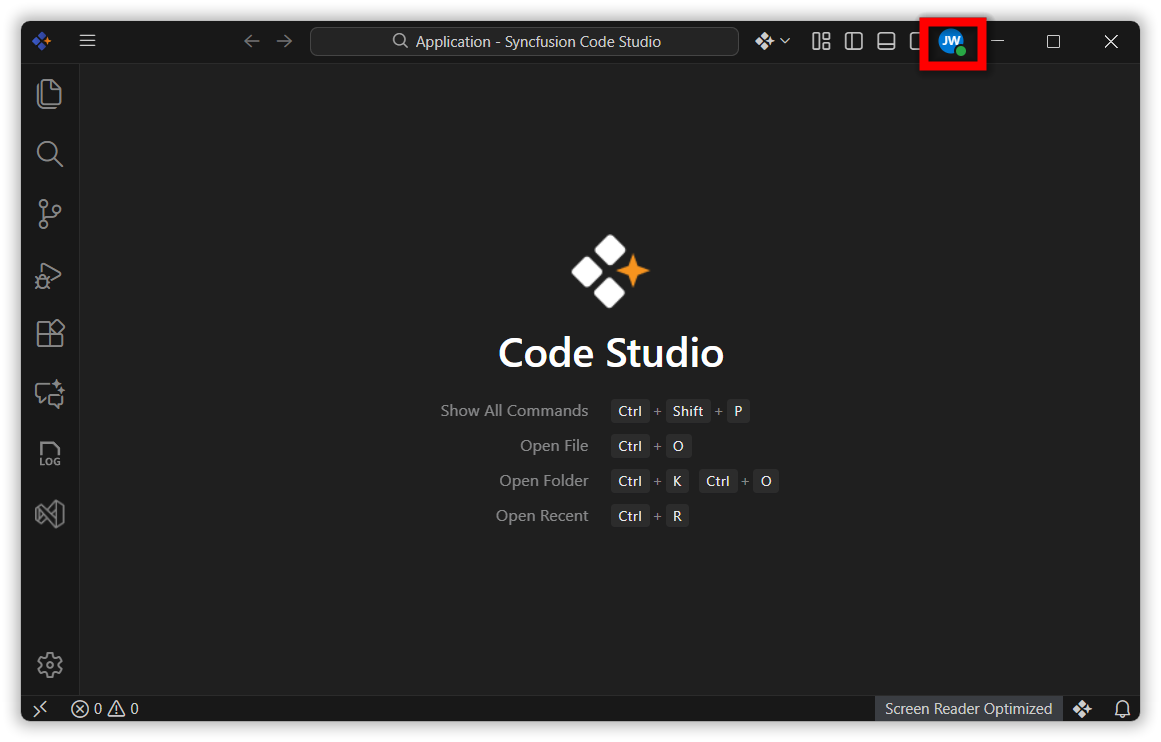
- This opens the Account tab within the Settings page.
Step 3: Navigate to the Dashboard
- In the Account section, click Open Dashboard.
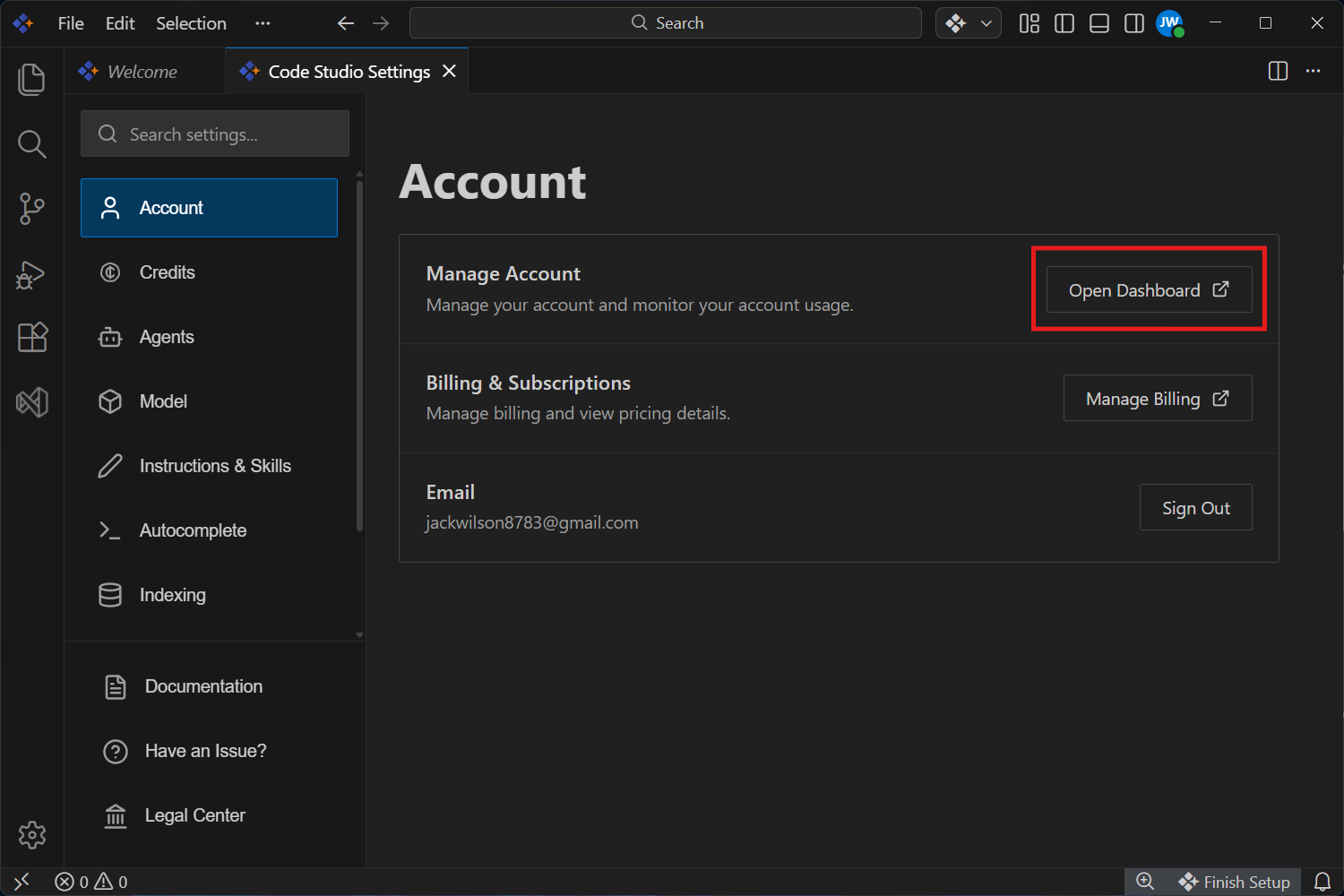
- You are redirected to the web dashboard where credits and usage information is displayed.
Step 4: Select Today’s Date
- In the dashboard, locate the date filter at the top of the page.
- Click the date field and select This week.
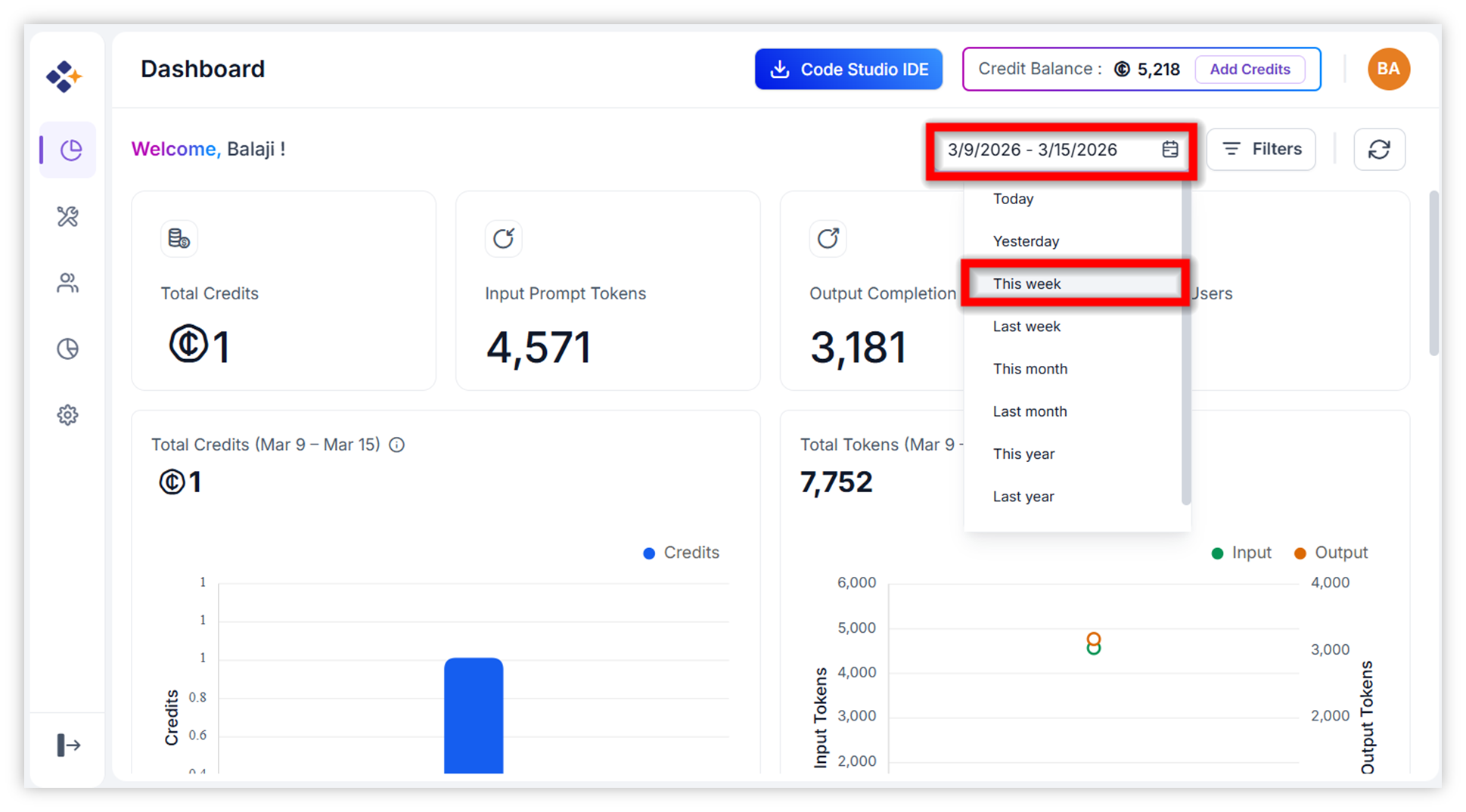
Step 5: Select your name in the User field from the Filter.
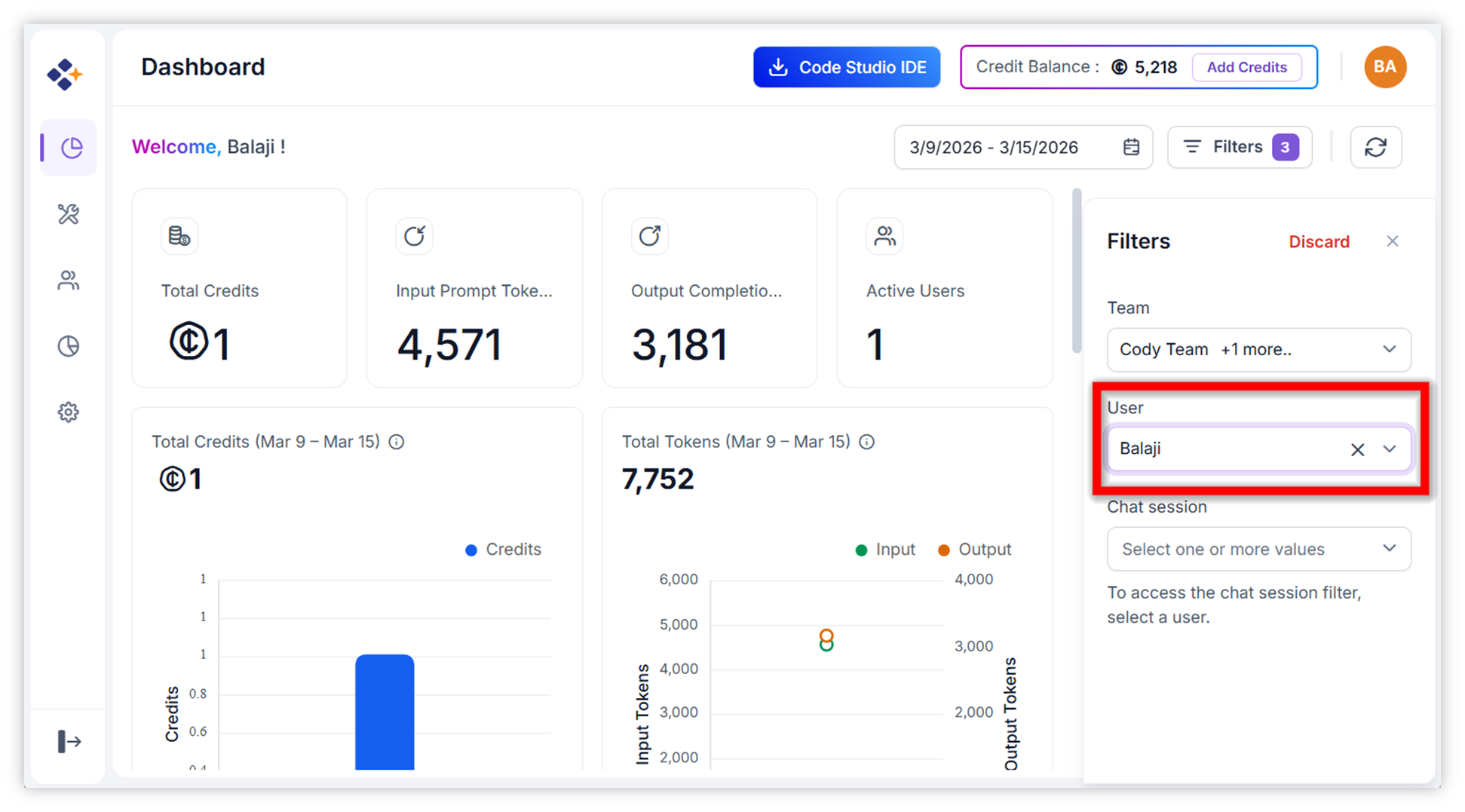
- The dashboard refreshes to show today’s credit usage.
Step 6: Select the chat session from the Filter.
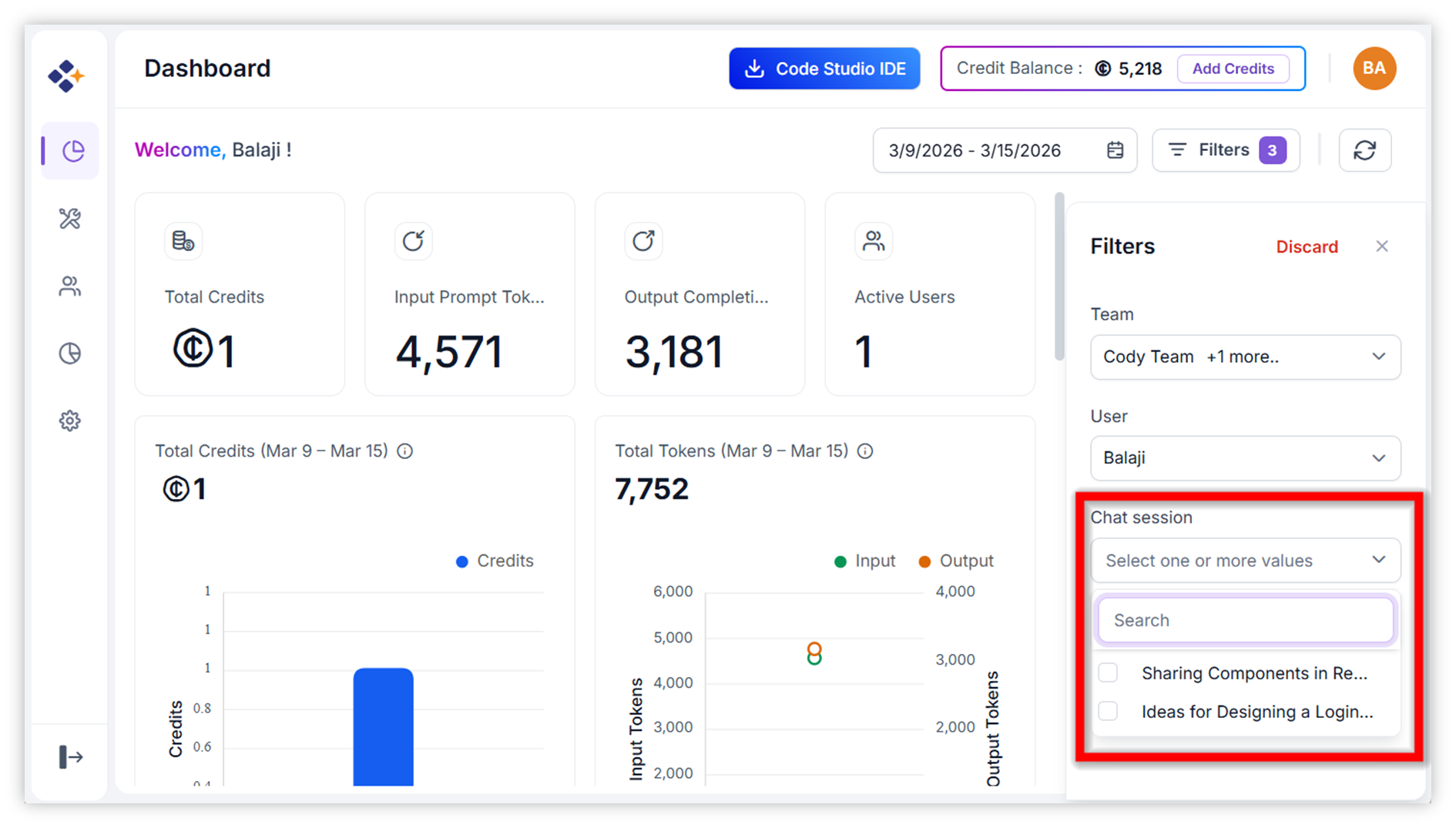
- The dashboard refreshes to show today’s credit usage for the chat session.
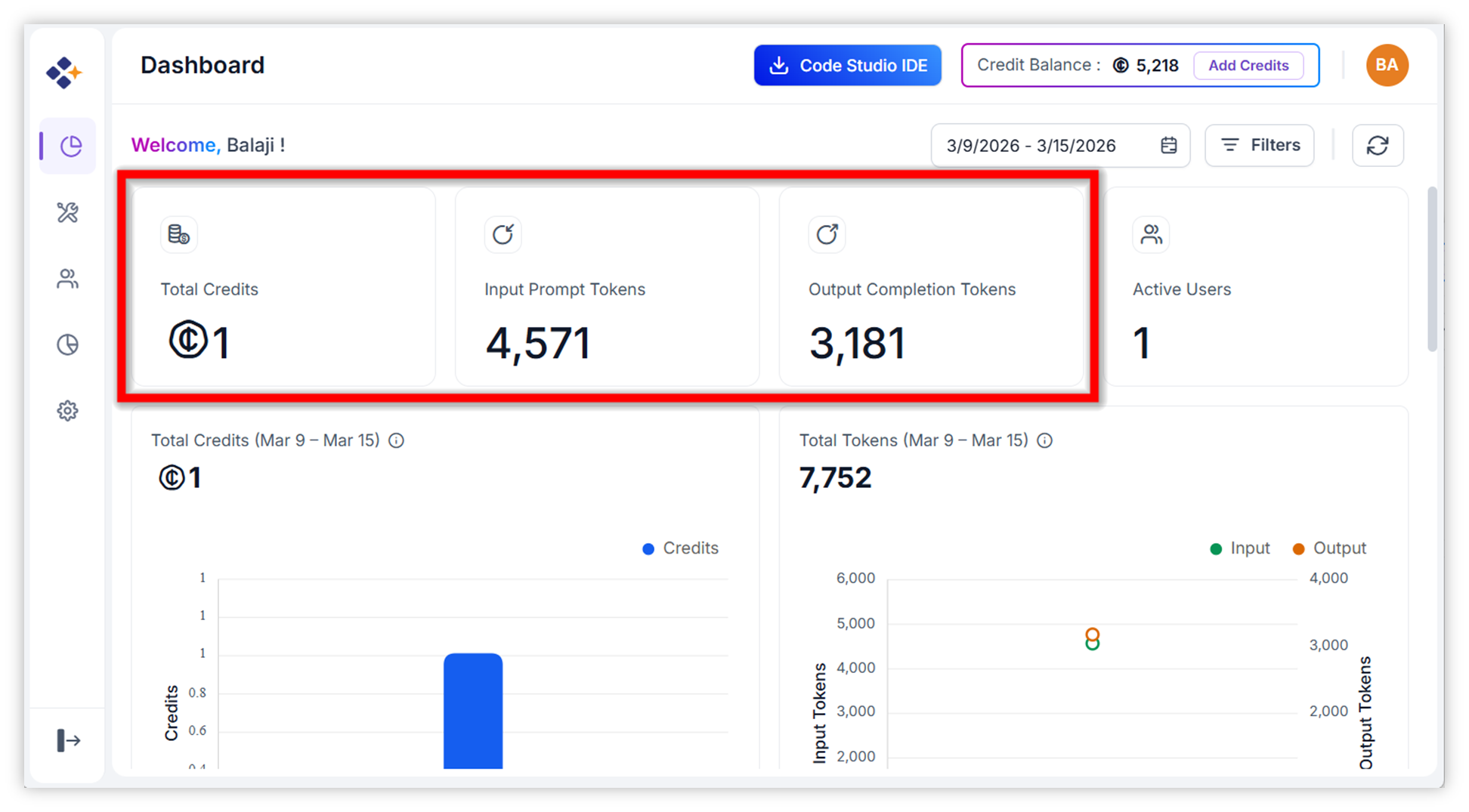
Step 7: View Daily Credit Usage
- After setting the date to Today, you see the total credit incurred today.
- This section represents your daily credit usage.
Step 8: Scroll down to view Token Usage
- Scroll down the dashboard page.
- Below the credits summary, you will find the Token Usage section.
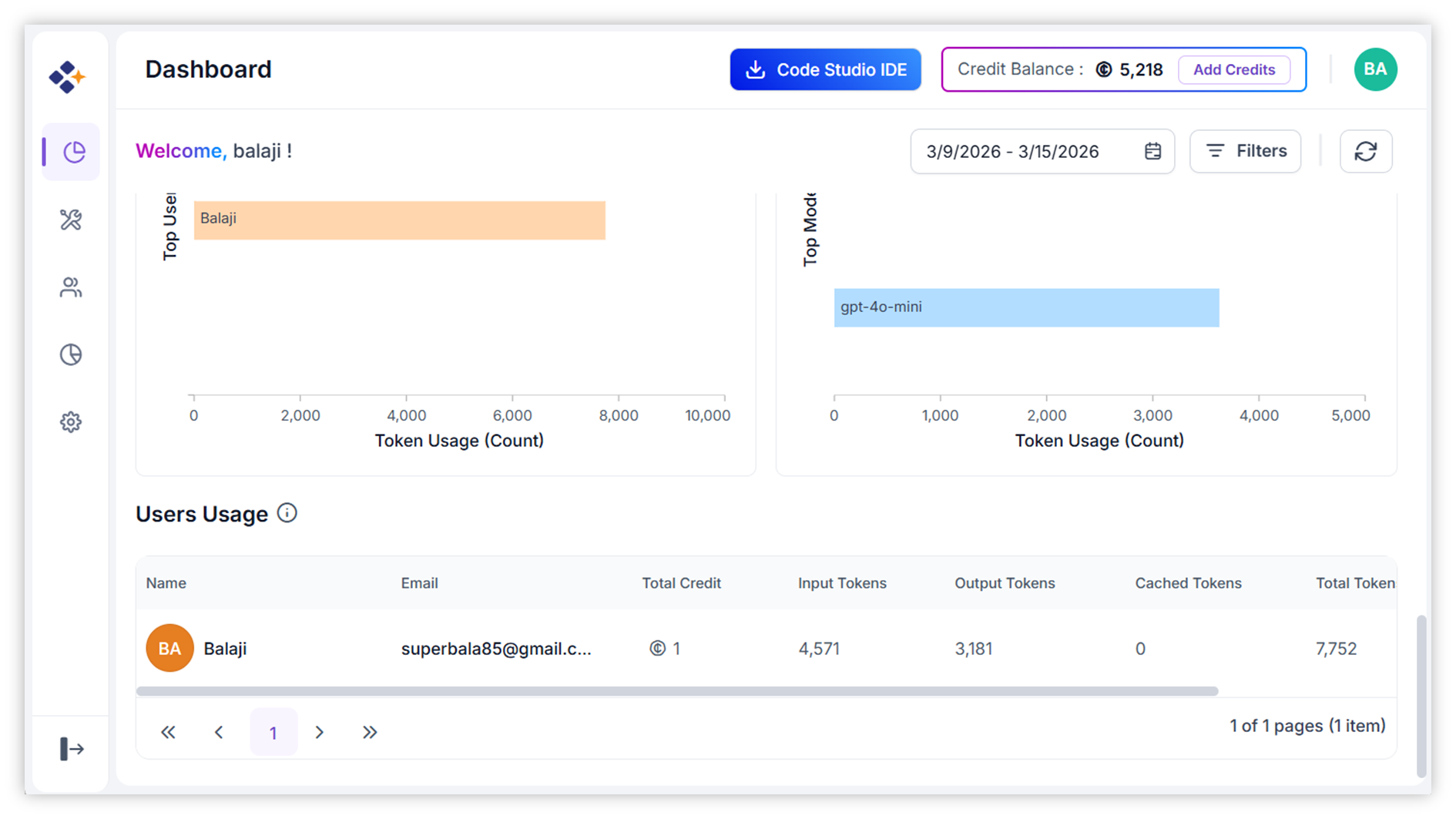
Here is what you can track:- Token usage across different models you used today (hover over a model name).
- Input vs. output token breakdown.
- Total tokens consumed.
- Model-specific token consumption trends.