Global Agents
25 Sep 20261 minute to read
Overview
Global Agent refers to agents.md, an open-source, standardized file format designed to streamline collaboration between AI coding agents in Syncfusion® Code Studio. It serves as a centralized instruction manual, similar to a README.md, but specifically tailored for machine interpretation and execution. By consolidating setup instructions, testing protocols, and coding guidelines into a single file, Global Agent simplifies workflows and ensures consistency across projects.
Use Cases
-
Team Collaboration: Standardizes coding guidelines and workflows across multiple developers, ensuring AI agents interpret instructions consistently.
-
AI-Assisted Code Reviews: Coding guidelines defined in agents.md help AI agents enforce style checks and best practices during reviews
-
Testing & Validation: Embeds test cases and quality checks directly into agents.md, enabling automated, uniform validation.
-
Cross-Project Reuse: Allows teams to reuse agents.md across different projects, speeding up knowledge transfer and reducing duplication.
How to Configure Global Agents
Using Global Agent in Code Studio is straightforward:
-
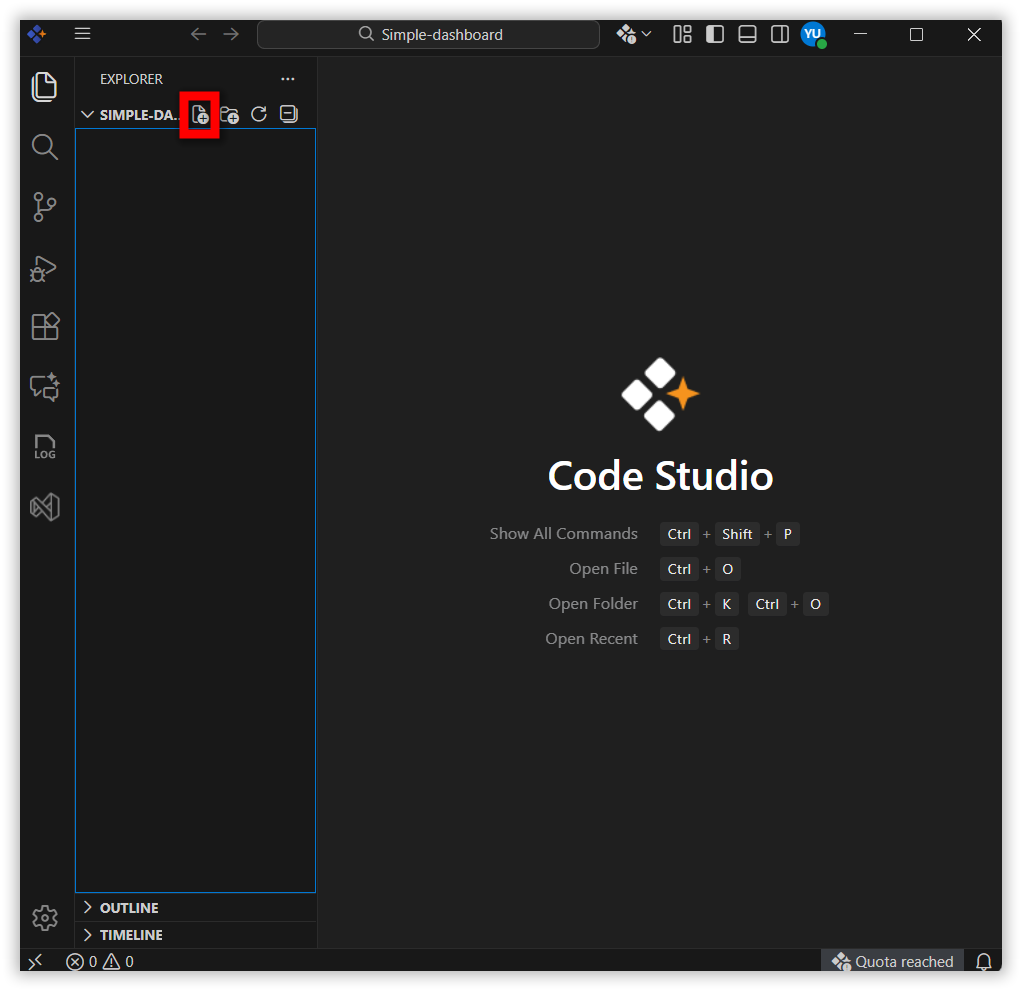
Click Create File
-
Create an
agents.mdfile in the root folder.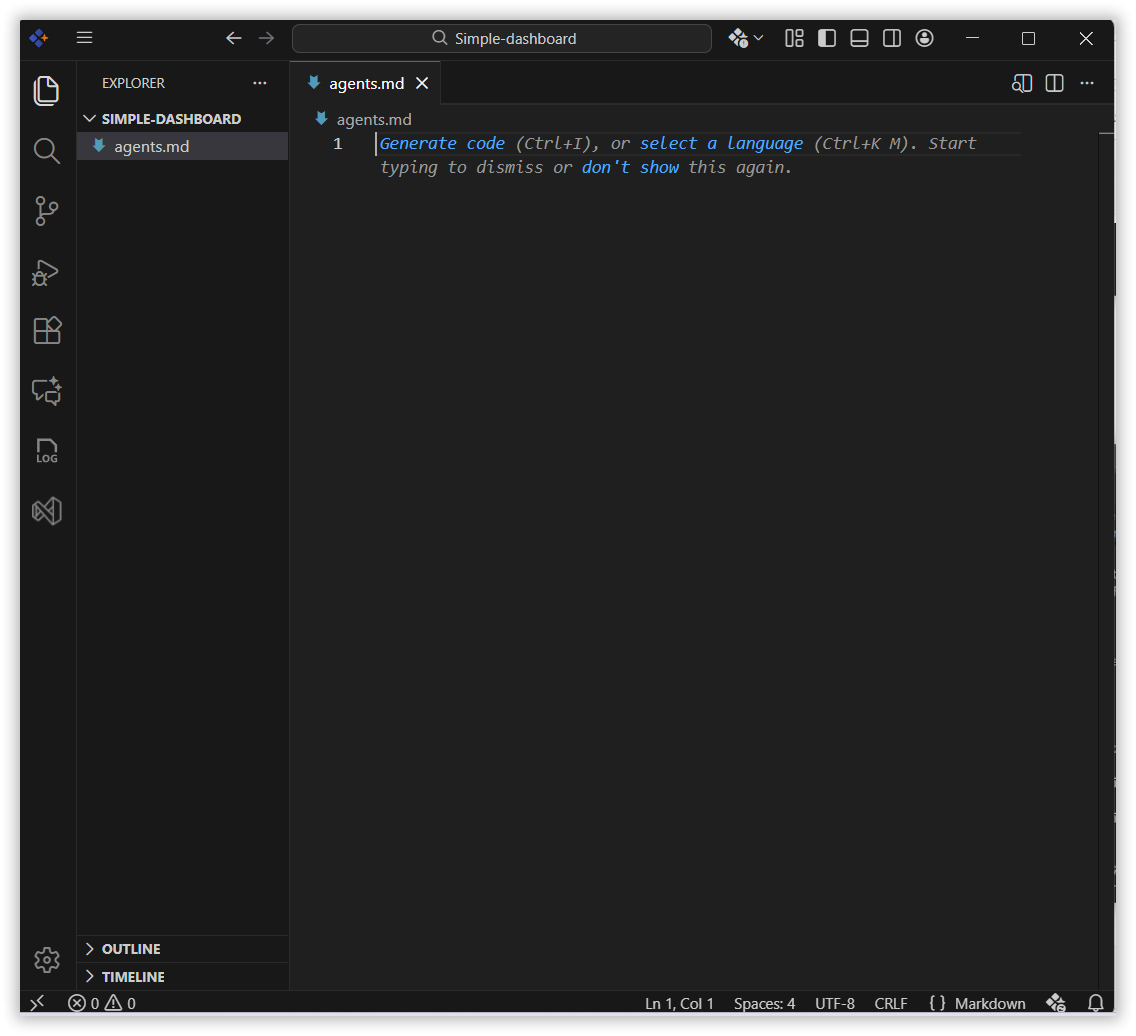
-
Add the proper instructions inside the
agents.mdfile.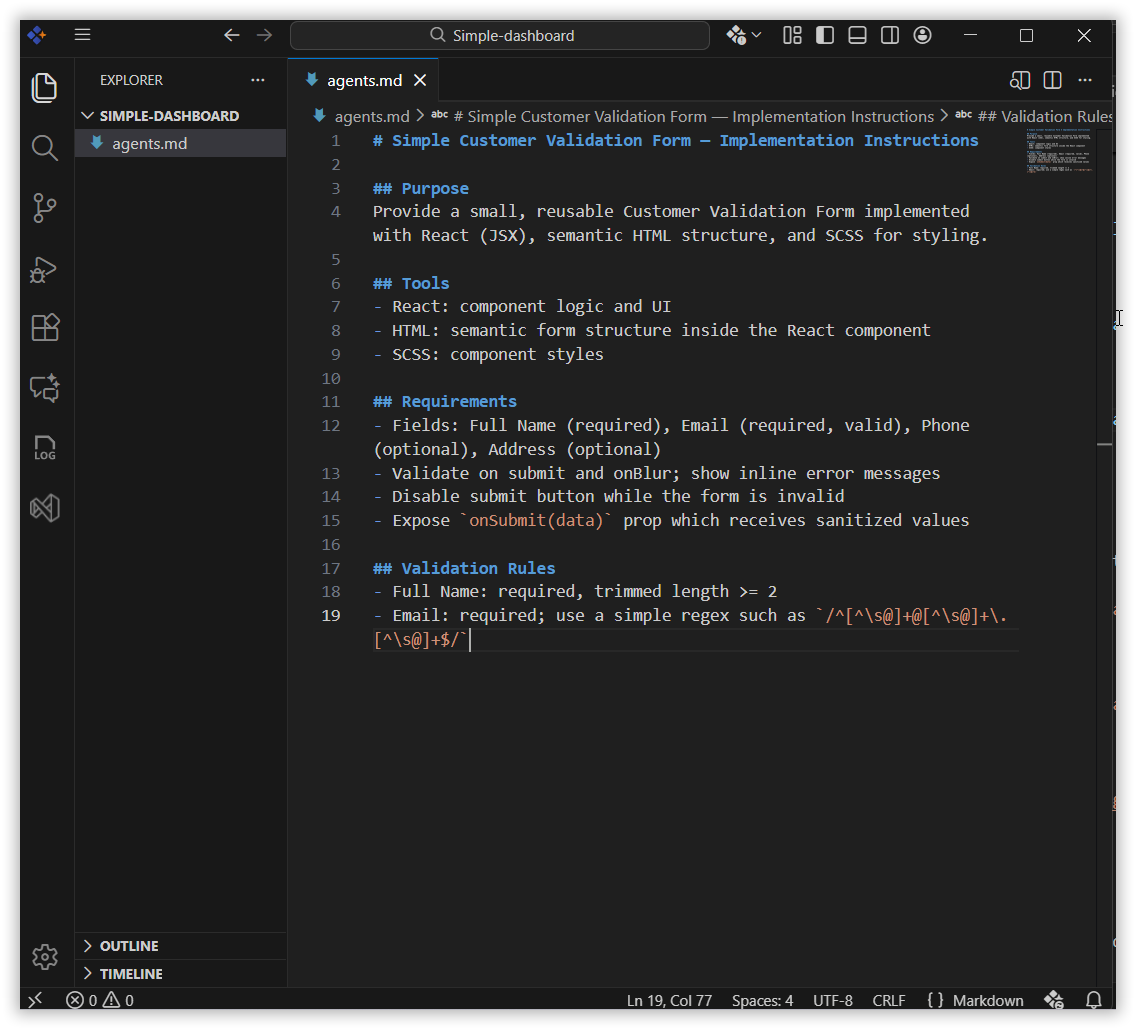
-
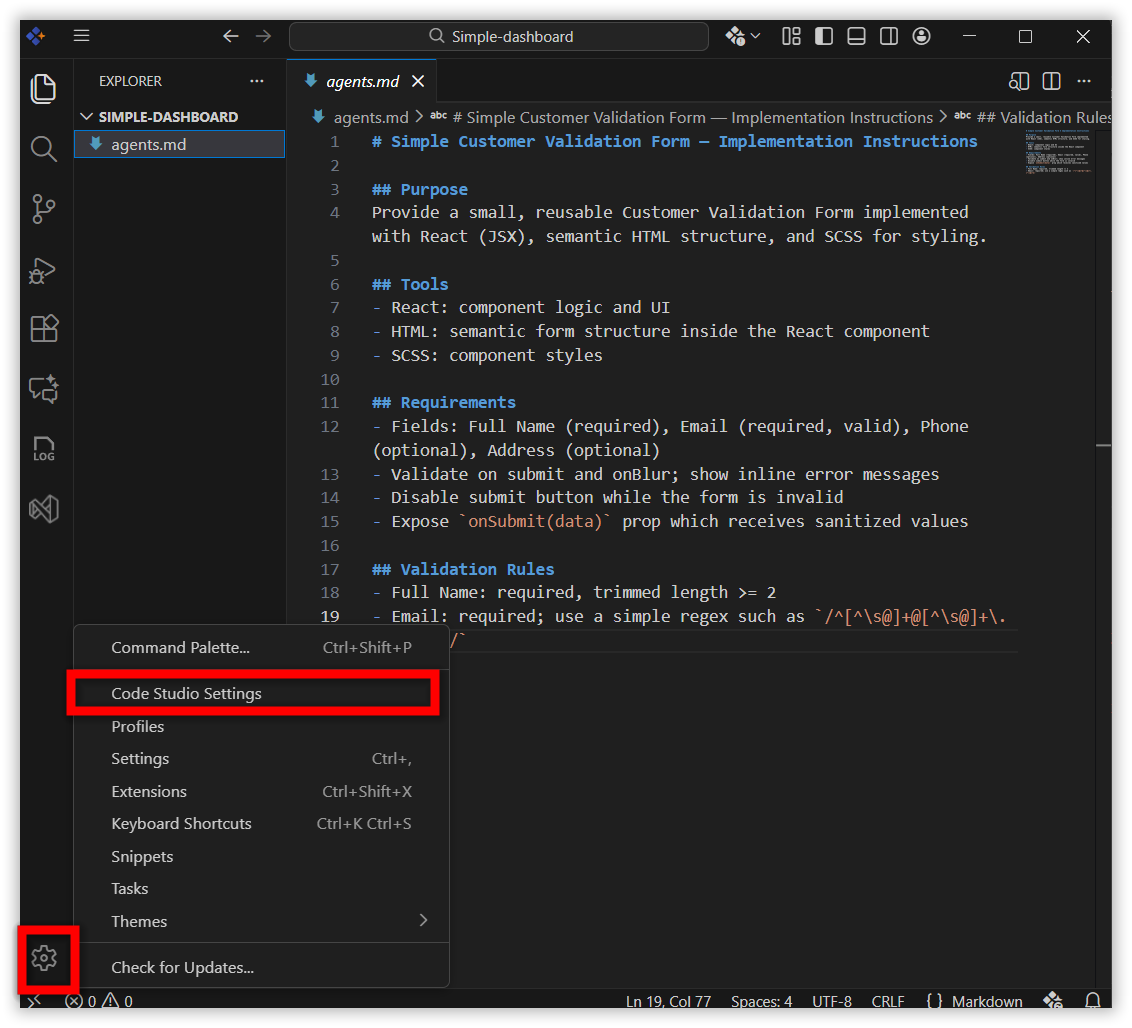
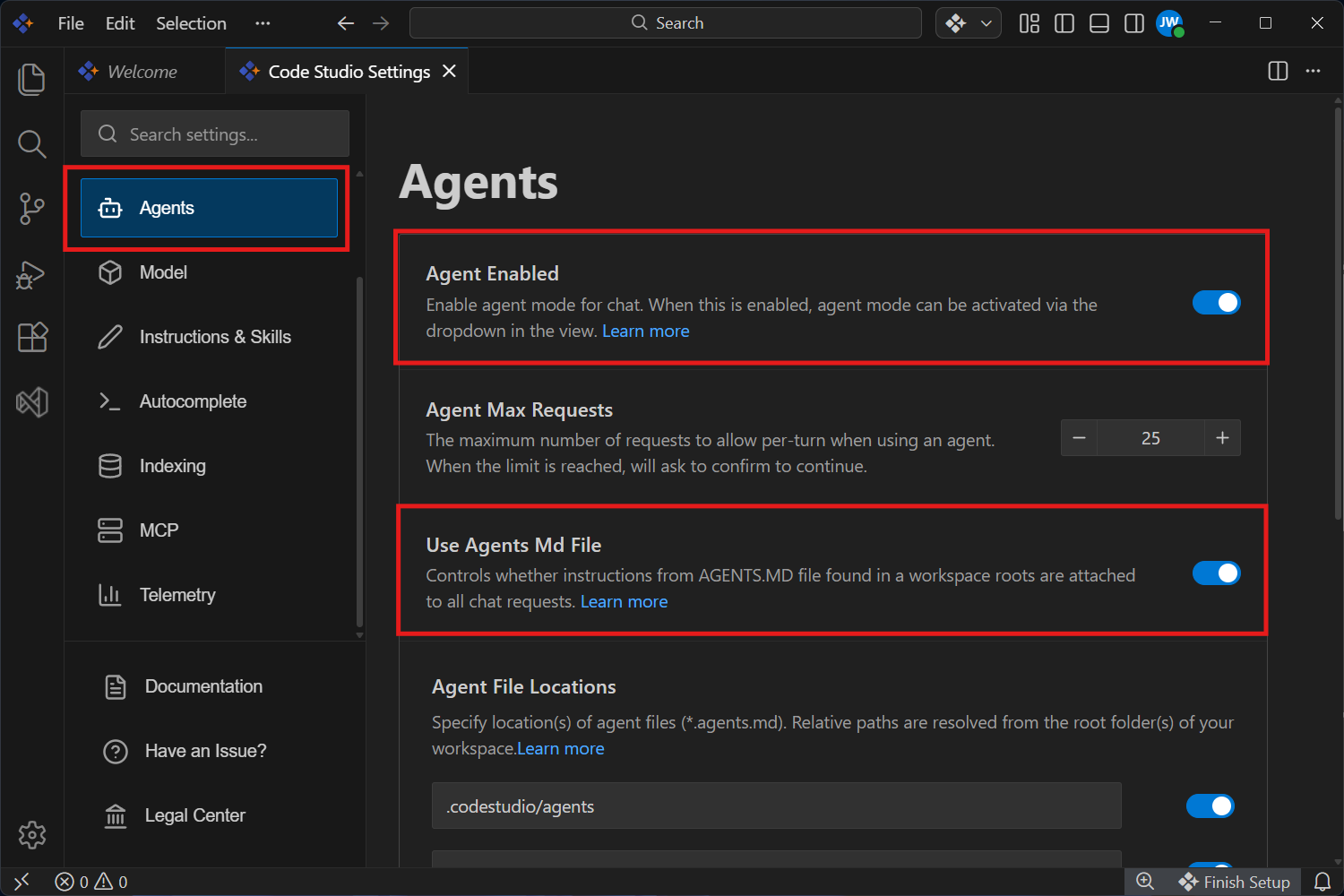
Go to Settings and click the Code Studio Settings option.
-
Enable the Agent Enabled and Use Agent MD File option in the agents section.
-
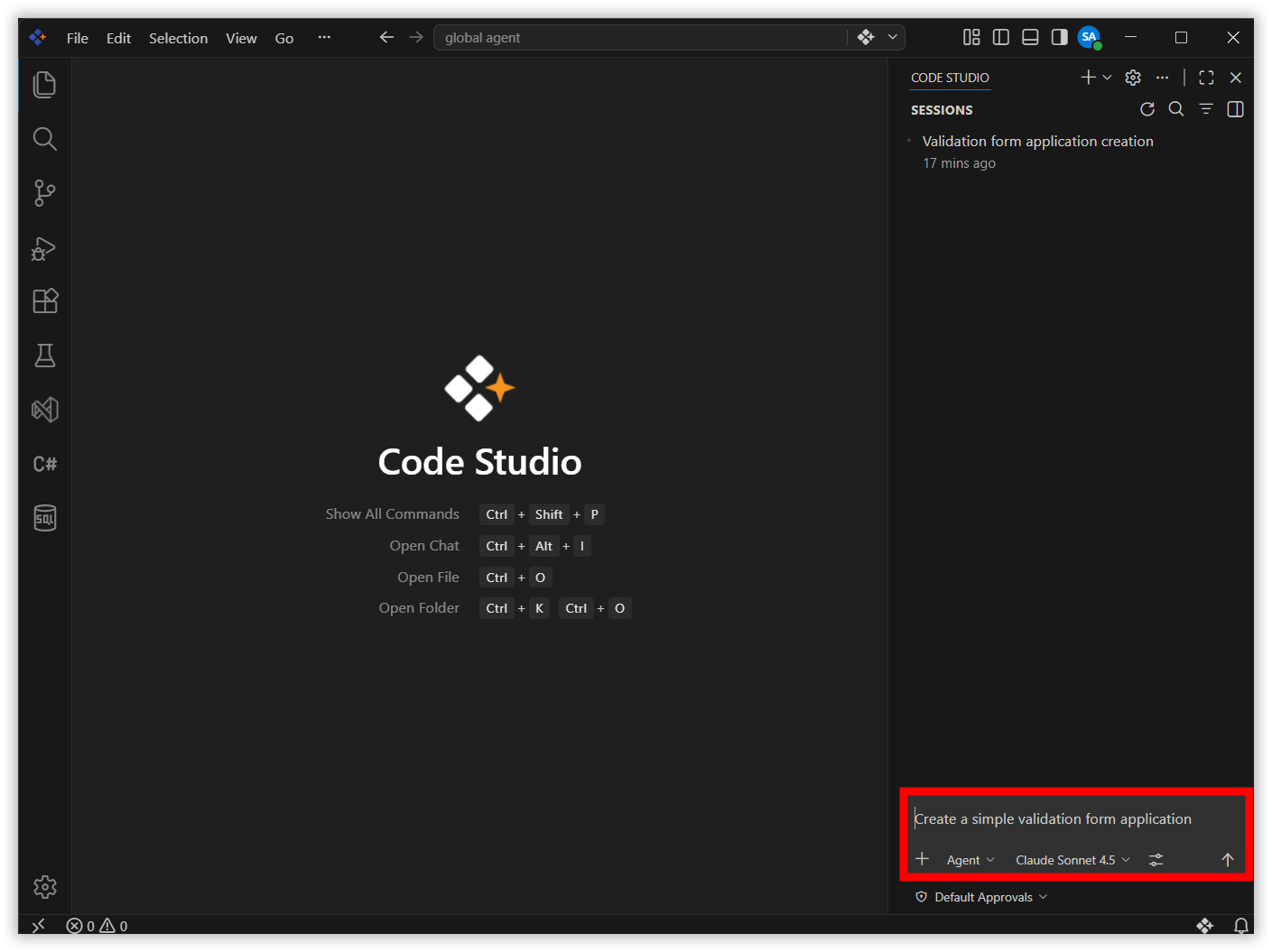
Open a chat and send message.
-
The
agents.mdfile will then be used as a reference.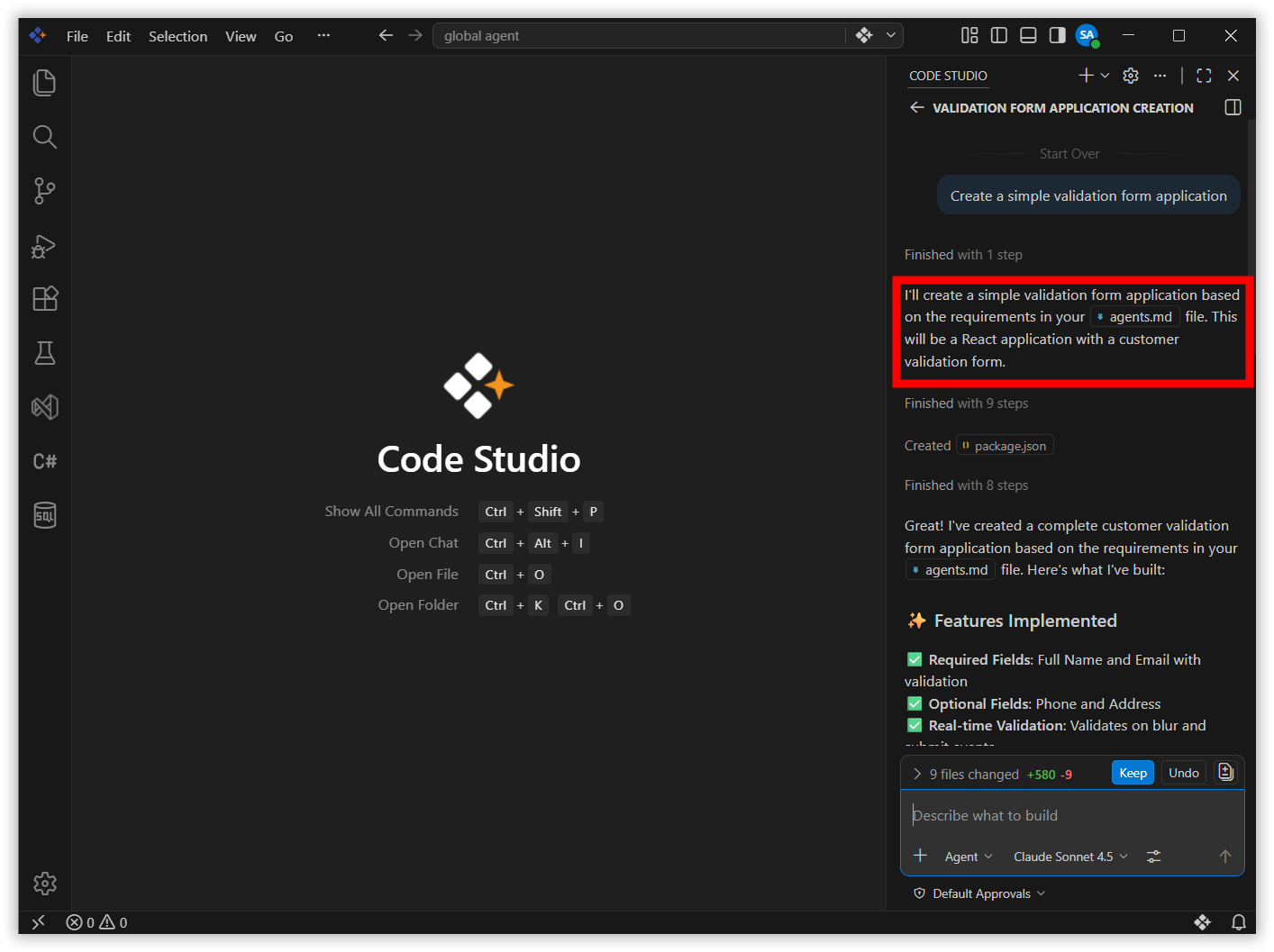
Related Features
-
Custom Agent - Pre‑configured AI agents for specific tasks that follow fixed rules, tools, and behaviors—ensuring consistent, repeatable workflows across teams.
-
Custom Prompt - Prompt files are on‑demand, reusable Markdown prompts that standardize specific development tasks like code generation and reviews.