Settings
27 Mar 20268 minutes to read
The Settings area centralizes account and organization configuration for Code Studio Enterprise. Use it to manage your profile, organization details, credits, and billing/subscription plans.
How to Access
- Open the Code Studio page and navigate to Settings from the left sidebar
- Select one of the tabs: Profile, Organization, Credits, or Billing & Subscription
1. Profile
-
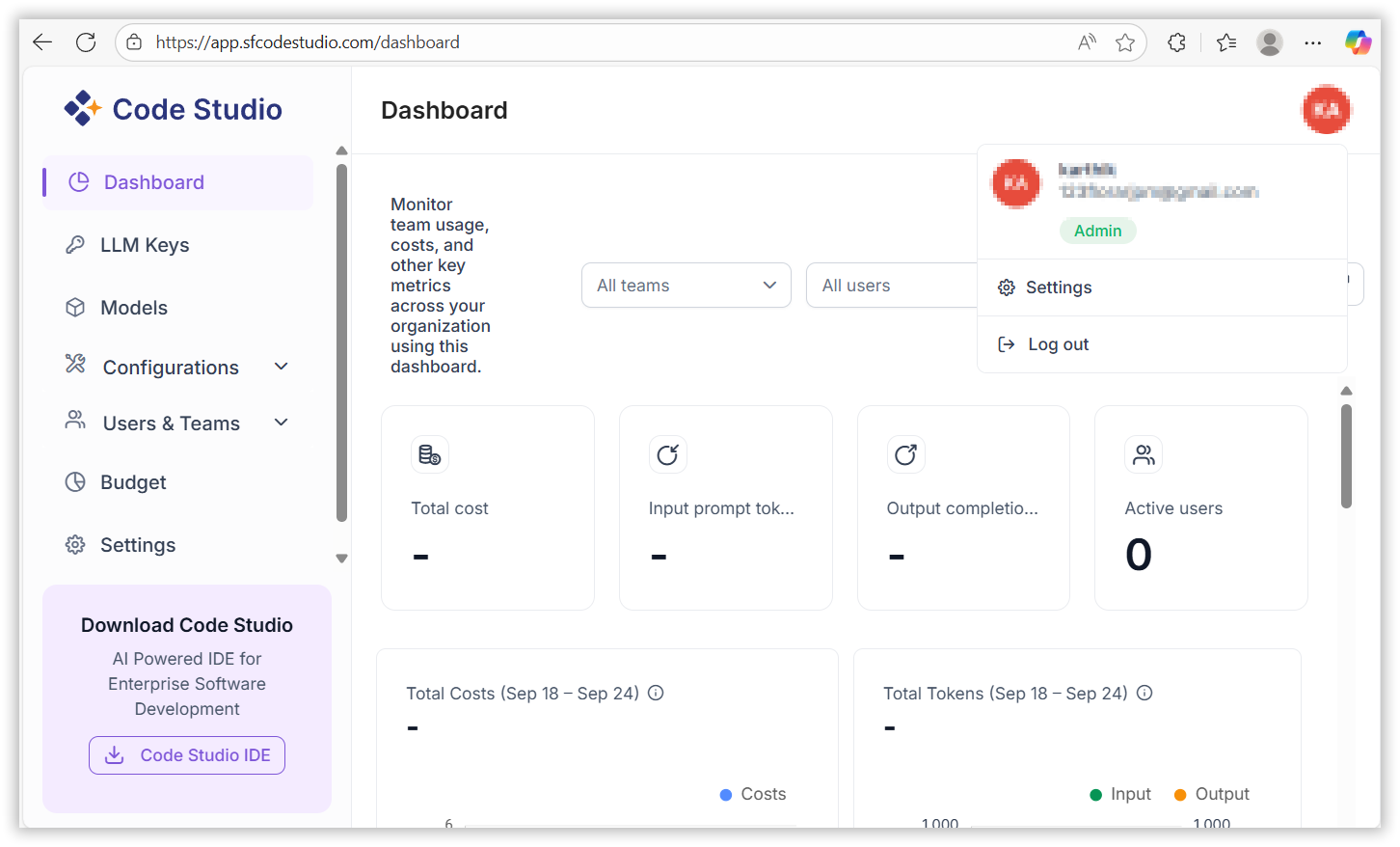
View user name, email address, and account type
2. Organization
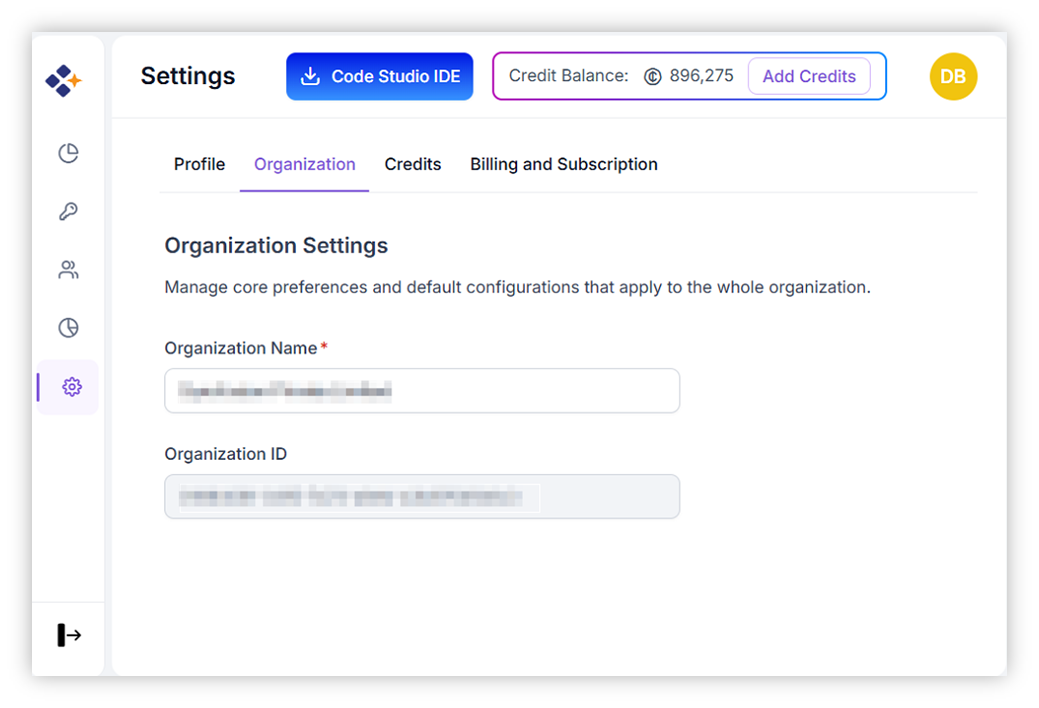
- View organization name and organization ID
- Share the organization ID with your admins when requesting access or support
3. Credits
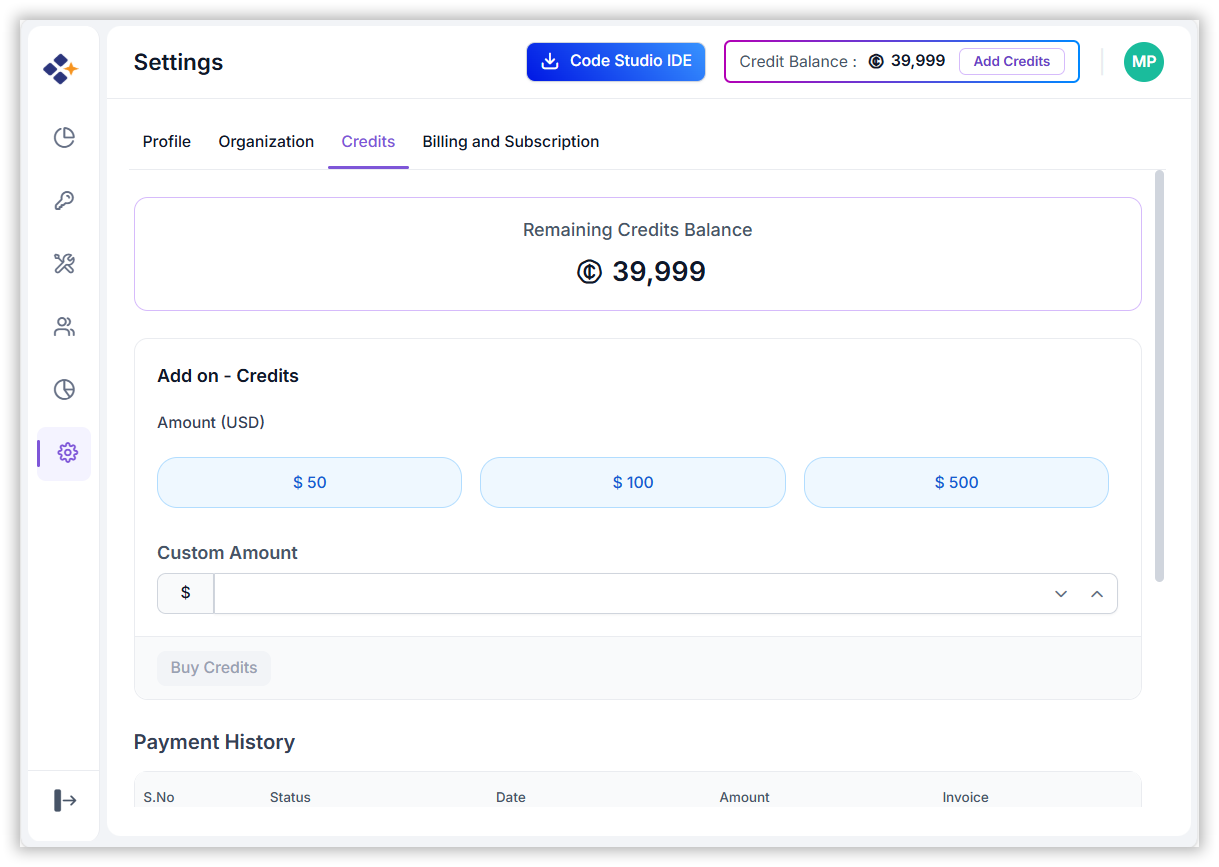
Add-on credits fund model usage across your organization.
- Pricing: $1 = 100 credits
- Preset amounts: $50, $100, $500
- Custom amount: Enter a custom value as needed
- Purchase flow: Click Buy credits to proceed to the payment page and complete checkout. Credits are applied after successful payment.
4. Billing & Subscription
-
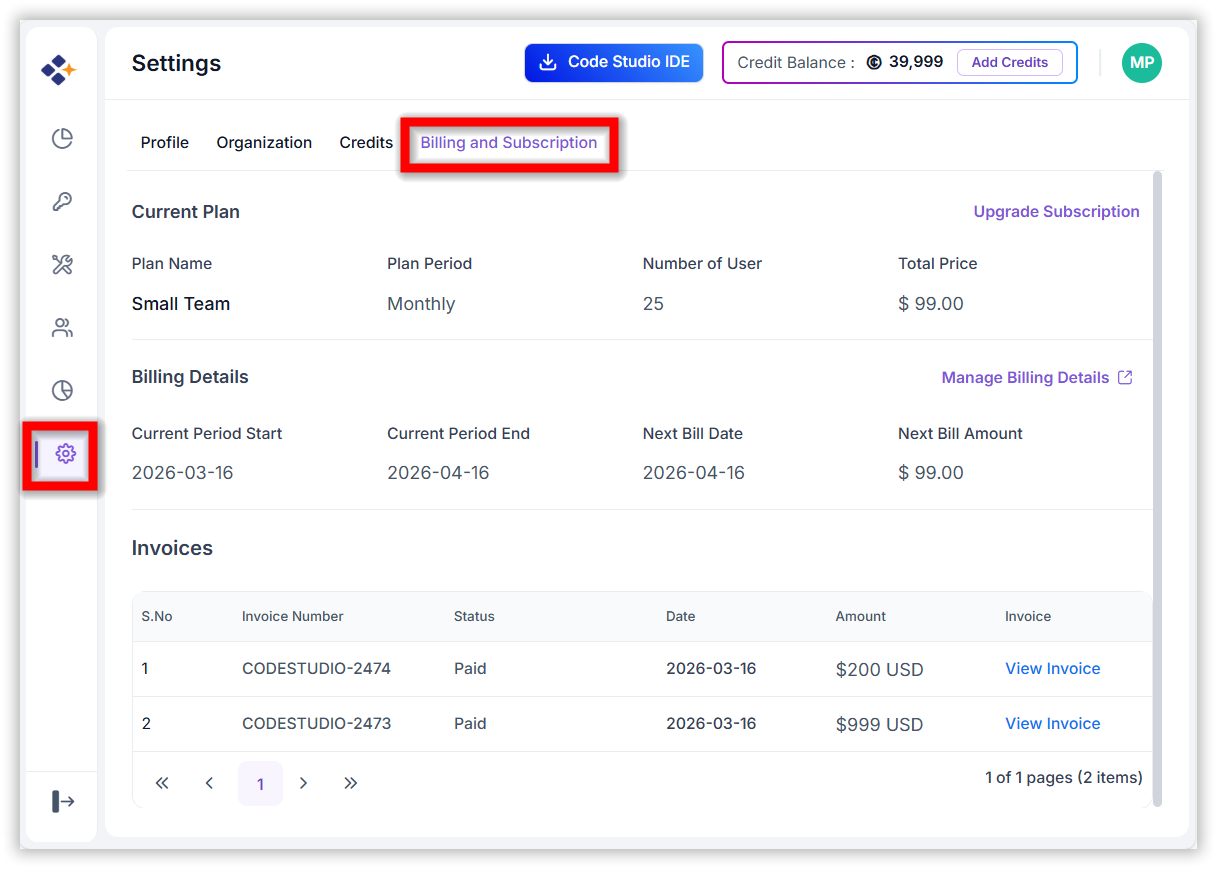
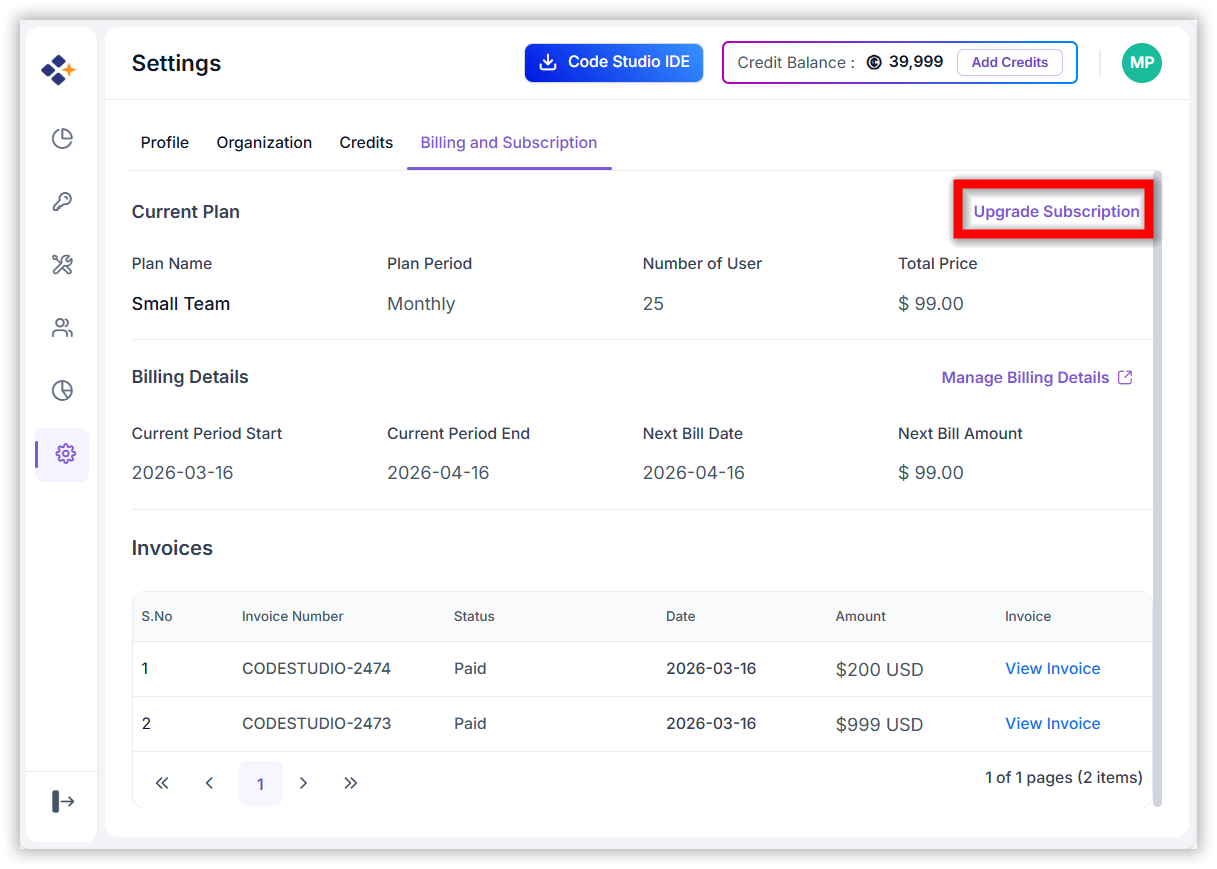
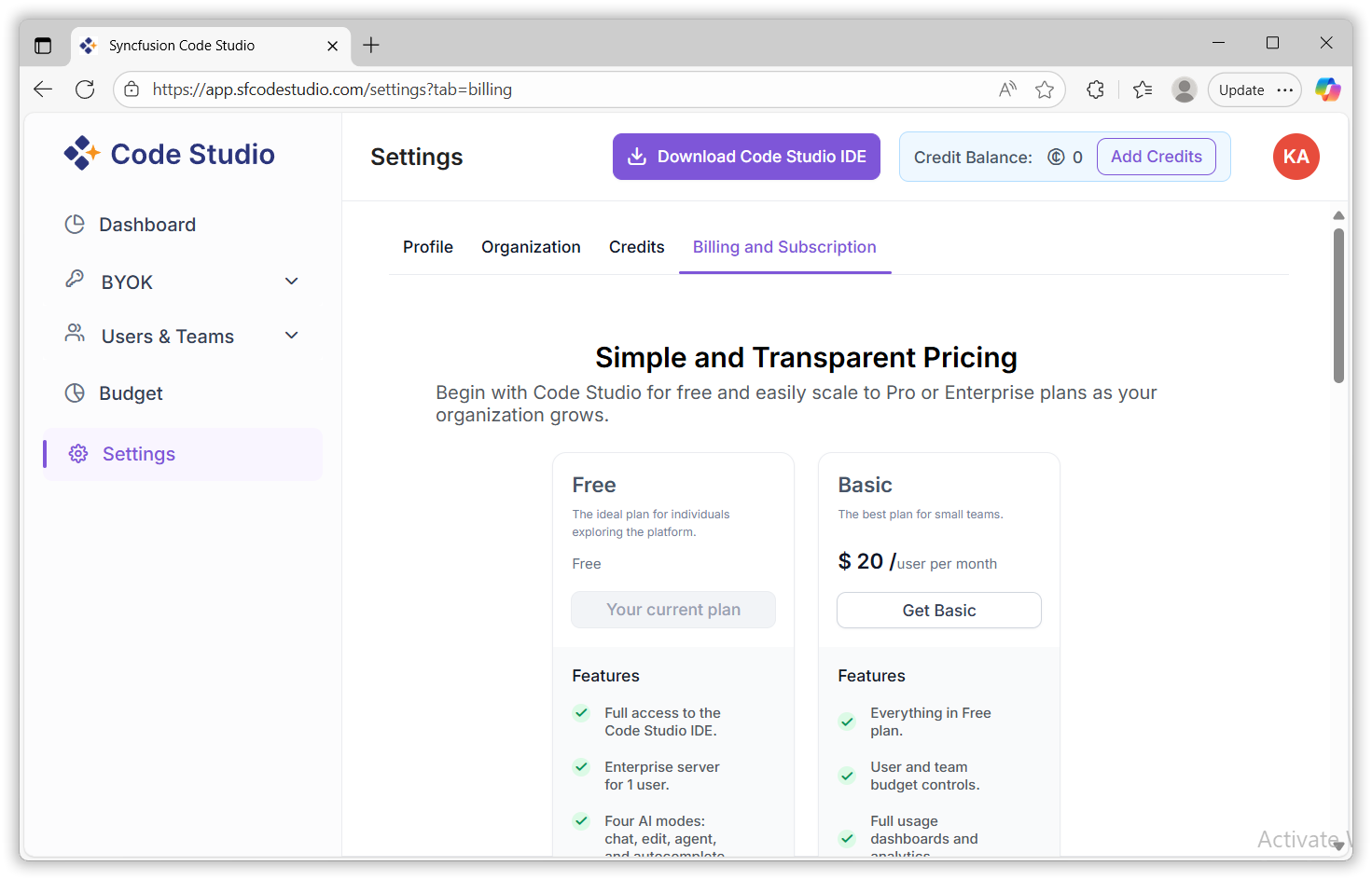
When a user has an active subscription plan, the Billing & Subscription page displays clear details about their current plan, billing cycle, and past invoices.
Upgrade Subscription:
- When a customer upgrades their plan in the middle of a billing cycle, the system calculates the charges fairly based on the time remaining. This means:
- The customer is not charged the full price of the upgraded plan immediately.
- They only pay the additional amount needed for the upgraded plan for the remaining days in the current billing cycle.
-
From the next billing cycle onward, the customer is charged the full price of the upgraded plan.
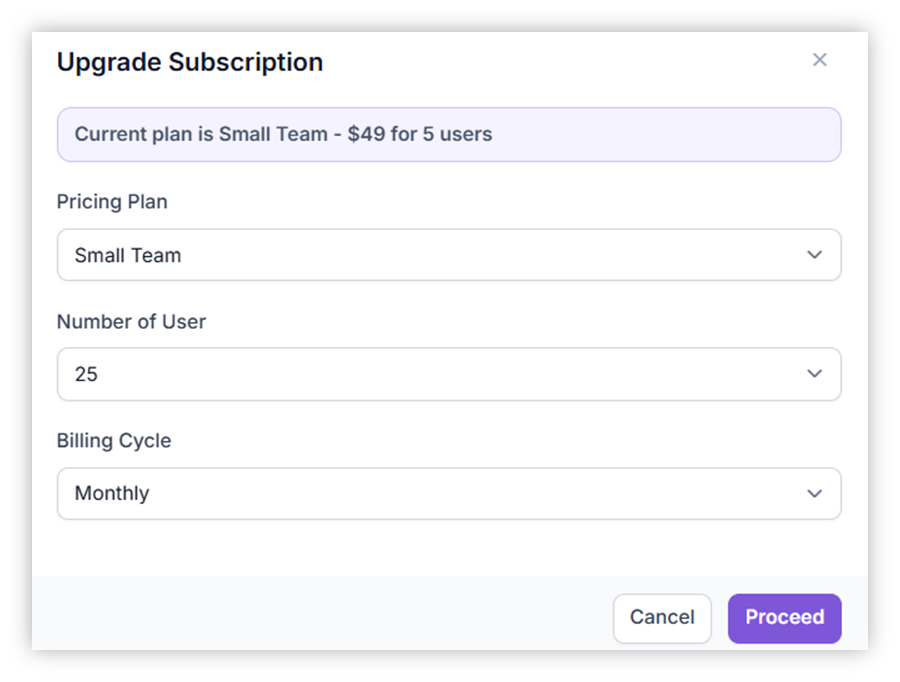
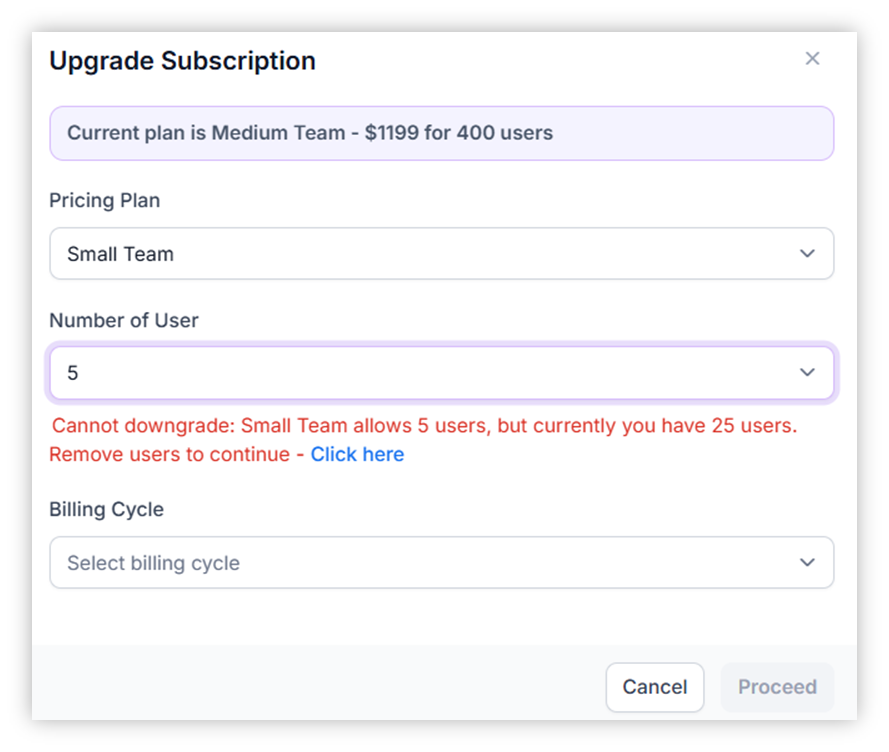
Downgrade – End of Billing Cycle
- When a customer downgrades their plan, the change does not take effect immediately.
- The downgrade is scheduled.
- The new (lower) plan starts only at the end of the current billing cycle.
- Refund is not applicable.
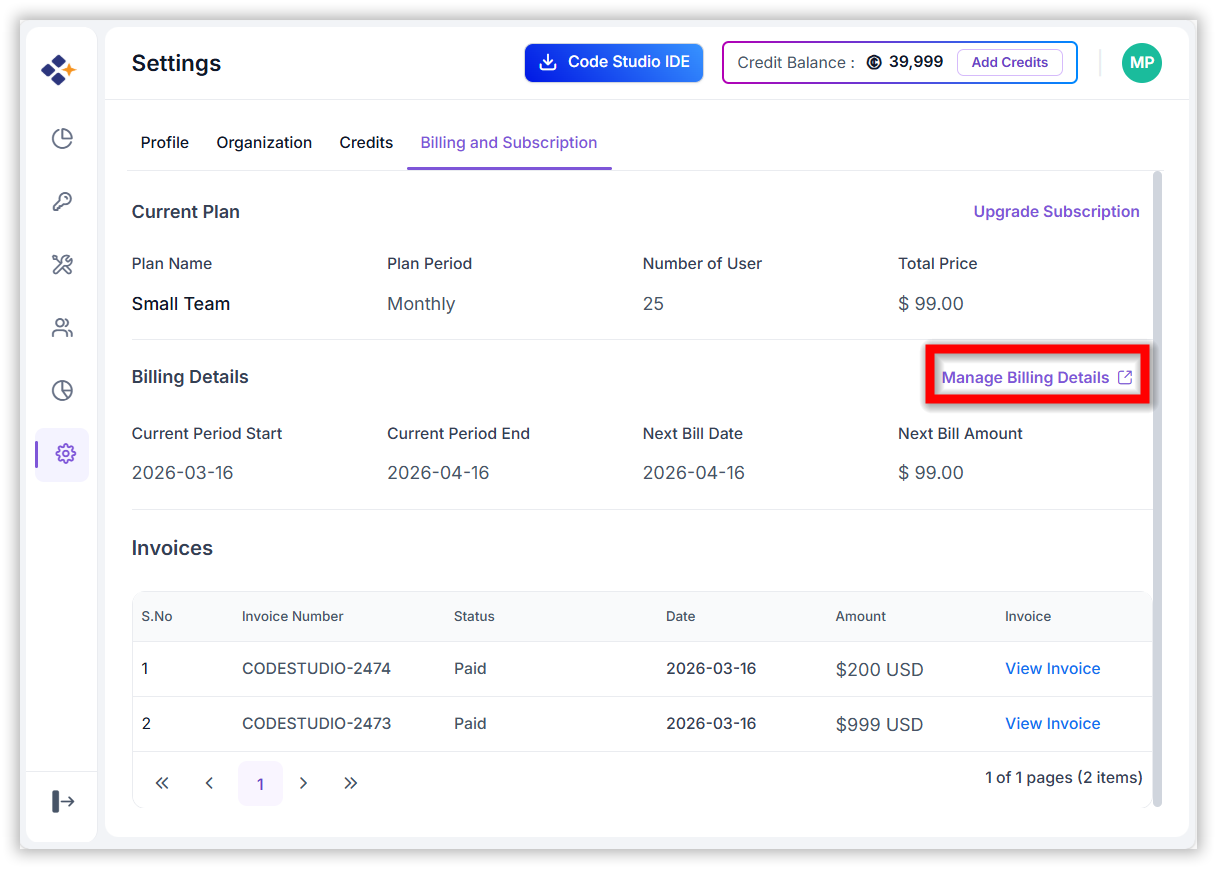
Manage Billing Details:
-
When users click Manage Billing Details on the Billing & Subscription page, they are redirected to the Stripe Billing Portal. This page contains below mentioned sections to help users manage their payment and subscription settings:
-
Current Subscription:
- View plan, pricing, next billing date, and payment method.
-
Billing & Shipping Information:
- Allows users to update the details and ensures that billing-related records remain accurate
-
Cancel Subscription:
- When you purchase a subscription, it is set to renew automatically every billing cycle.
- If you choose to cancel your subscription, it will remain active until the end of the current billing period.
- After that, it will not renew, and no further charges will be applied.
- You will continue to have access to all features until the current billing cycle ends.
-
Do Not Cancel Subscription:
- If you want to continue using your subscription, simply do not cancel it.
- Your subscription will stay active and will renew automatically at the end of each billing cycle.
- No additional action is needed unless you decide to stop renewal in the future.
-
Plan Overview
- Billing Cycle: Yearly and Monthly.
- Available 20% offer for yearly.
- Available plans: Individual, Small Team, Medium Team and Large Business.
- Manage your subscription plan, billing cycle, and invoices.
- The credit balance will be displayed on the top of the page.
| Plan | Seats and Costs [monthly] | Seats and Costs [20% yearly] | Key Features |
|---|---|---|---|
| Free | $0 | $0 |
|
| Small Team |
5 users - $49/month 25 users - $149/month 50 users - $299/month |
5 users - $39/month 25 users - $119/month 50 users - $239/month |
|
| Medium Team |
100 users - $599/month 200 users - $799/month 300 users - $999/month 400 users - $1199/month 500 users - $1399/month |
100 users - $479/month 200 users - $639/month 300 users - $799/month 400 users - $959/month 500 users - $1119/month |
|
| Large Business |
600 users - $1599/month 700 users - $1749/month 800 users - $1899/month 900 users - $2049/month 1000 users - $2399/month |
600 users - $1279/month 700 users - $1399/month 800 users - $1519/month 900 users - $1639/month 1000 users - $1919/month |
|