---
layout: post
title: Legend in Blazor Charts Component | Syncfusion®
description: Checkout and learn here all the features about the Legend and its customization in Blazor Charts component and much more.
platform: chart-sdk
control: Chart
documentation: ug
---
# Legend in Blazor Charts Component
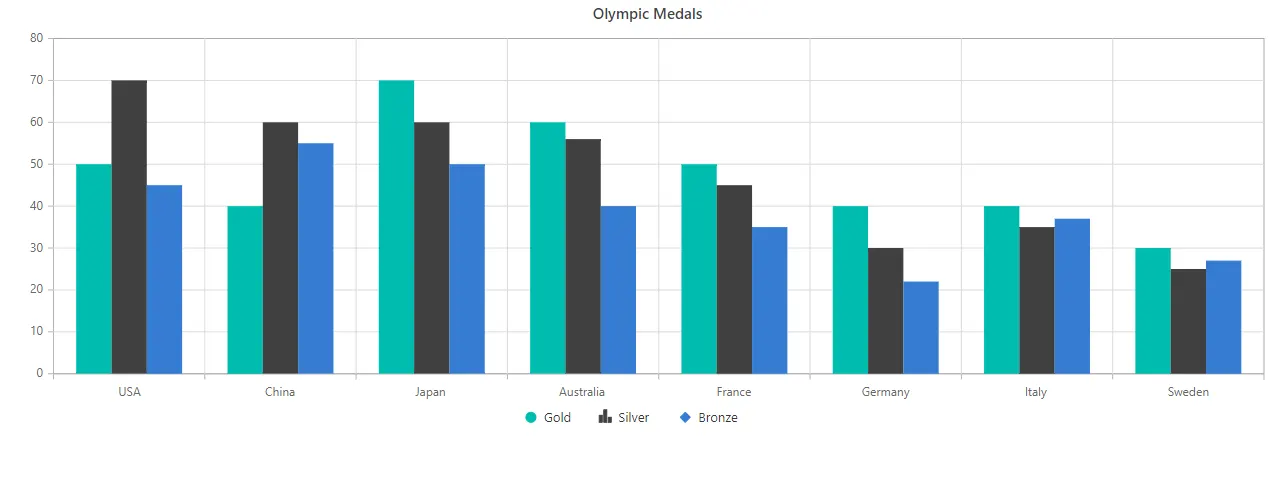
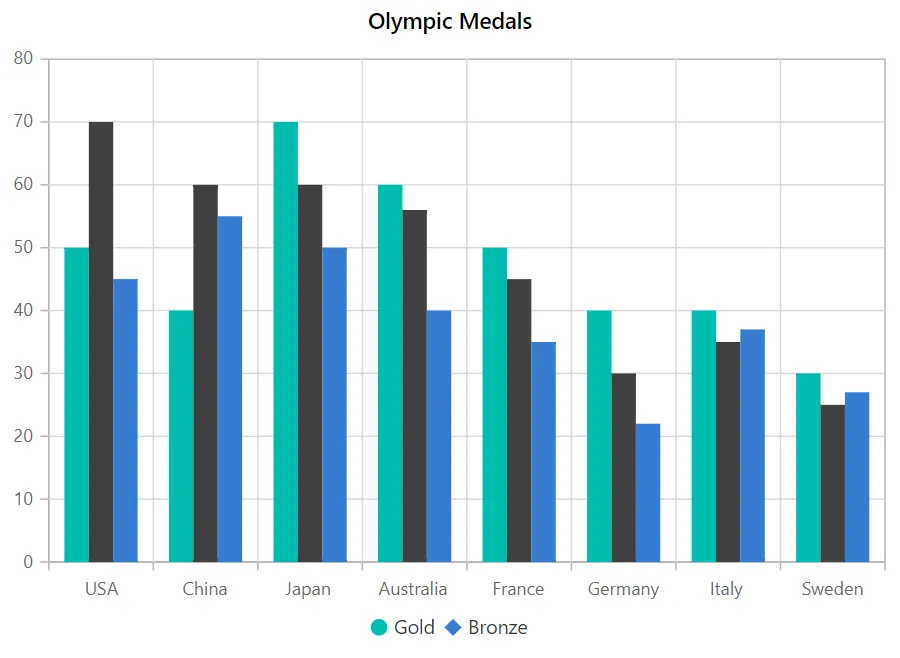
The [legend](https://help.syncfusion.com/cr/blazor/Syncfusion.Blazor.Charts.ChartLegendSettings.html) provides information on the series shown in the chart.
A detailed walkthrough demonstrating how to add and customize legend in the chart is presented in the video below.
{% youtube "youtube:https://www.youtube.com/watch?v=mra9AP4HBPc" %}
## Enable legend
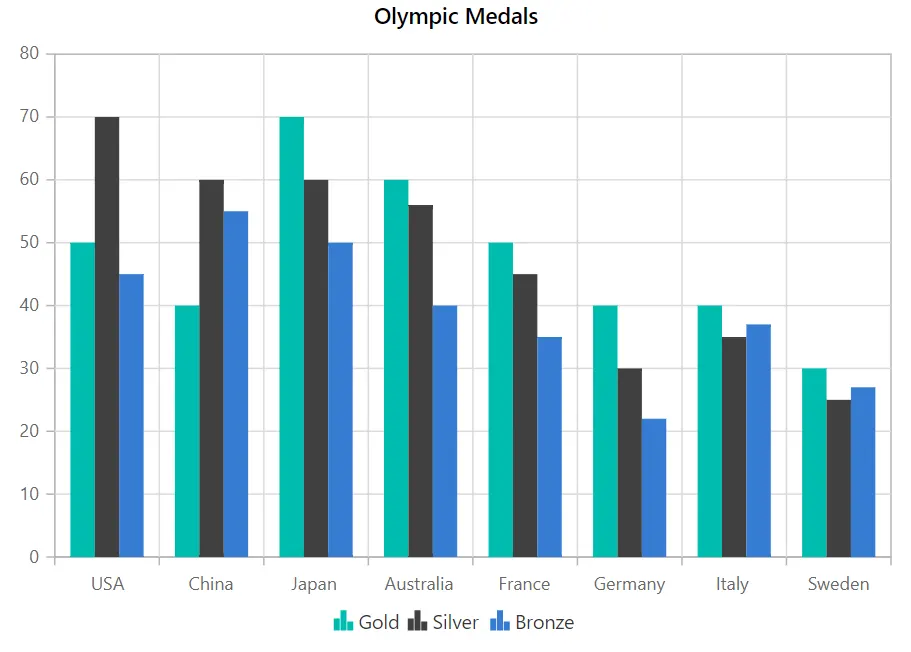
To display the legend for the chart, set the [Visible](https://help.syncfusion.com/cr/blazor/Syncfusion.Blazor.Charts.ChartLegendSettings.html#Syncfusion_Blazor_Charts_ChartLegendSettings_Visible) property in [ChartLegendSettings](https://help.syncfusion.com/cr/blazor/Syncfusion.Blazor.Charts.ChartLegendSettings.html) to **true**.
```cshtml
@using Syncfusion.Blazor.Charts
@code{
public class ChartData
{
public string Country { get; set; }
public double Gold { get; set; }
public double Silver { get; set; }
public double Bronze { get; set; }
}
public List MedalDetails = new List
{
new ChartData{ Country= "USA", Gold=50, Silver=70, Bronze=45 },
new ChartData{ Country="China", Gold=40, Silver= 60, Bronze=55 },
new ChartData{ Country= "Japan", Gold=70, Silver= 60, Bronze=50 },
new ChartData{ Country= "Australia", Gold=60, Silver= 56, Bronze=40 },
new ChartData{ Country= "France", Gold=50, Silver= 45, Bronze=35 },
new ChartData{ Country= "Germany", Gold=40, Silver=30, Bronze=22 },
new ChartData{ Country= "Italy", Gold=40, Silver=35, Bronze=37 },
new ChartData{ Country= "Sweden", Gold=30, Silver=25, Bronze=27 }
};
}
```
## Position and alignment
**Legend Position**
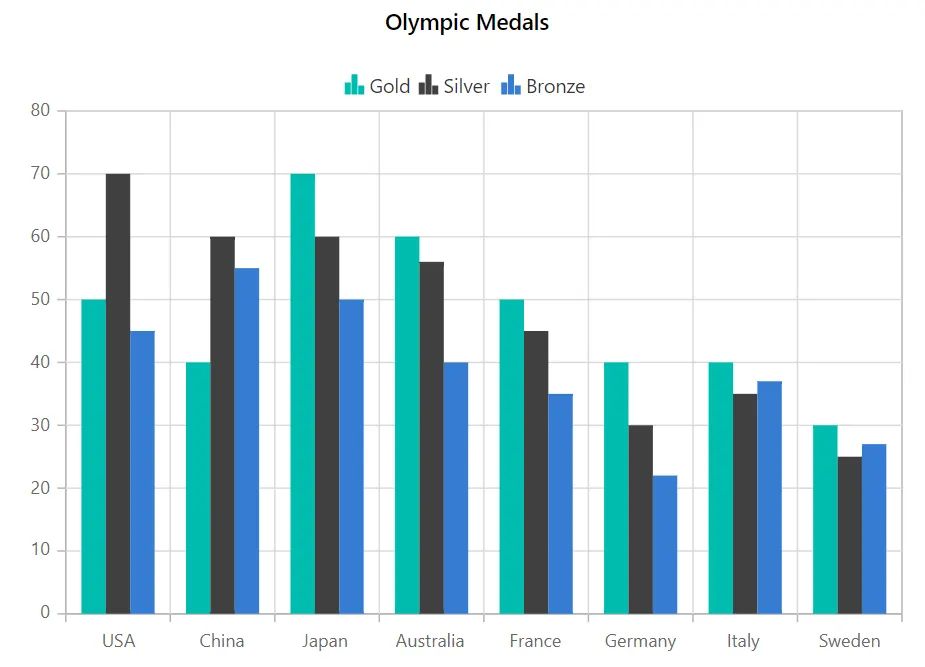
The legend can be placed at [Left](https://help.syncfusion.com/cr/blazor/Syncfusion.Blazor.Charts.LegendPosition.html#Syncfusion_Blazor_Charts_LegendPosition_Left), [Right](https://help.syncfusion.com/cr/blazor/Syncfusion.Blazor.Charts.LegendPosition.html#Syncfusion_Blazor_Charts_LegendPosition_Right), [Top](https://help.syncfusion.com/cr/blazor/Syncfusion.Blazor.Charts.LegendPosition.html#Syncfusion_Blazor_Charts_LegendPosition_Top), [Bottom](https://help.syncfusion.com/cr/blazor/Syncfusion.Blazor.Charts.LegendPosition.html#Syncfusion_Blazor_Charts_LegendPosition_Bottom) or [Custom](https://help.syncfusion.com/cr/blazor/Syncfusion.Blazor.Charts.LegendPosition.html#Syncfusion_Blazor_Charts_LegendPosition_Custom) position of the chart using the [Position](https://help.syncfusion.com/cr/blazor/Syncfusion.Blazor.Charts.ChartLegendSettings.html#Syncfusion_Blazor_Charts_ChartLegendSettings_Position) property. By default, the legend appears at the **bottom** of the chart.
```cshtml
@using Syncfusion.Blazor.Charts
@code{
public class ChartData
{
public string Country { get; set; }
public double Gold { get; set; }
public double Silver { get; set; }
public double Bronze { get; set; }
}
public List MedalDetails = new List
{
new ChartData{ Country= "USA", Gold=50, Silver=70, Bronze=45 },
new ChartData{ Country="China", Gold=40, Silver= 60, Bronze=55 },
new ChartData{ Country= "Japan", Gold=70, Silver= 60, Bronze=50 },
new ChartData{ Country= "Australia", Gold=60, Silver= 56, Bronze=40 },
new ChartData{ Country= "France", Gold=50, Silver= 45, Bronze=35 },
new ChartData{ Country= "Germany", Gold=40, Silver=30, Bronze=22 },
new ChartData{ Country= "Italy", Gold=40, Silver=35, Bronze=37 },
new ChartData{ Country= "Sweden", Gold=30, Silver=25, Bronze=27 }
};
}
```
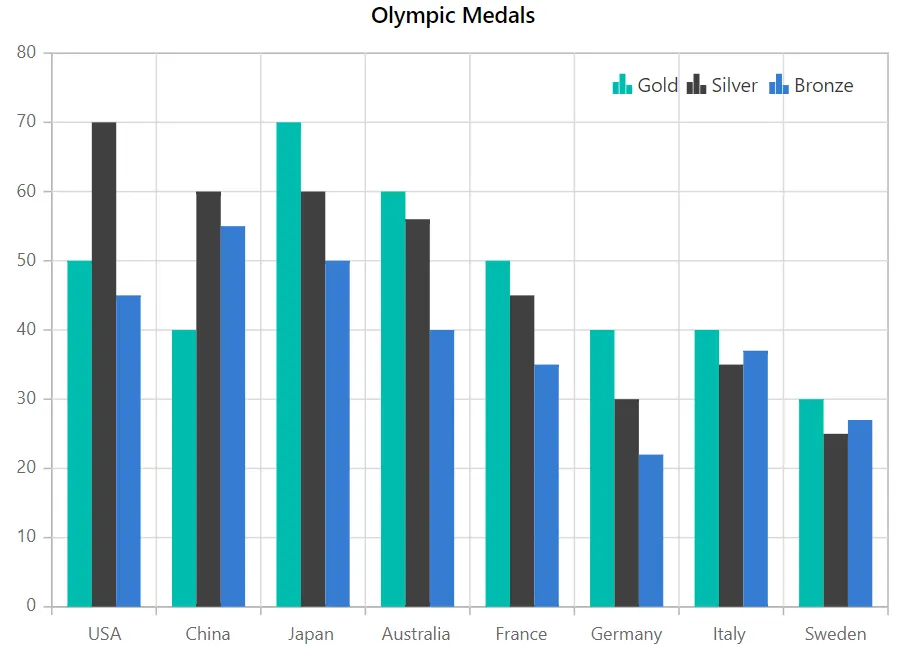
The [Custom](https://help.syncfusion.com/cr/blazor/Syncfusion.Blazor.Charts.LegendPosition.html#Syncfusion_Blazor_Charts_LegendPosition_Custom) position helps to position the legend anywhere in the chart using x and y coordinates.
```cshtml
@using Syncfusion.Blazor.Charts
@code{
public class ChartData
{
public string Country { get; set; }
public double Gold { get; set; }
public double Silver { get; set; }
public double Bronze { get; set; }
}
public List MedalDetails = new List
{
new ChartData{ Country= "USA", Gold=50, Silver=70, Bronze=45 },
new ChartData{ Country="China", Gold=40, Silver= 60, Bronze=55 },
new ChartData{ Country= "Japan", Gold=70, Silver= 60, Bronze=50 },
new ChartData{ Country= "Australia", Gold=60, Silver= 56, Bronze=40 },
new ChartData{ Country= "France", Gold=50, Silver= 45, Bronze=35 },
new ChartData{ Country= "Germany", Gold=40, Silver=30, Bronze=22 },
new ChartData{ Country= "Italy", Gold=40, Silver=35, Bronze=37 },
new ChartData{ Country= "Sweden", Gold=30, Silver=25, Bronze=27 }
};
}
```
## Legend Reverse
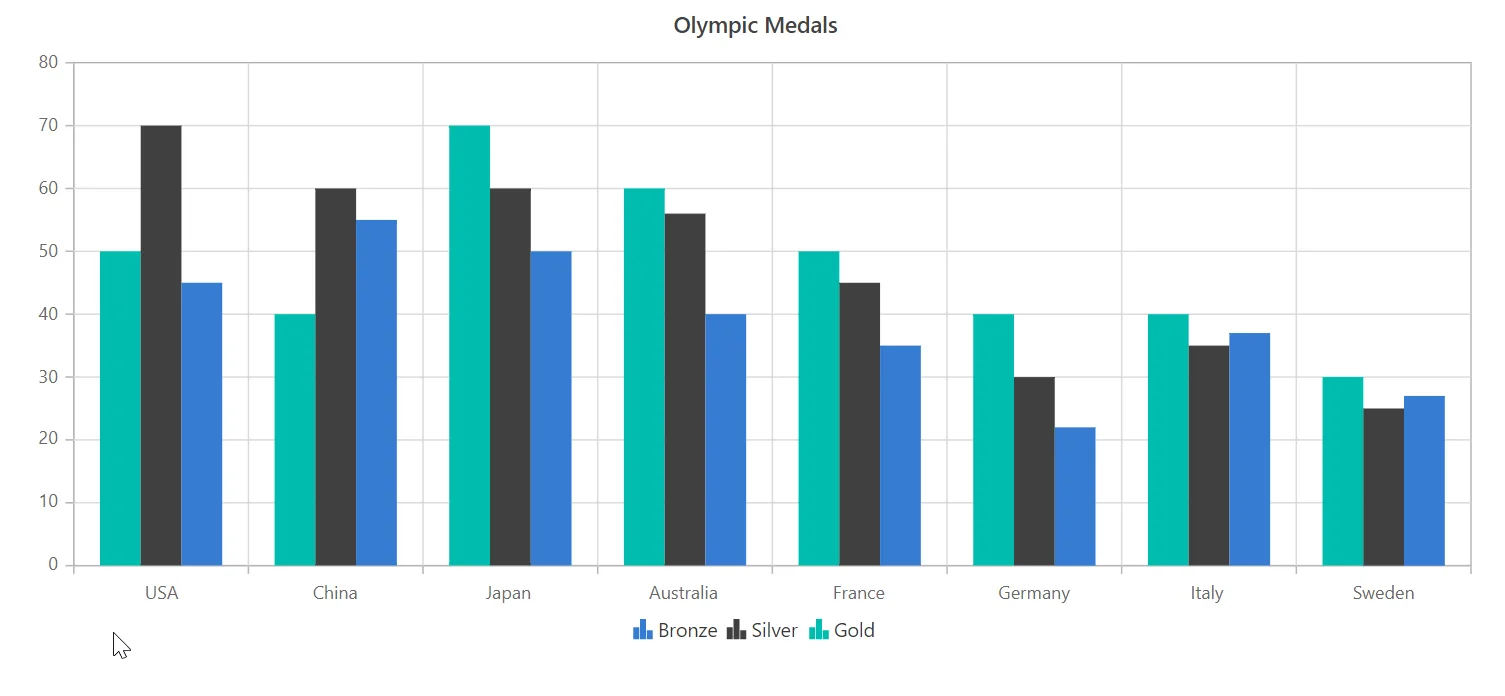
The order of the legend items can be reversed by using the [Reverse](https://help.syncfusion.com/cr/blazor/Syncfusion.Blazor.Charts.ChartLegendSettings.html#Syncfusion_Blazor_Charts_ChartLegendSettings_Reverse) property. By default, legend for the first series in the collection will be placed first.
```cshtml
@using Syncfusion.Blazor.Charts
@code{
public class ChartData
{
public string Country { get; set; }
public double Gold { get; set; }
public double Silver { get; set; }
public double Bronze { get; set; }
}
public List MedalDetails = new List
{
new ChartData{ Country= "USA", Gold=50, Silver=70, Bronze=45 },
new ChartData{ Country="China", Gold=40, Silver= 60, Bronze=55 },
new ChartData{ Country= "Japan", Gold=70, Silver= 60, Bronze=50 },
new ChartData{ Country= "Australia", Gold=60, Silver= 56, Bronze=40 },
new ChartData{ Country= "France", Gold=50, Silver= 45, Bronze=35 },
new ChartData{ Country= "Germany", Gold=40, Silver=30, Bronze=22 },
new ChartData{ Country= "Italy", Gold=40, Silver=35, Bronze=37 },
new ChartData{ Country= "Sweden", Gold=30, Silver=25, Bronze=27 }
};
}
```
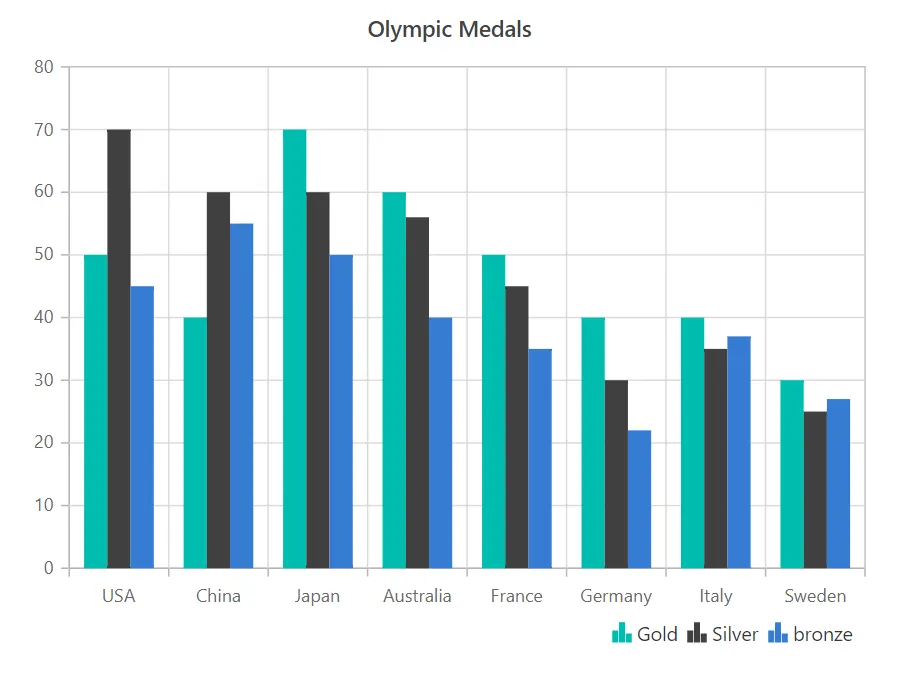
**Legend Alignment**
Using the [Alignment](https://help.syncfusion.com/cr/blazor/Syncfusion.Blazor.Charts.ChartLegendSettings.html#Syncfusion_Blazor_Charts_ChartLegendSettings_Alignment) property, place the legend in [Centre](https://help.syncfusion.com/cr/blazor/Syncfusion.Blazor.Charts.Alignment.html#Syncfusion_Blazor_Charts_Alignment_Center), [Far](https://help.syncfusion.com/cr/blazor/Syncfusion.Blazor.Charts.Alignment.html#Syncfusion_Blazor_Charts_Alignment_Far), or [Near](https://help.syncfusion.com/cr/blazor/Syncfusion.Blazor.Charts.Alignment.html#Syncfusion_Blazor_Charts_Alignment_Near) alignment.
```cshtml
@using Syncfusion.Blazor.Charts
@code{
public class ChartData
{
public string Country { get; set; }
public double Gold { get; set; }
public double Silver { get; set; }
public double Bronze { get; set; }
}
public List MedalDetails = new List
{
new ChartData{ Country= "USA", Gold=50, Silver=70, Bronze=45 },
new ChartData{ Country="China", Gold=40, Silver= 60, Bronze=55 },
new ChartData{ Country= "Japan", Gold=70, Silver= 60, Bronze=50 },
new ChartData{ Country= "Australia", Gold=60, Silver= 56, Bronze=40 },
new ChartData{ Country= "France", Gold=50, Silver= 45, Bronze=35 },
new ChartData{ Country= "Germany", Gold=40, Silver=30, Bronze=22 },
new ChartData{ Country= "Italy", Gold=40, Silver=35, Bronze=37 },
new ChartData{ Country= "Sweden", Gold=30, Silver=25, Bronze=27 }
};
}
```
## Legend customization
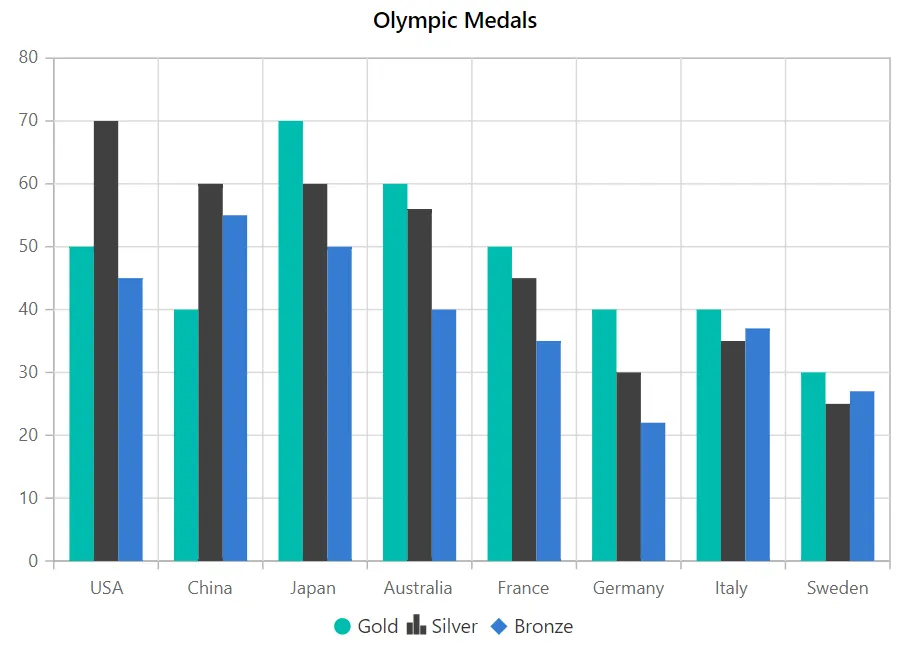
### Legend Shape
The [LegendShape](https://help.syncfusion.com/cr/blazor/Syncfusion.Blazor.Charts.ChartSeries.html#Syncfusion_Blazor_Charts_ChartSeries_LegendShape) property in the [Series](https://help.syncfusion.com/cr/blazor/Syncfusion.Blazor.Charts.ChartSeries.html) can be used to change the shape of the legend icon. The default icon shape for legends is [SeriesType](https://help.syncfusion.com/cr/blazor/Syncfusion.Blazor.Charts.LegendShape.html#Syncfusion_Blazor_Charts_LegendShape_SeriesType).
```cshtml
@using Syncfusion.Blazor.Charts
@code{
public class ChartData
{
public string Country { get; set; }
public double Gold { get; set; }
public double Silver { get; set; }
public double Bronze { get; set; }
}
public List MedalDetails = new List
{
new ChartData{ Country= "USA", Gold=50, Silver=70, Bronze=45 },
new ChartData{ Country="China", Gold=40, Silver= 60, Bronze=55 },
new ChartData{ Country= "Japan", Gold=70, Silver= 60, Bronze=50 },
new ChartData{ Country= "Australia", Gold=60, Silver= 56, Bronze=40 },
new ChartData{ Country= "France", Gold=50, Silver= 45, Bronze=35 },
new ChartData{ Country= "Germany", Gold=40, Silver=30, Bronze=22 },
new ChartData{ Country= "Italy", Gold=40, Silver=35, Bronze=37 },
new ChartData{ Country= "Sweden", Gold=30, Silver=25, Bronze=27 }
};
}
```
### Legend Size
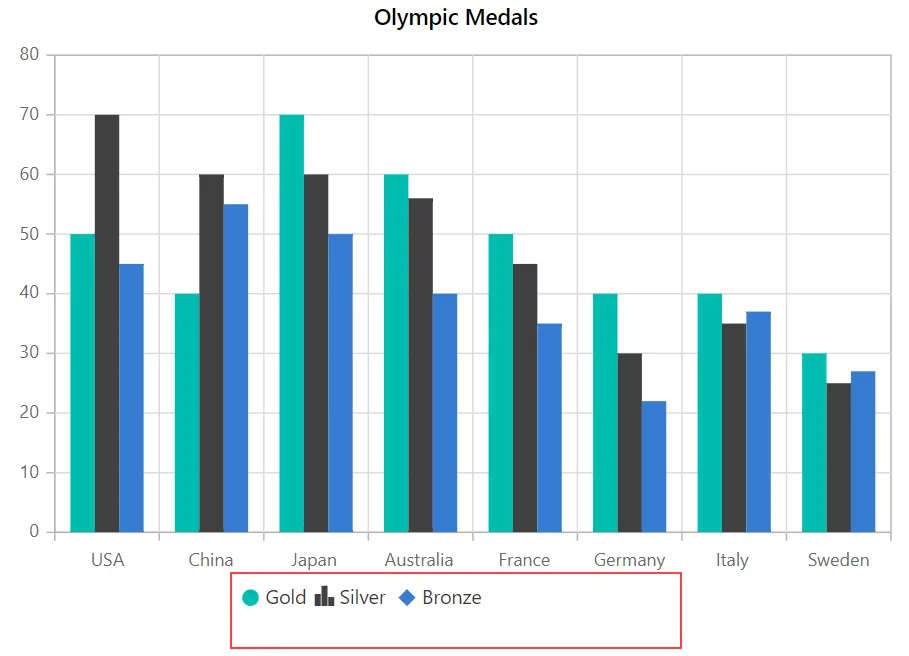
When the legend is placed on the top or bottom of the chart, it takes up 20% - 25% of the chart's height, and 20% - 25% of the chart's width when it is positioned on the left or right side of the chart. So, the [Width](https://help.syncfusion.com/cr/blazor/Syncfusion.Blazor.Charts.ChartLegendSettings.html#Syncfusion_Blazor_Charts_ChartLegendSettings_Width) and [Height](https://help.syncfusion.com/cr/blazor/Syncfusion.Blazor.Charts.ChartLegendSettings.html#Syncfusion_Blazor_Charts_ChartLegendSettings_Height) properties can be used to adjust the legend size.
```cshtml
@using Syncfusion.Blazor.Charts
@code{
public class ChartData
{
public string Country { get; set; }
public double Gold { get; set; }
public double Silver { get; set; }
public double Bronze { get; set; }
}
public List MedalDetails = new List
{
new ChartData{ Country= "USA", Gold=50, Silver=70, Bronze=45 },
new ChartData{ Country="China", Gold=40, Silver= 60, Bronze=55 },
new ChartData{ Country= "Japan", Gold=70, Silver= 60, Bronze=50 },
new ChartData{ Country= "Australia", Gold=60, Silver= 56, Bronze=40 },
new ChartData{ Country= "France", Gold=50, Silver= 45, Bronze=35 },
new ChartData{ Country= "Germany", Gold=40, Silver=30, Bronze=22 },
new ChartData{ Country= "Italy", Gold=40, Silver=35, Bronze=37 },
new ChartData{ Country= "Sweden", Gold=30, Silver=25, Bronze=27 }
};
}
```
### Legend Shape Size
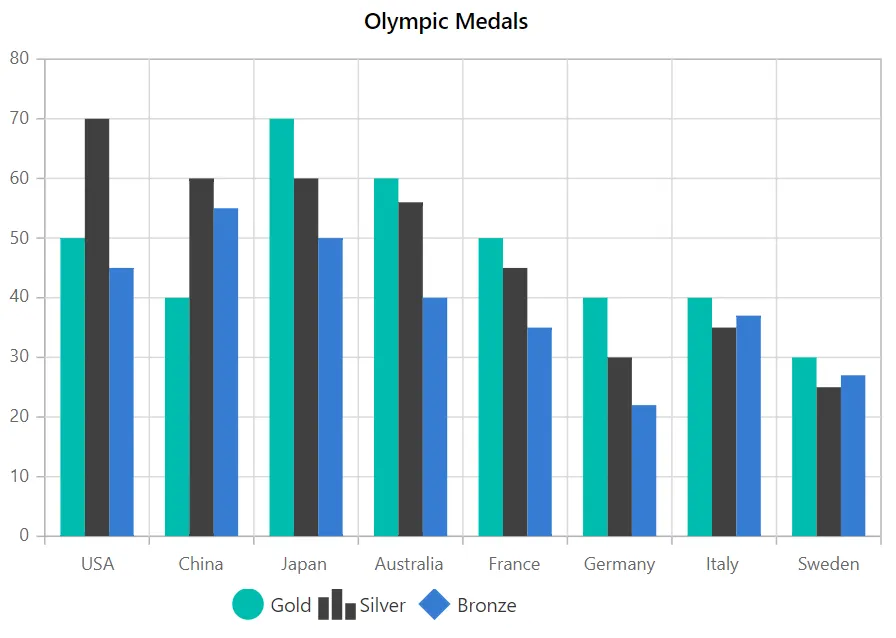
The [ShapeHeight](https://help.syncfusion.com/cr/blazor/Syncfusion.Blazor.Charts.ChartLegendSettings.html#Syncfusion_Blazor_Charts_ChartLegendSettings_ShapeHeight) and [ShapeWidth](https://help.syncfusion.com/cr/blazor/Syncfusion.Blazor.Charts.ChartLegendSettings.html#Syncfusion_Blazor_Charts_ChartLegendSettings_ShapeWidth) properties can be used to adjust the dimensions of the legend shape.
```cshtml
@using Syncfusion.Blazor.Charts
@code{
public class ChartData
{
public string Country { get; set; }
public double Gold { get; set; }
public double Silver { get; set; }
public double Bronze { get; set; }
}
public List MedalDetails = new List
{
new ChartData{ Country= "USA", Gold=50, Silver=70, Bronze=45 },
new ChartData{ Country="China", Gold=40, Silver= 60, Bronze=55 },
new ChartData{ Country= "Japan", Gold=70, Silver= 60, Bronze=50 },
new ChartData{ Country= "Australia", Gold=60, Silver= 56, Bronze=40 },
new ChartData{ Country= "France", Gold=50, Silver= 45, Bronze=35 },
new ChartData{ Country= "Germany", Gold=40, Silver=30, Bronze=22 },
new ChartData{ Country= "Italy", Gold=40, Silver=35, Bronze=37 },
new ChartData{ Country= "Sweden", Gold=30, Silver=25, Bronze=27 }
};
}
```
### Legend Item Padding
The [ItemPadding](https://help.syncfusion.com/cr/blazor/Syncfusion.Blazor.Charts.ChartLegendSettings.html#Syncfusion_Blazor_Charts_ChartLegendSettings_ItemPadding) property can be used to adjust the space between the legend items.
```cshtml
@using Syncfusion.Blazor.Charts
@code{
public class ChartData
{
public string Country { get; set; }
public double Gold { get; set; }
public double Silver { get; set; }
public double Bronze { get; set; }
}
public List MedalDetails = new List
{
new ChartData{ Country= "USA", Gold=50, Silver=70, Bronze=45 },
new ChartData{ Country="China", Gold=40, Silver= 60, Bronze=55 },
new ChartData{ Country= "Japan", Gold=70, Silver= 60, Bronze=50 },
new ChartData{ Country= "Australia", Gold=60, Silver= 56, Bronze=40 },
new ChartData{ Country= "France", Gold=50, Silver= 45, Bronze=35 },
new ChartData{ Country= "Germany", Gold=40, Silver=30, Bronze=22 },
new ChartData{ Country= "Italy", Gold=40, Silver=35, Bronze=37 },
new ChartData{ Country= "Sweden", Gold=30, Silver=25, Bronze=27 }
};
}
```
### Legend Paging
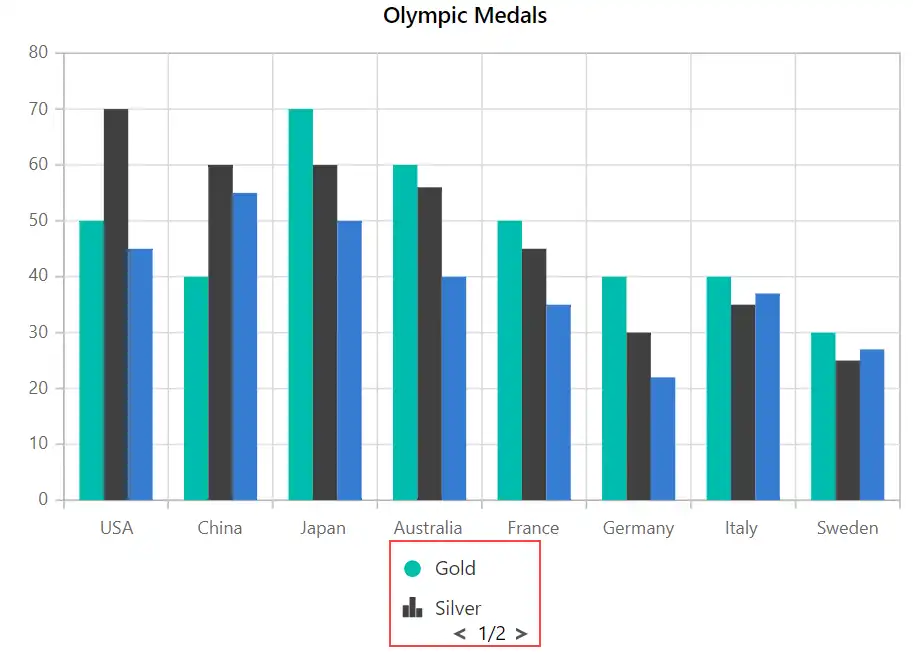
When the legend items exceed the available legend bounds, paging is enabled by default. Navigation buttons allow the legend items to be viewed across multiple pages.
```cshtml
@using Syncfusion.Blazor.Charts
@code{
public class ChartData
{
public string Country { get; set; }
public double Gold { get; set; }
public double Silver { get; set; }
public double Bronze { get; set; }
}
public List MedalDetails = new List
{
new ChartData{ Country= "USA", Gold=50, Silver=70, Bronze=45 },
new ChartData{ Country="China", Gold=40, Silver= 60, Bronze=55 },
new ChartData{ Country= "Japan", Gold=70, Silver= 60, Bronze=50 },
new ChartData{ Country= "Australia", Gold=60, Silver= 56, Bronze=40 },
new ChartData{ Country= "France", Gold=50, Silver= 45, Bronze=35 },
new ChartData{ Country= "Germany", Gold=40, Silver=30, Bronze=22 },
new ChartData{ Country= "Italy", Gold=40, Silver=35, Bronze=37 },
new ChartData{ Country= "Sweden", Gold=30, Silver=25, Bronze=27 }
};
}
```
### Legend Text Wrap
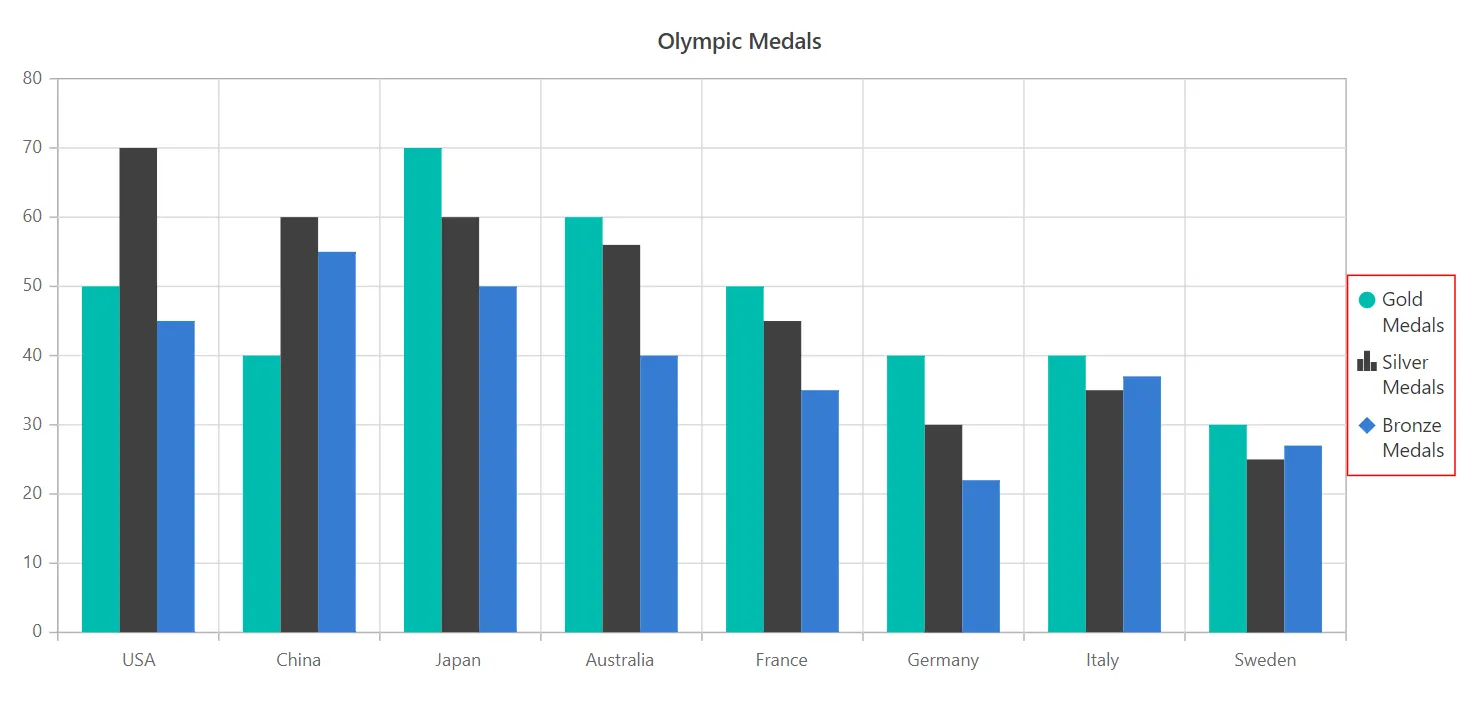
When the legend text exceeds the container, the text can be wrapped by using [TextWrap](https://help.syncfusion.com/cr/blazor/Syncfusion.Blazor.Charts.ChartLegendSettings.html#Syncfusion_Blazor_Charts_ChartLegendSettings_TextWrap) Property. End user can also wrap the legend text based on the [MaximumLabelWidth](https://help.syncfusion.com/cr/blazor/Syncfusion.Blazor.Charts.ChartLegendSettings.html#Syncfusion_Blazor_Charts_ChartLegendSettings_MaximumLabelWidth) property.
```cshtml
@using Syncfusion.Blazor.Charts
@code{
public class ChartData
{
public string Country { get; set; }
public double Gold { get; set; }
public double Silver { get; set; }
public double Bronze { get; set; }
}
public List MedalDetails = new List
{
new ChartData{ Country= "USA", Gold=50, Silver=70, Bronze=45 },
new ChartData{ Country="China", Gold=40, Silver= 60, Bronze=55 },
new ChartData{ Country= "Japan", Gold=70, Silver= 60, Bronze=50 },
new ChartData{ Country= "Australia", Gold=60, Silver= 56, Bronze=40 },
new ChartData{ Country= "France", Gold=50, Silver= 45, Bronze=35 },
new ChartData{ Country= "Germany", Gold=40, Silver=30, Bronze=22 },
new ChartData{ Country= "Italy", Gold=40, Silver=35, Bronze=37 },
new ChartData{ Country= "Sweden", Gold=30, Silver=25, Bronze=27 }
};
}
```
## Series selection based on legend
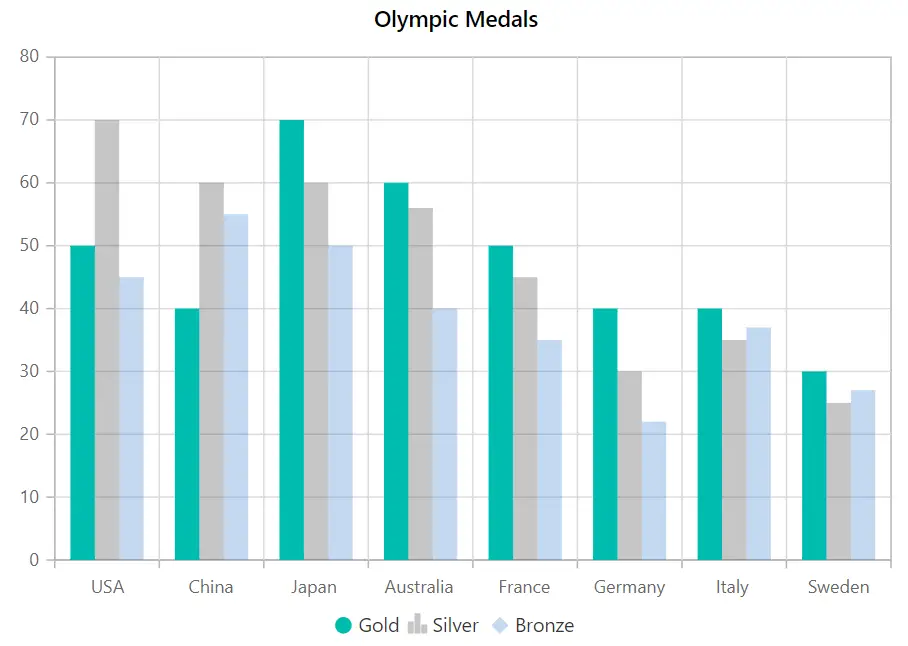
By default, when you click on the legend item, the appropriate series visibility is collapsed. On the other hand, [ToggleVisibility](https://help.syncfusion.com/cr/blazor/Syncfusion.Blazor.Charts.ChartLegendSettings.html#Syncfusion_Blazor_Charts_ChartLegendSettings_ToggleVisibility) property is used to disable such functionality.
```cshtml
@using Syncfusion.Blazor.Charts
@code{
public class ChartData
{
public string Country { get; set; }
public double Gold { get; set; }
public double Silver { get; set; }
public double Bronze { get; set; }
}
public List MedalDetails = new List
{
new ChartData{ Country= "USA", Gold=50, Silver=70, Bronze=45 },
new ChartData{ Country="China", Gold=40, Silver= 60, Bronze=55 },
new ChartData{ Country= "Japan", Gold=70, Silver= 60, Bronze=50 },
new ChartData{ Country= "Australia", Gold=60, Silver= 56, Bronze=40 },
new ChartData{ Country= "France", Gold=50, Silver= 45, Bronze=35 },
new ChartData{ Country= "Germany", Gold=40, Silver=30, Bronze=22 },
new ChartData{ Country= "Italy", Gold=40, Silver=35, Bronze=37 },
new ChartData{ Country= "Sweden", Gold=30, Silver=25, Bronze=27 }
};
}
```
## Hiding legend item
The series [Name](https://help.syncfusion.com/cr/blazor/Syncfusion.Blazor.Charts.ChartSeries.html#Syncfusion_Blazor_Charts_ChartSeries_Name) will be displayed as the legend text by default. One can skip the legend for particular series by providing an empty string to the series [Name](https://help.syncfusion.com/cr/blazor/Syncfusion.Blazor.Charts.ChartSeries.html#Syncfusion_Blazor_Charts_ChartSeries_Name) property.
```cshtml
@using Syncfusion.Blazor.Charts
@code{
public class ChartData
{
public string Country { get; set; }
public double Gold { get; set; }
public double Silver { get; set; }
public double Bronze { get; set; }
}
public List MedalDetails = new List
{
new ChartData{ Country= "USA", Gold=50, Silver=70, Bronze=45 },
new ChartData{ Country="China", Gold=40, Silver= 60, Bronze=55 },
new ChartData{ Country= "Japan", Gold=70, Silver= 60, Bronze=50 },
new ChartData{ Country= "Australia", Gold=60, Silver= 56, Bronze=40 },
new ChartData{ Country= "France", Gold=50, Silver= 45, Bronze=35 },
new ChartData{ Country= "Germany", Gold=40, Silver=30, Bronze=22 },
new ChartData{ Country= "Italy", Gold=40, Silver=35, Bronze=37 },
new ChartData{ Country= "Sweden", Gold=30, Silver=25, Bronze=27 }
};
}
```
## Legend Template
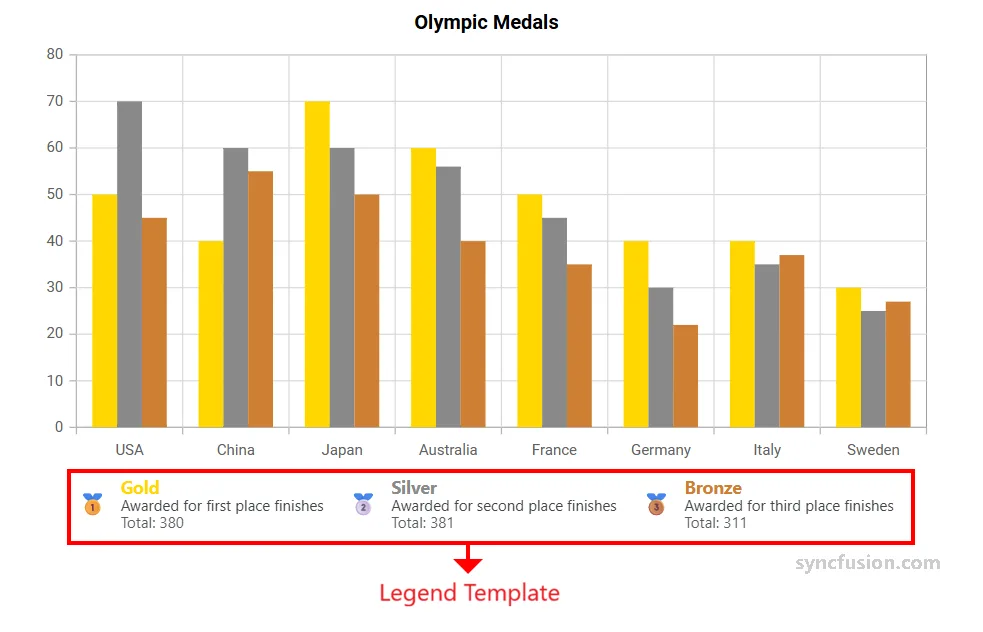
Legend templates allow you to replace default legend icons and text with custom HTML or Blazor markup for each series. This enables branded styles, richer content (icons, multi-line text, badges), improved readability, and localization.
To use, add a `LegendItemTemplate` inside any [ChartSeries](https://help.syncfusion.com/cr/blazor/Syncfusion.Blazor.Charts.ChartSeries.html) you want to customize. The rendered content becomes the legend item and can be styled with CSS. Legend interactions (click to toggle series) remain unless [ToggleVisibility](https://help.syncfusion.com/cr/blazor/Syncfusion.Blazor.Charts.ChartLegendSettings.html#Syncfusion_Blazor_Charts_ChartLegendSettings_ToggleVisibility) is set to false. Templates work with all legend positions, alignments, and paging.
```
@using Syncfusion.Blazor.Charts
@* Initialize the chart and configure essential features *@
@* Set category axis for country names *@
@* Show the legend and enable series toggle *@
@* Gold column series *@
@* Custom legend with icon, label, and total count *@
🥇
GoldAwarded for first place finishesTotal: @GoldTotal
@* Silver column series *@
@* Custom legend with icon, label, and total count *@
🥈
SilverAwarded for second place finishesTotal: @SilverTotal
@* Bronze column series *@
@* Custom legend with icon, label, and total count *@
🥉
BronzeAwarded for third place finishesTotal: @BronzeTotal
@code {
public class ChartData
{
public string Country { get; set; }
public double Gold { get; set; }
public double Silver { get; set; }
public double Bronze { get; set; }
}
public List MedalDetails = new()
{
new ChartData{ Country= "USA", Gold=50, Silver=70, Bronze=45 },
new ChartData{ Country= "China", Gold=40, Silver=60, Bronze=55 },
new ChartData{ Country= "Japan", Gold=70, Silver=60, Bronze=50 },
new ChartData{ Country= "Australia",Gold=60, Silver=56, Bronze=40 },
new ChartData{ Country= "France", Gold=50, Silver=45, Bronze=35 },
new ChartData{ Country= "Germany", Gold=40, Silver=30, Bronze=22 },
new ChartData{ Country= "Italy", Gold=40, Silver=35, Bronze=37 },
new ChartData{ Country= "Sweden", Gold=30, Silver=25, Bronze=27 }
};
public int GoldTotal => (int)MedalDetails.Sum(m => m.Gold);
public int SilverTotal => (int)MedalDetails.Sum(m => m.Silver);
public int BronzeTotal => (int)MedalDetails.Sum(m => m.Bronze);
}
```
N> Refer to the [Blazor Charts](https://www.syncfusion.com/blazor-components/blazor-charts) feature tour page for its groundbreaking feature representations and also explore the [Blazor Chart Example](https://blazor.syncfusion.com/demos/chart/line?theme=bootstrap5) to know various chart types and how to represent time-dependent data, showing trends at equal intervals.
## See also
* [Data label](./data-labels)
* [Marker](./data-markers)
* [Toggle Series Visibility Using Legend](https://support.syncfusion.com/kb/article/20966/how-to-toggle-series-visibility-using-legend-in-live-blazor-chart)