Export in Windows Forms Syntax Editor
18 Nov 20184 minutes to read
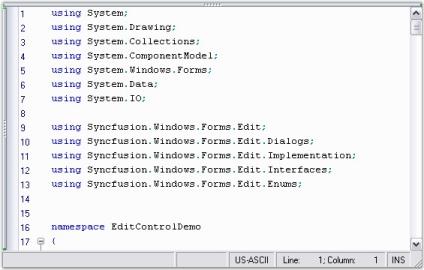
The Syntax Editor has the ability to export its content with associated syntax highlighting information to XML, HTML, and RTF file formats.
Export as XML file
Supports to export the content with syntax highlighting appearance into XML format by using the following function.
| Function | Description |
|---|---|
| Export the Syntax Editor content into XML format and save it in any desired XML file. |
// Export the Syntax Editor contents into XML format and save it into a XML file.

this.editControl1.SaveAsXML("testXML.xml");
' Export the Syntax Editor contents into XML format and save it into a XML file.
Me.editControl1.SaveAsXML("testXML.xml")The Syntax Editor is also capable of providing XML source code for generating documents in the corresponding formats by using the following function.
| Function | Description |
|---|---|
| Gets the source code to generate XML document for the text in the Syntax Editor. |
// Gets the source code to generate XML document.

this.editControl1.GetTextAsXML();

// Gets the source code to generate XML document for the text range specified.

this.editControl1.GetTextAsXML(coordinatePoint1, coordinatePoint2);
' Gets the source code to generate XML document.
Me.editControl1.GetTextAsXML()
' Gets the source code to generate XML document for the text range specified.
Me.editControl1.GetTextAsXML(coordinatePoint1, coordinatePoint2)Export as HTML file
Supports to export the content with syntax highlighting appearance into HTML format using the following function.
| Function | Description |
|---|---|
| Export the Syntax Editor content into HTML format and save it in any desired HTML file. |
// Export the Syntax Editor contents into HTML format and save it into a HTML file.

this.editControl1.SaveAsHTML("testHTML.html");
' Export the Syntax Editor contents into HTML format and save it into a HTML file.
Me.editControl1.SaveAsHTML("testHTML.html")The Syntax Editor is also capable of providing HTML source code for generating documents in the corresponding formats by using the following function.
| Function | Description |
|---|---|
| Gets the source code to generate HTML document for the text in the Syntax Editor. |
// Gets the source code to generate HTML document.

this.editControl1.GetTextAsHTML();

// Gets the source code to generate HTML document for the text range specified.

this.editControl1.GetTextAsHTML(coordinatePoint1, coordinatePoint2);
' Gets the source code to generate HTML document.
Me.editControl1.GetTextAsHTML()
' Gets the source code to generate HTML document for the text range specified.
Me.editControl1.GetTextAsHTML(coordinatePoint1, coordinatePoint2)Export as RTF file
Supports to export the content with syntax highlighting appearance into RTF format.
| Function | Description |
|---|---|
| Export the Syntax Editor content into RTF format and save it in any desired RTF file. |
// Export the Syntax Editor contents into RTF format and save it into a RTF file.

this.editControl1.SaveAsRTF("testRTF.rtf");
' Export the Syntax Editor contents into RTF format and save it into a RTF file.
Me.editControl1.SaveAsRTF("testRTF.rtf")The Syntax Editor is also capable of providing RTF source code for generating documents in the corresponding formats by using the following function.
| Function | Description |
|---|---|
| Gets the source code to generate RTF document for the text in the Syntax Editor. |
// Gets the source code to generate RTF document.

this.editControl1.GetTextAsRTF();

// Gets the source code to generate RTF document for the text range specified.

this.editControl1.GetTextAsRTF(coordinatePoint1, coordinatePoint2);
' Gets the source code to generate RTF document.
Me.editControl1.GetTextAsRTF()
' Gets the source code to generate RTF document for the text range specified.
Me.editControl1.GetTextAsRTF(coordinatePoint1, coordinatePoint2)Refer to the following sample link that demonstrates the
Exportfunctionalities:
C:\Users\<User>\AppData\Local\Syncfusion\EssentialStudio\Version Number\Windows\Edit.Windows\Samples\Export
Bitmap generation
Support to save the Syntax Editor as image by using the CreateBitmap function.
// Creates bitmap of the Syntax Editor.

Bitmap bmp = this.editControl1.CreateBitmap();
' Creates bitmap of the Syntax Editor.
Dim bmp as Bitmap = Me.editControl1.CreateBitmap()