Getting Started with Windows Forms Splash Screen
18 Nov 20185 minutes to read
This section explains how to get started with the Windows Forms Splash Screen control and its basic features.
Assembly Deployment
Refer to the Control Dependencies section for the list of assemblies and NuGet packages required to use the SplashControl.
Refer to NuGet Packages to learn how to install NuGet packages in a Windows Forms application.
To install the required NuGet package using the NuGet Package Manager Console, run the following command:
Install-Package Syncfusion.Tools.WindowsAdding Splash Screen via Designer
The SplashControl provides full support for the Windows Forms designer. When the control is dragged from the Toolbox onto the form, the following required assembly references are added automatically:
- Syncfusion.Grid.Base.dll
- Syncfusion.Grid.Windows.dll
- Syncfusion.Shared.Base.dll
- Syncfusion.Shared.Windows.dll
- Syncfusion.Tools.Base.dll
- Syncfusion.Tools.Windows.dll
-
Drag the
SplashControlfrom the Toolbox onto the form. TheSplashControlis created in the component tray of the form.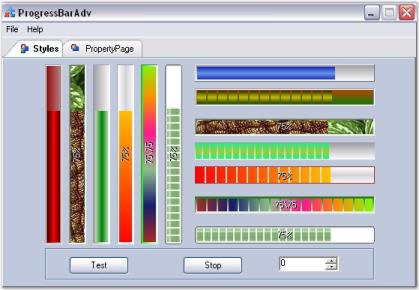
-
Set the
SplashImageandTimerIntervalproperties in the Properties window. - Set the
AutoModeproperty. This property determines how the Splash Screen is displayed.- When
AutoModeis set totrue, the Splash Screen is displayed automatically during the parent form’sLoadevent. - When
AutoModeis set tofalse, the splash screen must be displayed explicitly by calling theShowSplash()method.
- When
-
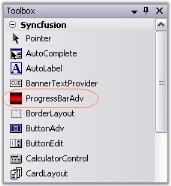
Preview the splash screen at design time by using the Preview Splash option in the Smart Tag.
-
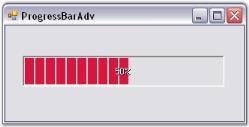
Run the application to display the splash screen.
-
Handle the
SplashClosedevent to execute code after the splash screen is closed. - Hide the splash screen while it is displayed by calling the
HideSplash()method.
Adding Splash Screen via Code
To create a SplashControl programmatically, follow these steps:
-
Create a new C# or VB.NET Windows Forms application in Visual Studio.
-
Add the following required assembly references to the project:
- Syncfusion.Grid.Base.dll
- Syncfusion.Grid.Windows.dll
- Syncfusion.Shared.Base.dll
- Syncfusion.Shared.Windows.dll
- Syncfusion.Tools.Base.dll
- Syncfusion.Tools.Windows.dll
-
Include the required namespace.
using Syncfusion.Windows.Forms.Tools;Imports Syncfusion.Windows.Forms.Tools -
Declare an instance of the
SplashControl.
private Syncfusion.Windows.Forms.Tools.SplashControl splashControl1;Friend WithEvents SplashControl1 As Syncfusion.Windows.Forms.Tools.SplashControl- Initialize the control.
this.splashControl1 = new Syncfusion.Windows.Forms.Tools.SplashControl();
this.SuspendLayout();Me.SplashControl1 = New Syncfusion.Windows.Forms.Tools.SplashControl()
Me.SuspendLayout()-
Configure the required properties of the
SplashControl.this.splashControl1.CustomSplashPanel = null; this.splashControl1.HostForm = this; this.splashControl1.HostFormWindowState = System.Windows.Forms.FormWindowState.Normal; this.splashControl1.TimerInterval = 3000;Me.SplashControl1.CustomSplashPanel = Nothing Me.SplashControl1.HostForm = Me Me.SplashControl1.HostFormWindowState = System.Windows.Forms.FormWindowState.Normal Me.SplashControl1.TimerInterval = 3000 -
Run the application to display the splash screen.