VisualStyle in WinForms Spell Checker
18 Nov 20183 minutes to read
The WinForms Spell Checker control has rich set of themes for professional representation. You can easily modify the look and feel of the control using the built-in themes.
It has the below themes.
•	Default

•	Metro

•	Office2016Colorful

•	Office2016White

•	Office2016DarkGray

•	Office2016Black
The following code example allows you to set the VisualStyle for the WinForms Spell Checker.
Default
This option helps to set the Default theme.
this.spellCheckerAdv1.VisualStyle = Syncfusion.Windows.Forms.Tools.SpellCheckerAdvStyle.Default;Me.spellCheckerAdv1.VisualStyle = Syncfusion.Windows.Forms.Tools.SpellCheckerAdvStyle.Default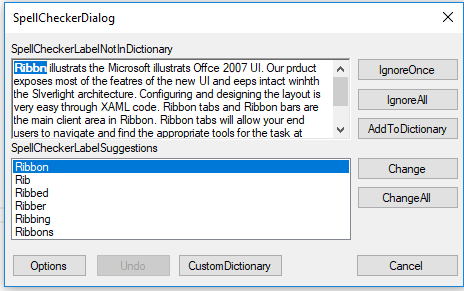
Metro
This option helps to set the Metro theme.
this.spellCheckerAdv1.VisualStyle = Syncfusion.Windows.Forms.Tools.SpellCheckerAdvStyle.Metro;Me.spellCheckerAdv1.VisualStyle = Syncfusion.Windows.Forms.Tools.SpellCheckerAdvStyle.Metro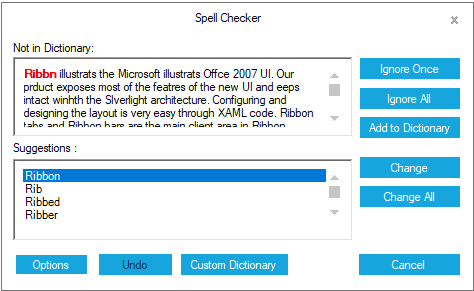
Office2016Colorful
This option helps to set the Office2016Colorful theme.
this.spellCheckerAdv1.VisualStyle = Syncfusion.Windows.Forms.Tools.SpellCheckerAdvStyle.Office2016Colorful;Me.spellCheckerAdv1.VisualStyle = Syncfusion.Windows.Forms.Tools.SpellCheckerAdvStyle.Office2016Colorful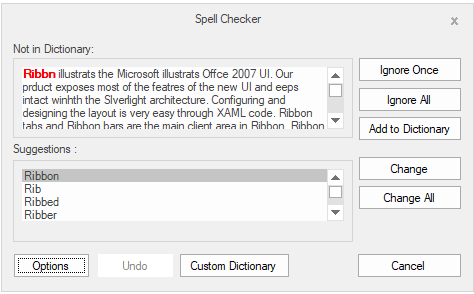
Office2016White
This option helps to set the Office2016White theme.
this.spellCheckerAdv1.VisualStyle = Syncfusion.Windows.Forms.Tools.SpellCheckerAdvStyle.Office2016White;Me.spellCheckerAdv1.VisualStyle = Syncfusion.Windows.Forms.Tools.SpellCheckerAdvStyle.Office2016White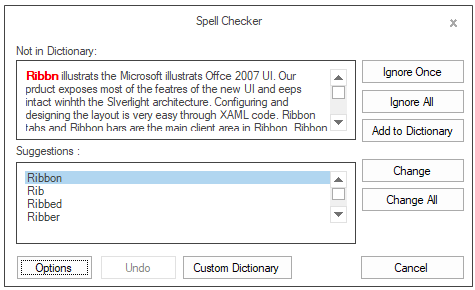
Office2016DarkGray
This option helps to set the Office2016DarkGray theme.
this.spellCheckerAdv1.VisualStyle = Syncfusion.Windows.Forms.Tools.SpellCheckerAdvStyle.Office2016DarkGray;Me.spellCheckerAdv1.VisualStyle = Syncfusion.Windows.Forms.Tools.SpellCheckerAdvStyle.Office2016DarkGray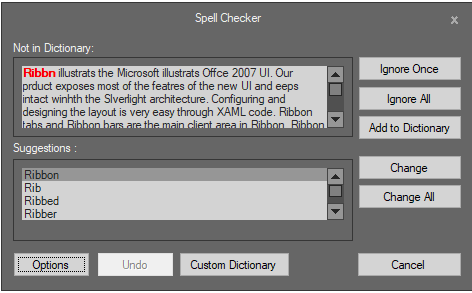
Office2016Black
This option helps to set the Office2016Black theme.
this.spellCheckerAdv1.VisualStyle = Syncfusion.Windows.Forms.Tools.SpellCheckerAdvStyle.Office2016Black;Me.spellCheckerAdv1.VisualStyle = Syncfusion.Windows.Forms.Tools.SpellCheckerAdvStyle.Office2016Black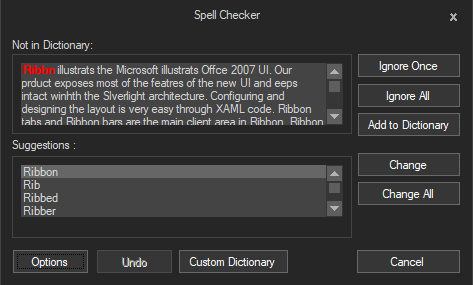
Refer to the following sample link that demonstrates the Visual Style support in WinForms Spell Checker.