About Syncfusion® Windows Forms Gradient Label Control
18 Nov 20181 minute to read
The Gradient Label class provides a way to create fancy and appealing labels in your forms.
The Gradient Label class is fully compatible with the Windows Forms label that it derives from and gets most of its uniqueness from the BrushInfo class that is used for the GradientLabel.BackgroundColor property.
The GradientLabel.Border3DStyle is another property that can specify the look and feel of the Gradient Label.
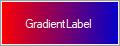
The .NET Framework provides a label control typically used to provide descriptive text for a control. The Gradient Label control provides an easy way to display labels with attractive shades and backgrounds.
Key features
-
Styles - Provides different set of styles to the control. The styles are Pattern, Solid, Gradient, and None.
-
Gradient Style - Provides different sets of styles to the Gradient. The styles are None, ForwardDiagonal, BackwardDiagonal, Horizontal, Vertical, PathRectangle, and PathEllipse.
All the other functions of the Gradient Label is the same as the System.Windows.Forms.Label control in the Windows Forms library.