Tooltip in WinForms Context Menu Strip
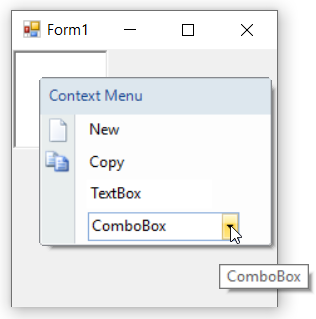
A tooltip is a short hint that shows customized text about a menu item when the mouse hovers over it. It can be enabled using the ShowItemToolTips property. The ToolTipText property sets the short hint text for each menu item.
The following example assumes that contextMenuStripEx, toolStripMenuItem1, toolStripTextBox1, and toolStripComboBox1 have already been declared and added to the context menu strip.
The below code snippet will explain how to set tooltip for WinForms Context Menu Strip items.
this.contextMenuStripEx.ShowItemToolTips = true;
this.toolStripMenuItem1.ToolTipText = "Used to create a new file";
this.toolStripTextBox1.ToolTipText = "Used to provide a editable text";
this.toolStripComboBox1.ToolTipText = "Used to provide a collection of items";Me.contextMenuStripEx.ShowItemToolTips = True
Me.toolStripMenuItem1.ToolTipText = "Used to create a new file"
Me.toolStripTextBox1.ToolTipText = "Used to provide a editable text"
Me.toolStripComboBox1.ToolTipText = "Used to provide a collection of items"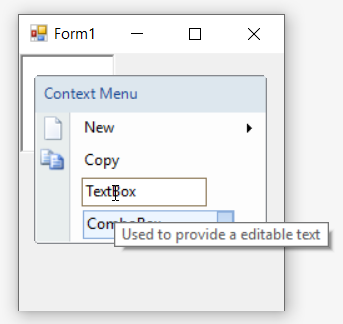
Auto Tooltip
The AutoTooltip property is set to false by default. In such case, the control will display the text set in the ToolTipText property of the menu item as discussed above. But on setting it to true, it will display the exact text set in the Text property of each menu item if and only if ToolTipText property remains empty.
The below code snippet will explain how to set auto tooltip for menu items.
this.toolStripMenuItem1.AutoToolTip = true;
this.toolStripTextBox1.AutoToolTip = true;
this.toolStripComboBox1.AutoToolTip = true;Me.toolStripMenuItem1.AutoToolTip = True
Me.toolStripTextBox1.AutoToolTip = True
Me.toolStripComboBox1.AutoToolTip = True