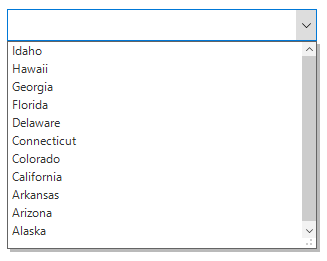
Sorting in Windows Forms ComboBox
18 Nov 20181 minute to read
The ComboBox supports sorting the data either in ascending or descending order by using the SortDescriptors property.
You can sort the data by creating the SortDescriptor with required name and direction and add it to the SortDescriptors property.
SortDescriptor object holds the following three properties:
-
PropertyName: Describes the name of the sorted property. -
Direction: Describes an object of typeListSortDirectionthat defines the sorting direction. -
Comparer: Describes the comparer to be applied when sorting the items.
sfComboBox1.DropDownListView.View.SortDescriptors.Add(new Syncfusion.DataSource.SortDescriptor() { PropertyName = "LongName", Direction = Syncfusion.DataSource.ListSortDirection.Descending });sfComboBox1.DropDownListView.View.SortDescriptors.Add(New Syncfusion.DataSource.SortDescriptor() With {.PropertyName = "LongName", .Direction = Syncfusion.DataSource.ListSortDirection.Descending})